
Get the Whole Fight in One Take
Watch the glare, the push through the fans, the move into the ring, the fight and the win in one continuous take. Our WWE AI Video lays the arena sound under the action, with no prompt, no template and no editing.
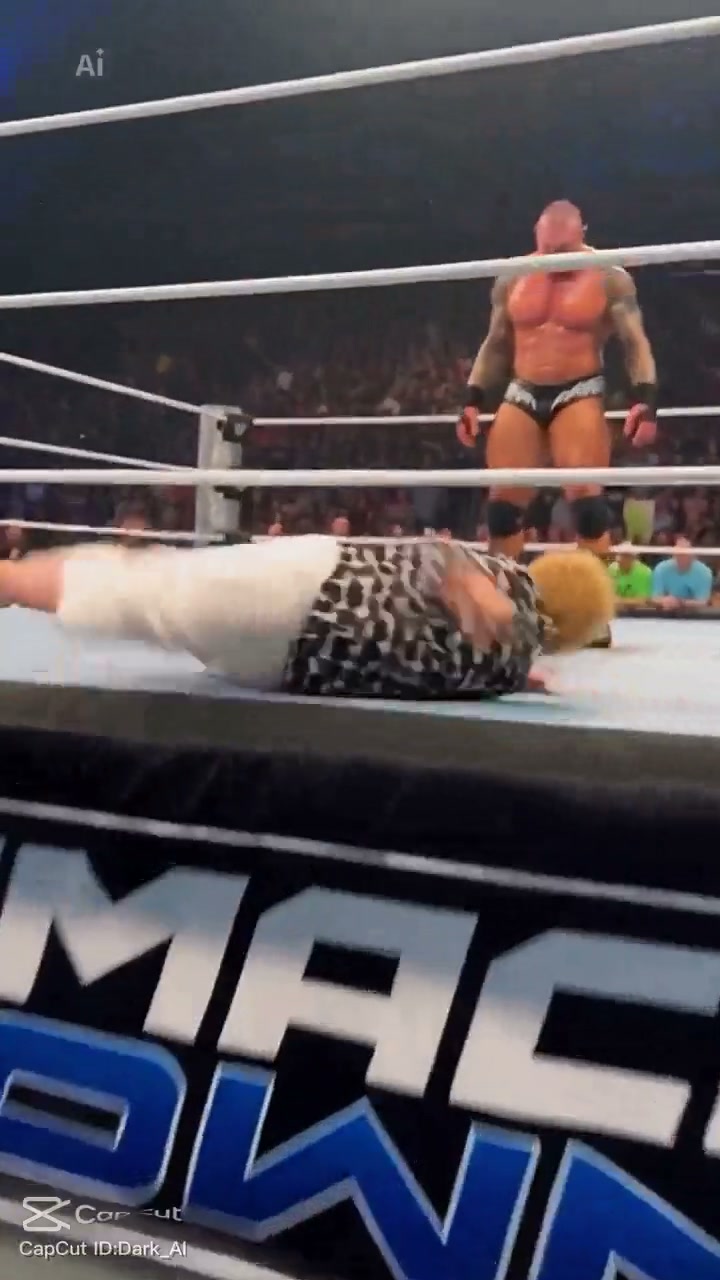
Seadanse WWE AI Video turns one photo into a 15-second 9:16 video for TikTok and Reels where you glare into the camera at ringside, storm into the ring, fight the pro wrestler and end standing over him knocked out. You get the continuous take with the arena sound in 720p or 1080p right in your web browser. Pay $9.90 for one 720p video, with no account and no app to install.
Also called WWE AI fight · WWE AI fight template · WWE AI video generator · AI wrestling video · AI fight effect · WWE AI trend · Luta no ringue
Your photo 0/1
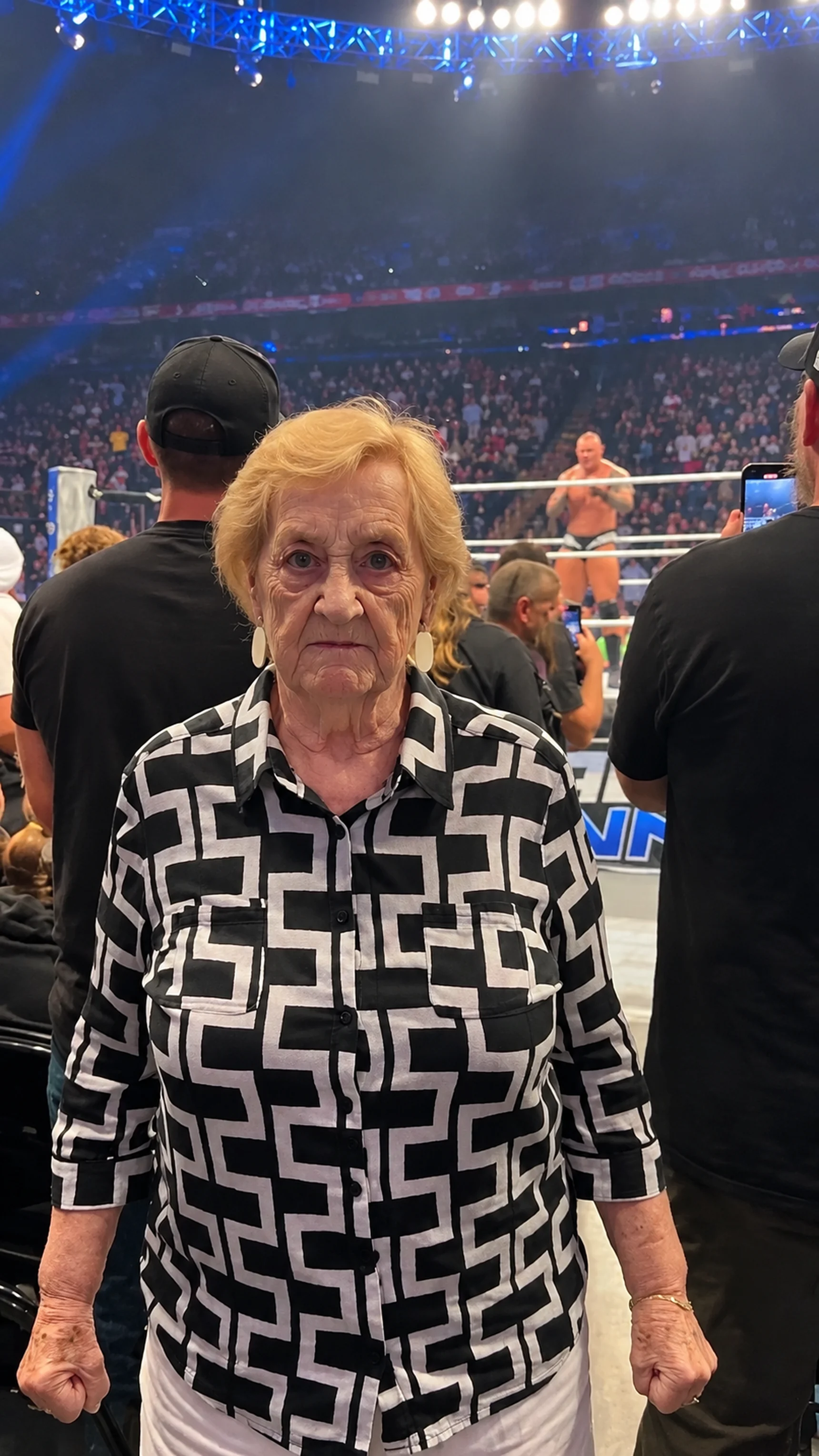
Tap the circle to put your photo there, or drop a photo onto it. It is the only photo needed: you take the place of the fan at ringside, from the glare to the win.
Photos on your phone?
Scan a code and pick them from your camera roll. They land in the empty boxes above.
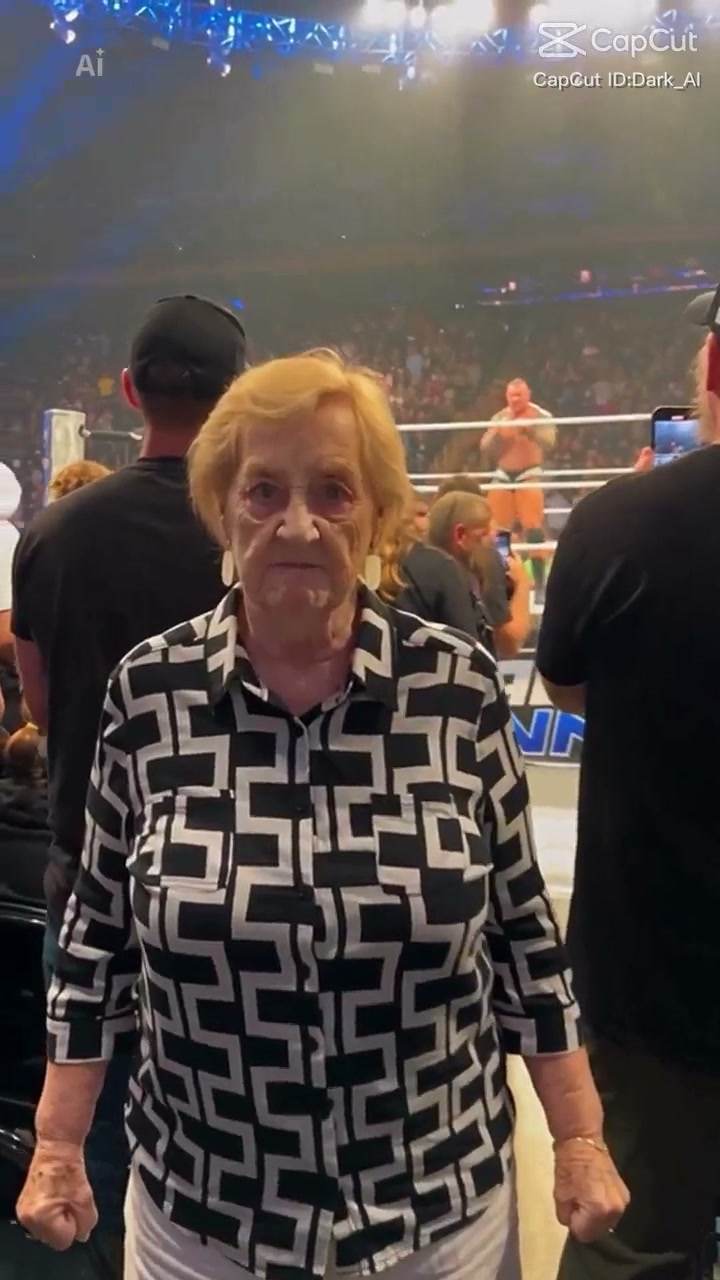
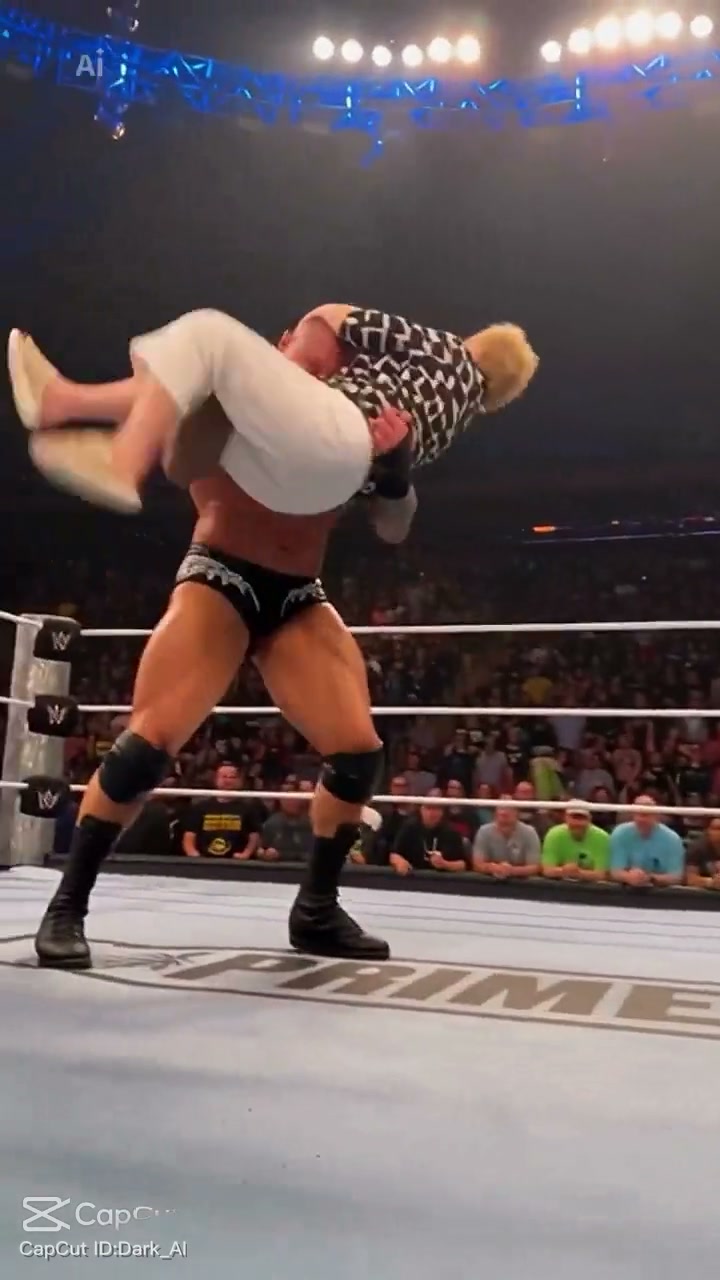
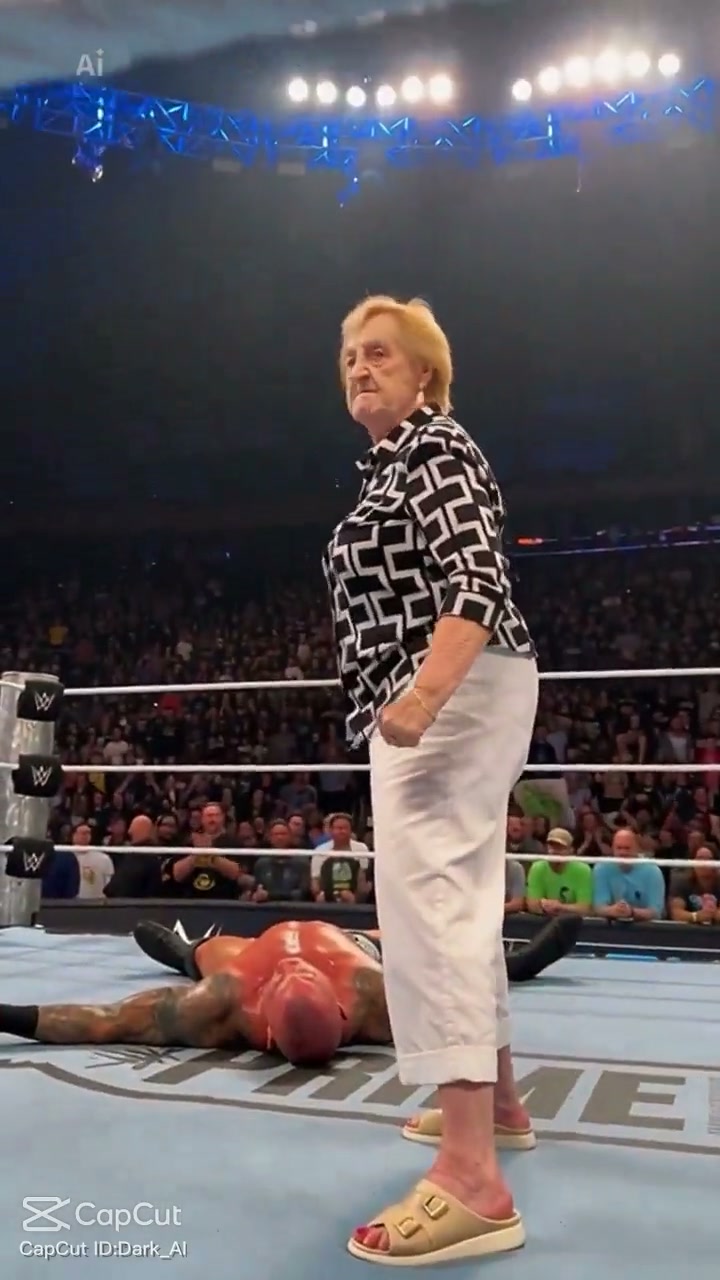
A WWE AI Video is an AI video in which you glare into the camera at ringside, storm into the ring, fight the pro wrestler and end standing over him knocked out. The viral clip often turns an ordinary fan, such as a dad or a grandma, into the winner. People search for these posts as the WWE AI fight. Every post in the trend uses the same one-take clip with a different fan in it each time.
An earlier 10-second version, filmed like a TV broadcast, went round starting in October 2026, and its top post reached 2.9 million views on 23 November 2026. The fan's-phone clip shown on this page went up on 15 November 2026. People made 631,797 videos from it by 20 November 2026 and more than 2.1 million by 23 November 2026. The most viewed TikTok post of this wave went up on 19 November 2026 and had 1.2 million views on 23 November 2026.
The action runs for 15 seconds in one take filmed like a fan's phone, with the arena sound laid under. Second 0 to 2 sets up the glare into the camera at ringside. Second 2 to 5 pushes through the fans filming on their phones. Second 5 to 7.5 climbs into the ring and rolls under the bottom rope. Second 7.5 to 12.5 brings the fight, where punches fly before the wrestler lifts the fighter onto his shoulder and both crash to the mat. Second 12.5 to 15 seals the win as the fighter stands tall over the knocked-out wrestler.
Seadanse puts the full scene into our WWE AI Video with the arena sound. Add one photo to make your video. The fighter's face, hair and clothes come from your photo, while the wrestler, the crowd and the arena stay as in the trend's clip. You get a 15-second 9:16 video for TikTok and Reels in 720p or 1080p. One $9.90 credit pack makes one 720p video with no account needed.
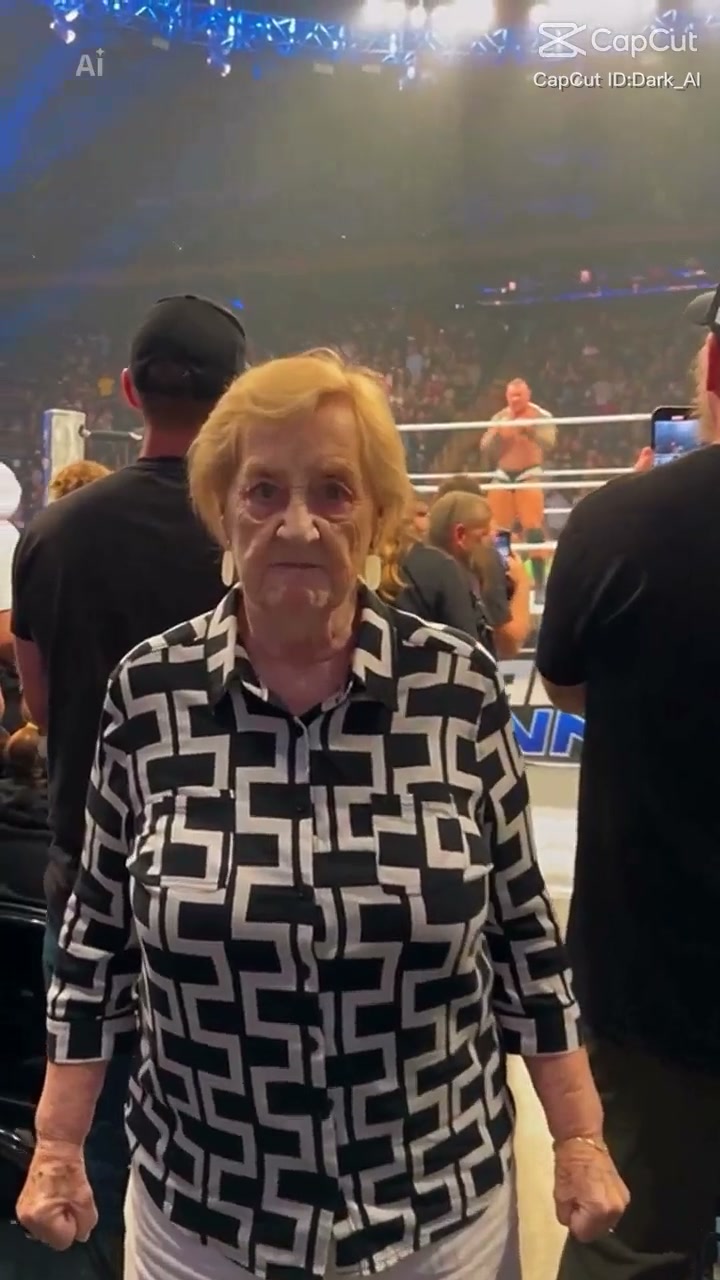
This is the clip people make the trend from, as it plays: 15 seconds in one take, filmed like a fan's phone, in which a grandma at ringside glares into the camera, pushes through the fans, rolls into the ring, trades punches with a huge bald wrestler, is lifted onto his shoulder, crashes to the mat with him and ends standing over him knocked out. Our WWE AI Video makes the same 15 seconds with the person in your photo as the fan, with the arena sound.
Your video is 15 seconds long, 9:16, one take filmed like a fan's phone, with the arena sound under it. Only the fan changes: the face, hair and clothes come from your photo.
| Part | What you see |
|---|---|
| 0–2 s · The glare | At ringside among the fans, fists clenched, you glare straight into the camera as it moves in; the wrestler waits in the ring behind. |
| 2–5 s · Through the fans | You turn, push past the fans filming on their phones and march across the floor to the ring. |
| 5–7.5 s · Into the ring | Up onto the edge of the ring, under the bottom rope, onto the mat and up to face the wrestler. |
| 7.5–12.5 s · The fight | Punches traded and a bounce off the ropes, then the wrestler lifts you onto his shoulder and you both crash to the mat. |
| 12.5–15 s · The win | You get up and stand tall over the knocked-out wrestler. |
Since October 2026, people have posted AI videos of an ordinary fan, very often a grandma or grandpa, storming a pro-wrestling ring and beating the wrestler. People search it as the WWE AI fight.
@qamarking511 posts the October version, a 10-second fight filmed like a TV broadcast, in which a fan throws the wrestler and raises a hand: 2.9 million views by 23 November.
The clip shown on this page goes up: one 15-second take filmed like a fan's phone, from the glare at ringside to the win.
@user7453115952617 posts a fan storming the ring and beating the bald wrestler, the most viewed post of the November wave: 1.2 million views by 23 November.
@user7453115952617 posts a second one, with an older man as the fan: 232,400 views by 23 November.
More than 2.1 million videos have been made from the clip shown on this page, as read on 23 November. Seadanse adds WWE AI Video: the same 15 seconds from one photo, with the arena sound.
Watch the glare, the push through the fans, the move into the ring, the fight and the win in one continuous take. Our WWE AI Video lays the arena sound under the action, with no prompt, no template and no editing.
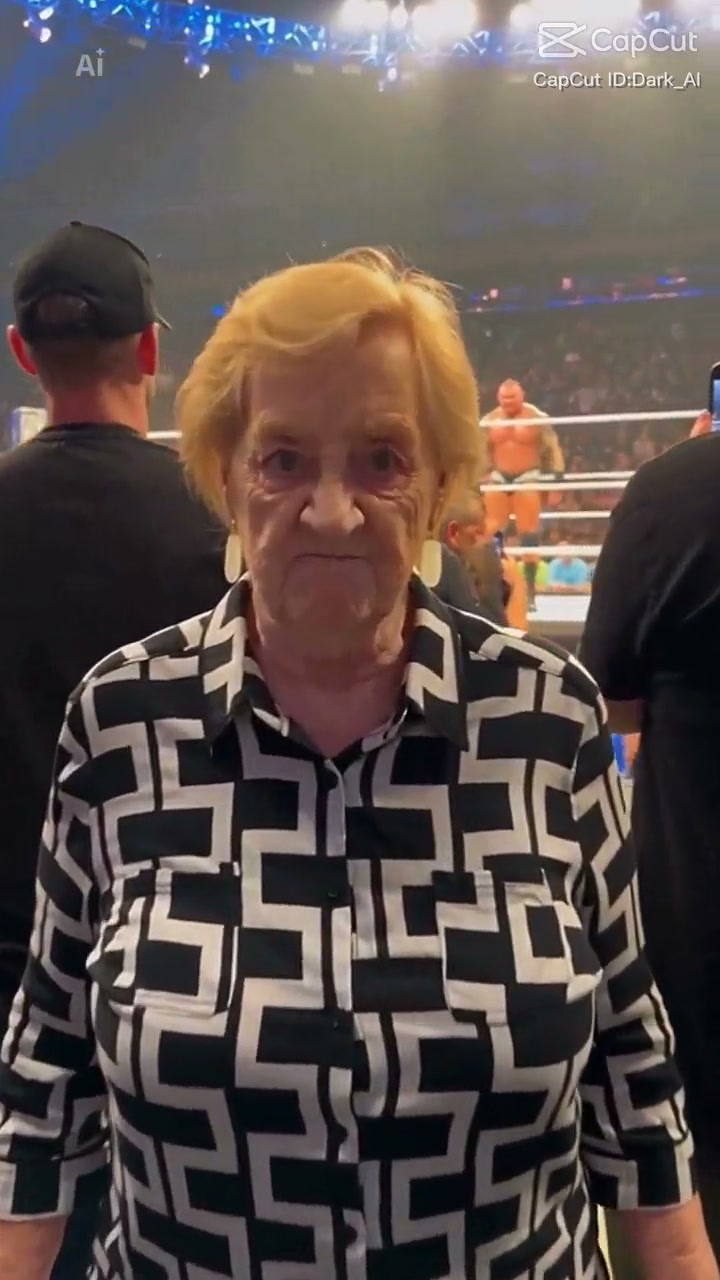
Trade punches with a huge bald pro wrestler, take the shoulder lift and crash to the mat with him. Our WWE AI Video puts you right back on your feet to stand tall over the knocked-out wrestler.
Step into the arena wearing the exact clothes, hair and face from your photo. Our WWE AI Video keeps your real look intact through the walk, the climb and the victory.
Upload a picture of yourself, your dad, your grandma, a friend 18 or older, or a cartoon or game character. Our WWE AI Video turns anyone into the ringside fan who storms the ring and wins.
Upload one photo of yourself to our WWE AI Video and join the trend. You get a 15-second video of you storming the ring and beating the pro wrestler, ready for TikTok and Reels.
Upload one photo of your dad or grandma, with their say, to our WWE AI Video. You get the whole fight with the crowd and the hits of the arena sound as they knock out a pro wrestler.
Add one photo of an adult friend who said yes to our WWE AI Video. You get your friend glaring into the camera at ringside and standing tall over the pro wrestler for your group chat.
Bring one picture of your favourite cartoon character or game character to our WWE AI Video. You see your character in the fight from the glare to the win, backed by the arena sound.
Add one photo of one person or character, face to the camera, and tick the box to confirm you have the right to use it and the person in it is 18 or older.
Pick 720p or 1080p and see the price on the Create button.
Press Create, pay once with no account, and download your 15-second 9:16 video with the arena sound.
One $9.90 credit pack of 500 credits makes one 15-second 720p WWE AI Video. A 720p video uses 500 credits, and 1080p uses 1,480 credits. You pay once with no subscription and no account, and your credits stay valid for 12 months. The price shows on the Create button before you pay, and a render that fails returns its credits automatically. The Seadanse pricing page lists every credit pack.
Follow three simple steps. Add one photo of one person or character, face to the camera, and tick the box. Pick 720p or 1080p and see the price on the Create button. Press Create, pay once with no account, and download your 15-second video with no prompt, no template, no app and no editing.
It is a viral trend of AI videos where an ordinary fan, often a grandma or grandpa, glares into a phone camera at ringside, storms the ring and beats a huge pro wrestler. People search for it as the WWE AI fight, a WWE AI video or an AI fight effect. Our WWE AI Video makes the full scene with the person in your photo as the fighter.
An earlier 10-second version, filmed like a TV broadcast, went round from October 2026, and its most viewed post had 2.9 million views on 23 November 2026. The fan's-phone clip shown on this page went up on 15 November 2026. People made 631,797 videos from it by 20 November 2026 and more than 2.1 million by 23 November 2026. The most viewed TikTok post of this wave went up on 19 November 2026 and reached 1.2 million views on 23 November 2026.
No. They are AI videos that use the same one-take clip with a different fan in it each time. Our WWE AI Video creates your video the exact same way, with the person in your photo in the fight.
You get 15 seconds in one take, filmed like a fan's phone with the arena sound laid under. From 0 to 2 seconds is the glare at ringside. From 2 to 5 seconds is the push through the fans. From 5 to 7.5 seconds is the climb into the ring under the bottom rope. From 7.5 to 12.5 seconds is the fight with punches, the shoulder lift and the crash to the mat. From 12.5 to 15 seconds is the win, standing tall over the knocked-out wrestler.
You can put anyone 18 or older who gives their say. Pick yourself, your dad, your grandma or a friend, women and men alike. A cartoon character or a game character works great too.
Use a clear photo of one person or character facing the camera in good light, with nothing covering the face, like sunglasses. A shot from the waist up or of the whole body works best because the fighter's back and body show on the way to the ring. The fighter wears the clothes from the photo, so choose the look you want. Any background works because the arena comes from the trend's clip.
Only the fighter changes. The face, hair and clothes come straight from your photo. The pro wrestler and every move, the fans, the crowd, the ring, the arena lights, the camera, the timing and the arena sound stay as they are in the trend's clip.
Yes. Every video is 15 seconds long in a 9:16 frame, filmed like a fan's phone with the arena sound laid under. It is built to post straight to TikTok and Reels in 720p or 1080p.
The $9.90 credit pack of 500 credits makes one 15-second 720p video, while a 1080p video uses 1,480 credits. Credit packs are a one-time payment with no subscription, and your credits stay valid for 12 months. You buy with no account, and sign-up is free with no card and adds 40 starter credits. The price shows on the Create button before you pay, and a render that fails returns its credits automatically. The Seadanse pricing page lists every credit pack.
No. You do not need a prompt, a template or an app. The ring, the wrestler, the fight and the arena sound are built into our WWE AI Video. It runs in your web browser on a phone, tablet or computer, and your video starts right on this page with no account.
Yes. Our WWE AI Video runs directly in your web browser on your phone, tablet or computer. Simply add one photo, press Create, and your 15-second fight is made right on this page with no app to install and no account.
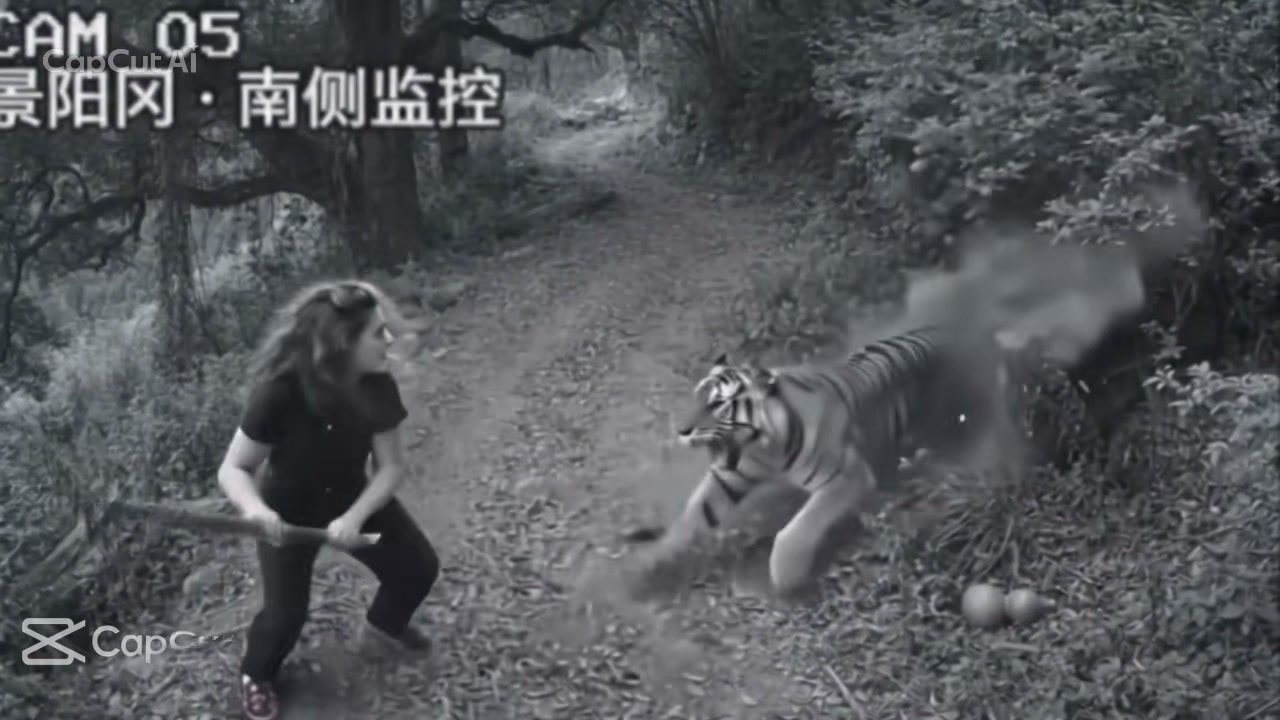
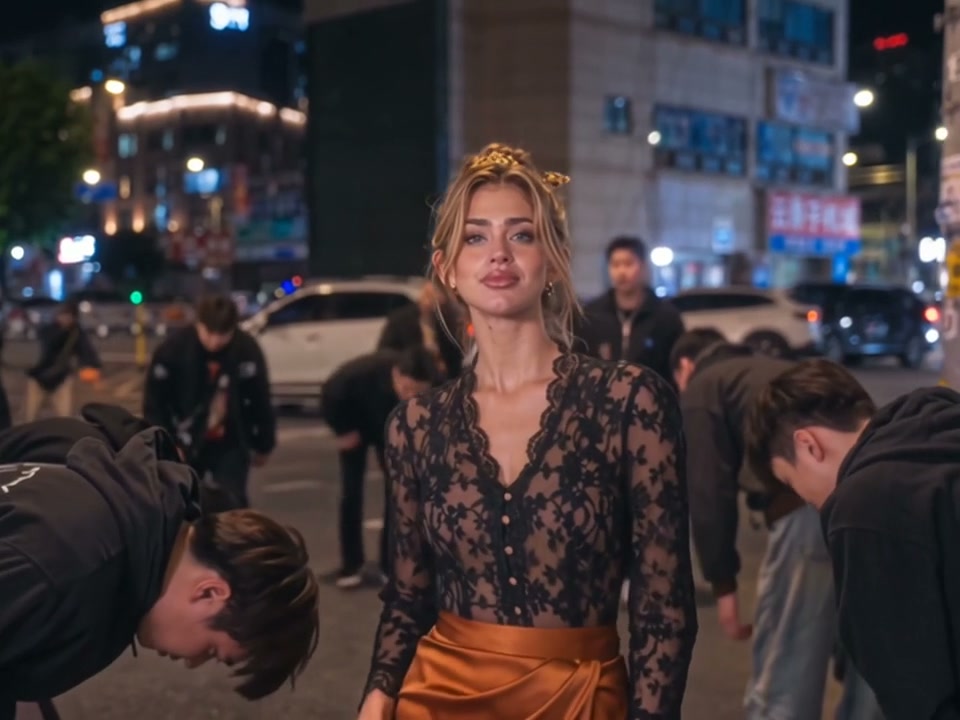
Yes. Tiger Fight AI makes a 10-second black-and-white security-camera video where a tiger comes out of the forest and you end up sitting on the pinned tiger. King Jin AI puts you in a night city street where young men on both sides bow deeply to you in a 10-second video. AI Car Shootout Video puts you at the wheel of a car in a 10-second roadside shootout with its own sound.
Yes. Seadanse never sells personal information. Your photos and videos stay safely in your account until you delete them.
Every page here runs the real models in your browser — jump to the one that matches the clip you have in mind.
Upload a photo, pick an effect, get a short video. No prompt to write.
Articles written for this model: how to prompt it, where it runs and what its limits are.

Make AI video effects with a one-time credit pack from $9.90, no monthly plan. Four effects need no account at all.
Put yourself or your grandma in the ring to beat a pro wrestler in a 15-second 9:16 video for TikTok and Reels with the arena sound for $9.90, with no subscription and no account.


