
Best AI Car Shootout Video Generator in 2026: 4 Ways Compared
The best AI car shootout video generator is Seadanse: add one photo plus your own car's interior and toy or prop, 10 seconds, 16:9, $9.90 for 720p.
 The Seadanse Team14 min read
The team behind Seadanse. We run the models we write about, and we publish the specs, prices and limits the marketing leaves out.

TL;DR — The best AI car shootout video generator for this trend is Seadanse's AI Car Shootout Video page. One photo makes a 10-second 16:9 video with the clip's own sound. $9.90 makes one 720p video, with no account. Of the four ways we compared on November 15, 2026, it's the one that also takes your own car's interior and your own toy or prop, at the same price. CapCut's "ai" template is free in the CapCut app and takes one photo. Sibrik's "Car shootout" template takes one photo too.
You've seen the videos in your feed: someone sits at the wheel, pulls a pistol from a bag, fires out the window, and stares back in shock. You want to make one with you in the driver's seat.
The ways to make it ask for very different things. You'll run into CapCut templates, app tools that sell credit packs, and general gun-shooter tools that don't put you inside a car. Most of them give you the trend's own car and pistol whatever you do.
Here's how the four options stack up, based on what we read on each tool's own page on November 15, 2026. We'll show you what each one takes, what it gives, and which one lets you put your own car and your own prop into the scene.
Best AI Car Shootout Video Generator: The 4 Ways at a Glance
The four ways to make an AI car shootout video differ in what you can customize, what you pay, and where the video gets made:
- Seadanse AI Car Shootout Video: You add one photo and get a 10-second 16:9 video in your browser, with the clip's own sound. Your own car's interior and your own prop are optional photos, and it's $9.90 at 720p with no account.
- CapCut "ai" template: You add one photo inside the CapCut app and get a 10-second 16:9 video with the trend's built-in car and pistol. It's free in the CapCut app.
- Sibrik "Car shootout": You add one photo inside Sibrik's app to get a 13-second video with a 4:3 format setting for 104 credits at 720p.
- AI gun shooter pages: You add a photo to create a stand-alone shooting clip, but none of the four pages mentions a car, a driver or a passenger seat.
| Seadanse AI Car Shootout Video | CapCut "ai" template | Sibrik "Car shootout" | What it means for you | |
|---|---|---|---|---|
| Photos you add | One required, two optional | One photo slot | One photo slot | Start with one photo of the driver |
| Your own car's interior | Yes, as an optional photo | No second photo slot | No second photo slot | Your car's seats and dashboard in the scene |
| Your own toy or prop | Yes, as an optional photo, in place of the pistol | No second photo slot | No second photo slot | A toy blaster or water pistol in your hand |
| Length | 10 seconds | 10 seconds | 13 seconds | The trend's beats, start to finish |
| Frame | 16:9 | 16:9 | 4:3 format setting | Wide, like the trend's posts |
| Sound | The clip's own sound from the first second | Its sample video has sound | Its sample video has sound | Nothing to add after |
| Price for one video | $9.90 for one 720p video | Free in the CapCut app | 104 credits at 720p | You see it before you pay |
| Account | None: pay once at checkout | — | Yes, credits sit in a Sibrik account | Fewer steps before you start |
| Where you make it | Your web browser | The CapCut app, from a TikTok post's tag | Sibrik's app | Pick where you already are |
The CapCut and Sibrik columns are what each tool's own pages showed when we read them on November 15, 2026; a dash means the page didn't say.
What to Look For in an AI Car Shootout Video Generator
An AI car shootout video generator needs to deliver the exact action-movie beats that make this meme recognizable across social feeds:
- The scene: You want the in-car dashcam scene (a dashcam is a camera fixed on a car's dashboard), beat for beat.
- The sound: The clip's own sound plays from the first second, so there's nothing to add after.
- Photos: You should be able to start with one clear photo of the driver.
- Your car and your prop: You can bring your own car's interior and your own toy or prop into the action.
- Price: You see the clear price before you pay anything.
- Where it runs: You can make your video directly in a web browser without installing an app.
Here's what the AI car shootout video holds, second by second:
- 0-0.5 seconds: You sit at the wheel with your hands on it and glance at the passenger seat.
- 0.5 seconds: You reach into the grey bag on the passenger seat.
- 1.2 seconds: You pull the pistol out (or your toy or prop).
- 4 seconds: You fire out of the passenger window, and the glass shatters.
- About 5 seconds: You swing round toward the camera.
- 6.2 seconds: The second shot.
- 7.5-10 seconds: You hold it in your lap with both hands and stare at it in shock to the end.
Seadanse: Best AI Car Shootout Video Generator for Your Own Car and Prop
Seadanse's AI Car Shootout Video page makes the 10-second 16:9 video from one photo directly in your web browser. You don't need to write a prompt, download an app, or do any video editing yourself.
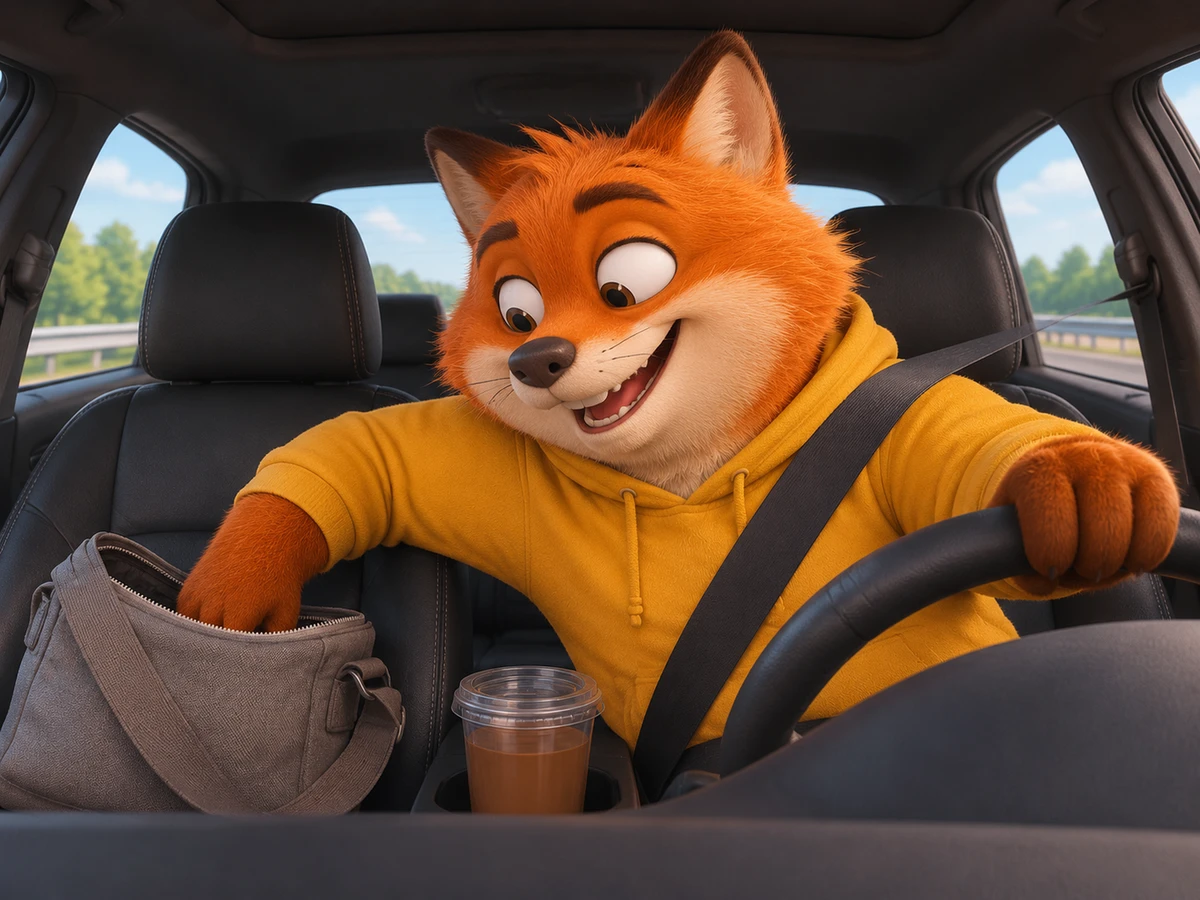
You can put yourself at the wheel. Or use a photo of a friend (18 or older, with their say), your dog, your cat, or a cartoon or game character. The driver keeps the face, hair, skin tone and clothes from your photo. The car, the grey bag, the pistol and the clip's sound are built in, and the page says it's "ready in a few minutes".
Add Your Own Car's Interior
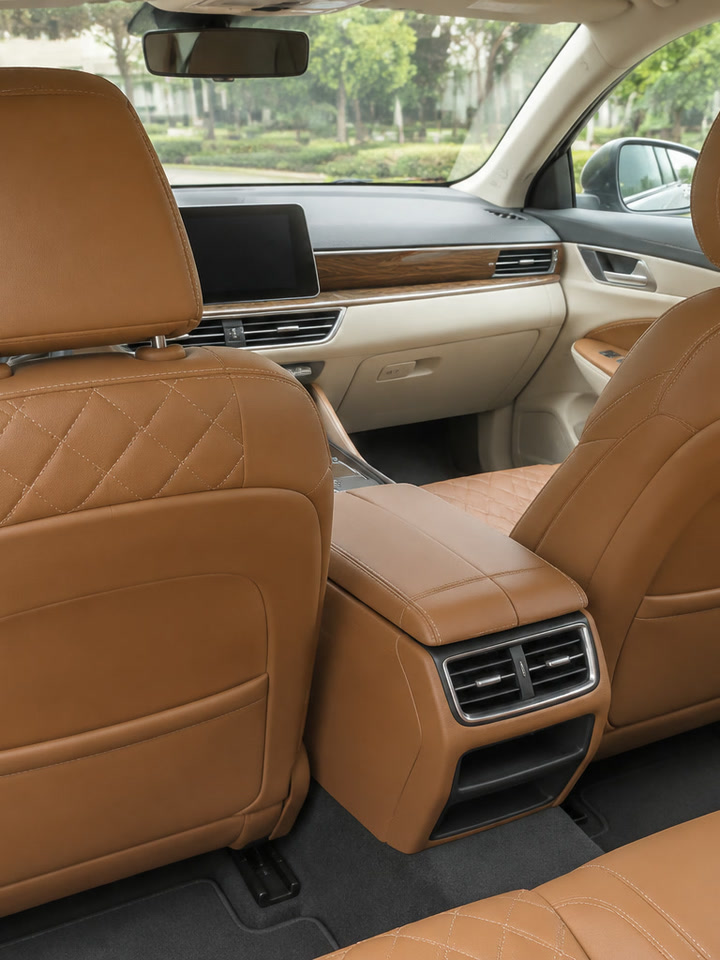
You can also add your own car's interior by uploading a second photo. Take a clear picture of the inside of your car showing the seats and dashboard in good light. Nobody needs to be in the photo. Those seats, colours and dashboard replace the default black leather interior, while the road outside, the grey bag, the beats and the sound stay.
Swap the Pistol for Your Toy or Prop
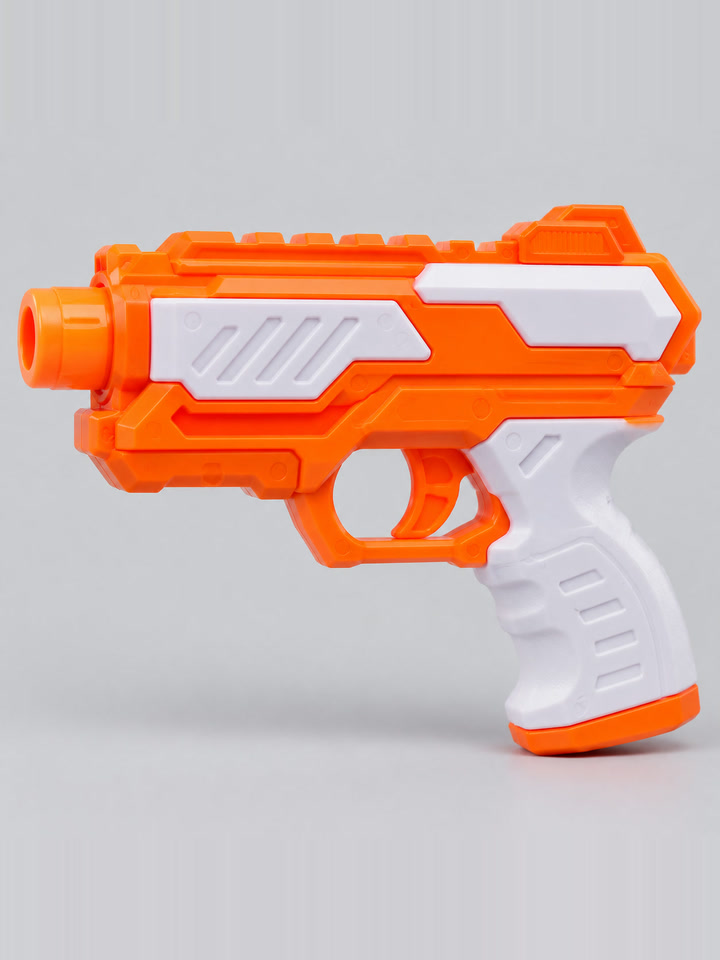
You can also add a photo of your own toy or prop, like a toy blaster or a water pistol, on a plain background. The driver pulls your prop from the grey bag in place of the black pistol during every beat of the video. Leave that slot empty and you'll get the built-in black pistol.
Here's the same driver with a tan leather interior and an orange toy blaster:
Making your video takes just three simple steps:
- Step 1: Add your photo for the driver, and add photos of your car's interior or your toy or prop if you like.
- Step 2: Pick 720p or 1080p.
- Step 3: Press Create.
The price shows on the Create button before you pay. You pay once at checkout, with no account and no subscription.
The $9.90 pack gives you 500 credits, so it makes one 10-second 720p video. 720p is already picked when the page opens. A 1080p video takes 1,480 credits, covered by the $39.90 pack of 2,500 credits.
Your own interior and prop don't add anything to the price. Pack credits stay valid for 12 months, and if a video fails, its credits come back automatically. You'll find every pack on Seadanse pricing.
CapCut "ai" Template: The Free AI Car Shootout Template in the App
CapCut's "ai" template is an edit someone already built in the CapCut app, published on October 31, 2026, and it's free in the CapCut app:
- Photos: The template has one photo slot, for the driver.
- Length and frame: The clip you export is 10 seconds long, and it's 16:9.
- Sound: Its sample video has sound.
- Uses: The template recorded 1,076,924 uses and 2,717,850 plays on November 15, 2026, about 1.08 million uses of one template.
- Where: You open it in the CapCut app from the "CapCut · Try this template" tag on a TikTok post.
A second template titled "ai video" was published on November 7, 2026, running 10 seconds in 16:9 with 11,386 uses on November 15, 2026. You can read our guide on how to find and open the CapCut template to track down these tags.
Sibrik "Car shootout": One Photo, Credits in a Sibrik Account
Sibrik is an AI app with video templates, and Sibrik's "Car shootout" template page features its template for this trend, published on October 11, 2026:
- Photos: Its page shows "Images 0/1 · 1 required", meaning one photo slot for the driver.
- Length and frame: The video runs for 13 seconds, and its format setting reads 4:3.
- Quality: You can pick 480p, 720p or 1080p.
- Price: Its Generate button shows 104 credits at 720p.
- Account: Credits sit in a Sibrik account, so you'll need one to hold them.
AI Gun Shooter Pages: Photo to Gunshot Clip, No Car Shootout Scene
The AI gun shooter pages on pollo.ai, insMind, FlexClip and vidful turn one photo into a standalone video of that person firing a gun:
| Page | What you add | What the page shows |
|---|---|---|
| pollo.ai AI Gun Shooter Transformation | One image, plus a text prompt for the place | Your subject as a shooter, with gunfire effects |
| insMind AI Gun Shooter Video Generator | One clear photo | A shooting pose with muzzle flash, downloaded in HD |
| FlexClip AI Gun Shooter Transformation | One photo | A gun-shooting clip the page calls muted, with sound from a separate tool |
| vidful AI Gun Shooter Video | One photo | A shooter video with gunfire and motion effects |
We read these four pages on November 15, 2026. None of the four pages mentions a car, a driver or a passenger seat, so you don't get the in-car dashcam scene.
Which AI Car Shootout Video Generator Should You Pick?
Picking the right AI car shootout video generator comes down to how much control you want over the car, the prop, and your checkout setup:
- Pick Seadanse: Choose Seadanse if you want the in-car dashcam scene with you, a friend, a pet or a character at the wheel. It's also the pick for your own car's interior or your own toy or prop, in your browser, at $9.90 for one 720p video with no account.
- Pick CapCut's "ai" template: Choose CapCut if you already make your videos in the CapCut app. It suits you if the trend's own car and pistol are what you want, and it's free in the CapCut app.
- Pick Sibrik's "Car shootout": Choose Sibrik if you already have credits in a Sibrik account.
AI Car Shootout Video Generator FAQ
Can I make an AI car shootout video with my own car?
Yes, you can do this on Seadanse's page by adding a photo of your car's interior alongside your driver photo. We read the CapCut "ai" template and Sibrik's "Car shootout" pages on November 15, 2026. Each one gives one photo slot, so you can't swap in your car's interior there.
Can I swap the pistol for a toy in the AI car shootout video?
Yes, you can add a photo of a toy blaster or a water pistol on Seadanse's page. The driver pulls your toy from the grey bag in every beat, so it's your toy in place of the standard black pistol.
Is there a free AI car shootout video generator?
CapCut's "ai" template is free in the CapCut app. On Seadanse, $9.90 makes one 720p video, paid once at checkout with no account required.
Which AI car shootout video maker has the trend's sound?
Seadanse includes the clip's own sound from the first second of the video. The sample videos for CapCut's "ai" template and Sibrik's "Car shootout" have sound too. FlexClip's page calls its clip muted and points you to a separate audio tool.
Can my dog or a cartoon character drive in the AI car shootout video?
Yes. On Seadanse's page, a dog, a cat, or a cartoon or game character can take the wheel, and it's the exact same price as a human driver.
Seadanse also has an AI Car Shootout Video for Pets page, made for putting your dog or your cat at the wheel.
How We Compared These AI Car Shootout Tools
To compare these AI car shootout video generators, we read each tool's page and template data on November 15, 2026:
- CapCut: We read the two template pages' own data (photo slots, length, frame, uses) and played the "ai" template's sample video.
- Sibrik: We read the "Car shootout" template page, Sibrik's public template list, its price estimate and its pricing page.
- The AI gun shooter pages: We read the tool pages on pollo.ai, insMind, FlexClip and vidful.
- Seadanse: We gathered all specifications and pricing directly from our AI Car Shootout Video page.
Every fact in this guide carries our research date of November 15, 2026, so check each page again before you pay.
Make Your AI Car Shootout Video With Your Car and Your Prop
Seadanse gives you the whole in-car dashcam scene from a single required photo. You can bring your own car's interior and your own prop into it, at no extra cost.
If you want the background on how this viral clip started, read our breakdown of what the AI car shootout trend is.
When you're ready to create your own clip, you can follow our three-step AI car shootout video guide.
If you like meme video effects, Car Doritos AI puts you in the driver's seat sneaking a chip from the passenger's lap. Fish Cutting Meme AI puts you behind a kitchen counter chopping a giant fish in a 10-second 16:9 video.
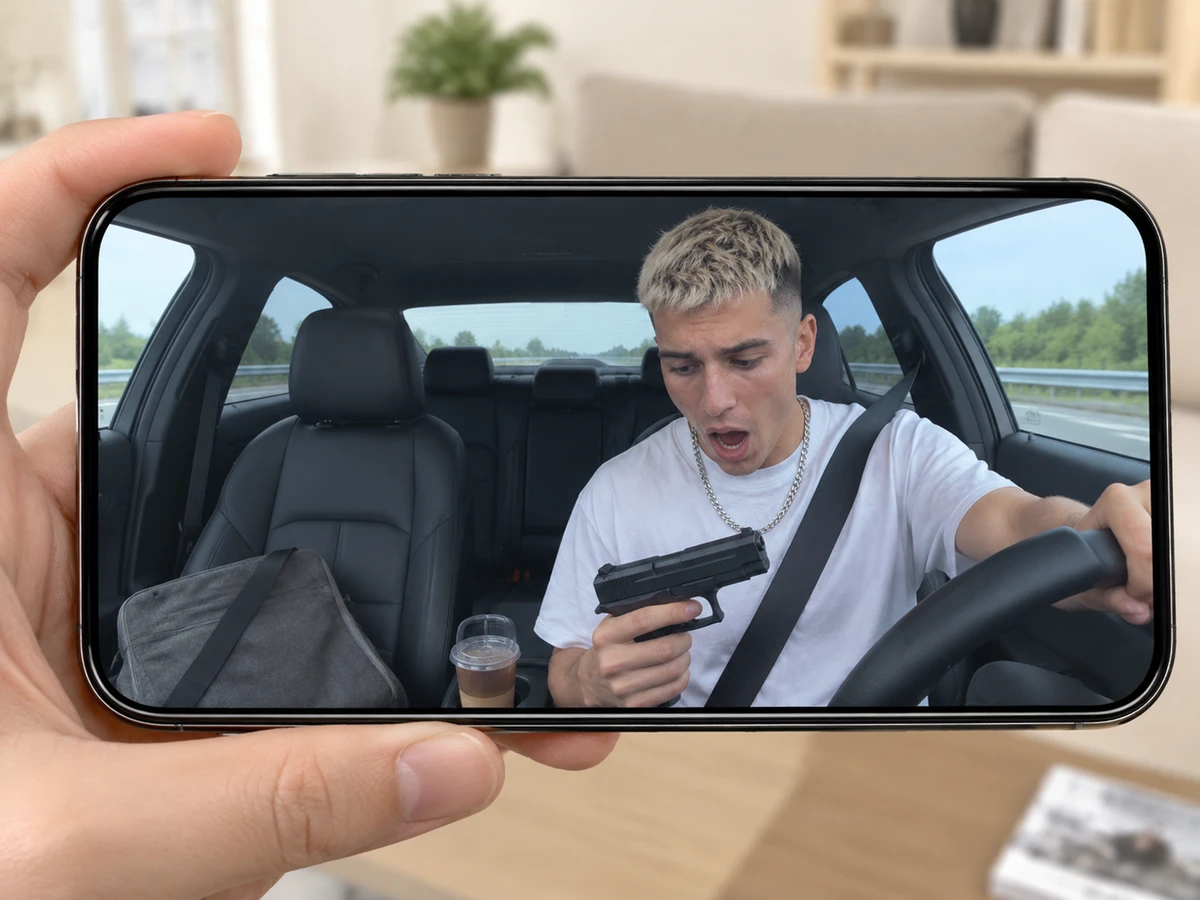
To make your AI car shootout video, add your driver photo. Drop in your car interior and prop if you want them, pick 720p or 1080p, and hit Create.
Written by The Seadanse Team; we read every tool's page on November 15, 2026.
Related Articles
- What Is the AI Car Shootout Trend? The Dashcam Meme, Real vs AI — where the dashcam clip came from, which versions are real and which are AI, and what happens in the 10 seconds.
- How to Make an AI Car Shootout Video From One Photo (3 Steps) — add one photo, pick 720p or 1080p, press Create.
- AI Car Shootout CapCut Template: Which One, How to Open It, Why It Takes Hours — the template's real title, how it opens from TikTok, and the fixes.


