
8 Best Pixlr Alternatives in 2026
Best Pixlr alternatives in 2026 compared by price, tools, and AI models. Find the right pick for photo edits, social posts, or video generation.
 The Seadanse Team11 min read
The team behind Seadanse. We run the models we write about, and we publish the specs, prices and limits the marketing leaves out.

TL;DR — Pixlr is two products in one tab, a browser photo editor and a paid multi-model generator, so the right replacement depends on which half you use. Photopea handles photo editing, Picsart or Magnific give you a broad model list, and Seadanse takes over for video generation. Don't pay for editing tools if you only want new clips.
Most lists of Pixlr alternatives hand you Photoshop and stop. But people leave Pixlr for specific reasons. Your plan credits go back to zero when the plan renews each month. Reviewers also say the content filter tightened on 1 July 2026 and now flags ordinary photos.
Pixlr's Trustpilot profile shows a 2.0 score across 175 reviews. Reviewers report surprise charges, yearly renewals after cancelling, and over-strict filters.
Keith Gordon, in a Trustpilot review dated 5 July 2026, wrote: "Service completely trashed on July 1st. Removed mature content allowance and imposed content restrictions that make zero sense." Positive reviews highlight the support team; Douglas Hallam wrote on 5 August 2026: "Customer support is excelent! Friendly, competent and quick. Thanks!" Here are eight options grouped by the job, what each costs, and where each falls short.
The 8 best Pixlr alternatives at a glance
| Tool | Best for | Price | Where it falls short | Score |
|---|---|---|---|---|
| Photopea | Free browser editing with layers | Free | No AI video or image models | ★★★★☆ |
| GIMP | Free desktop editing | Free | You install it; no generation | ★★★☆☆ |
| Canva | Templates and social posts | Free, or US$180 a year | AI is an allowance, not a model picker | ★★★★☆ |
| Picsart | The biggest model roster per dollar | $15 a month, $10.50 billed yearly | Ultra is priced per seat | ★★★★☆ |
| Fotor | A cheap yearly subscription | Free, or US$47.99 a year | Free exports are watermarked | ★★★☆☆ |
| Adobe Express | Commercially safe generation | Free, or US$9.99 a month | Firefly models first, not a wide roster | ★★★★☆ |
| Magnific | Unlimited image models | $20 a month, $14.50 billed annually | You pay for the stock library too | ★★★★☆ |
| Seadanse | Generating video instead of editing it | See our pricing | No photo editor, no background remover | ★★★★☆ |
We scored each tool on four things: how deep the editing is, how wide the model list is, what you get for the money, and how usable the free tier is. Every figure comes from the vendor's own pricing page, read on 26 August 2026.
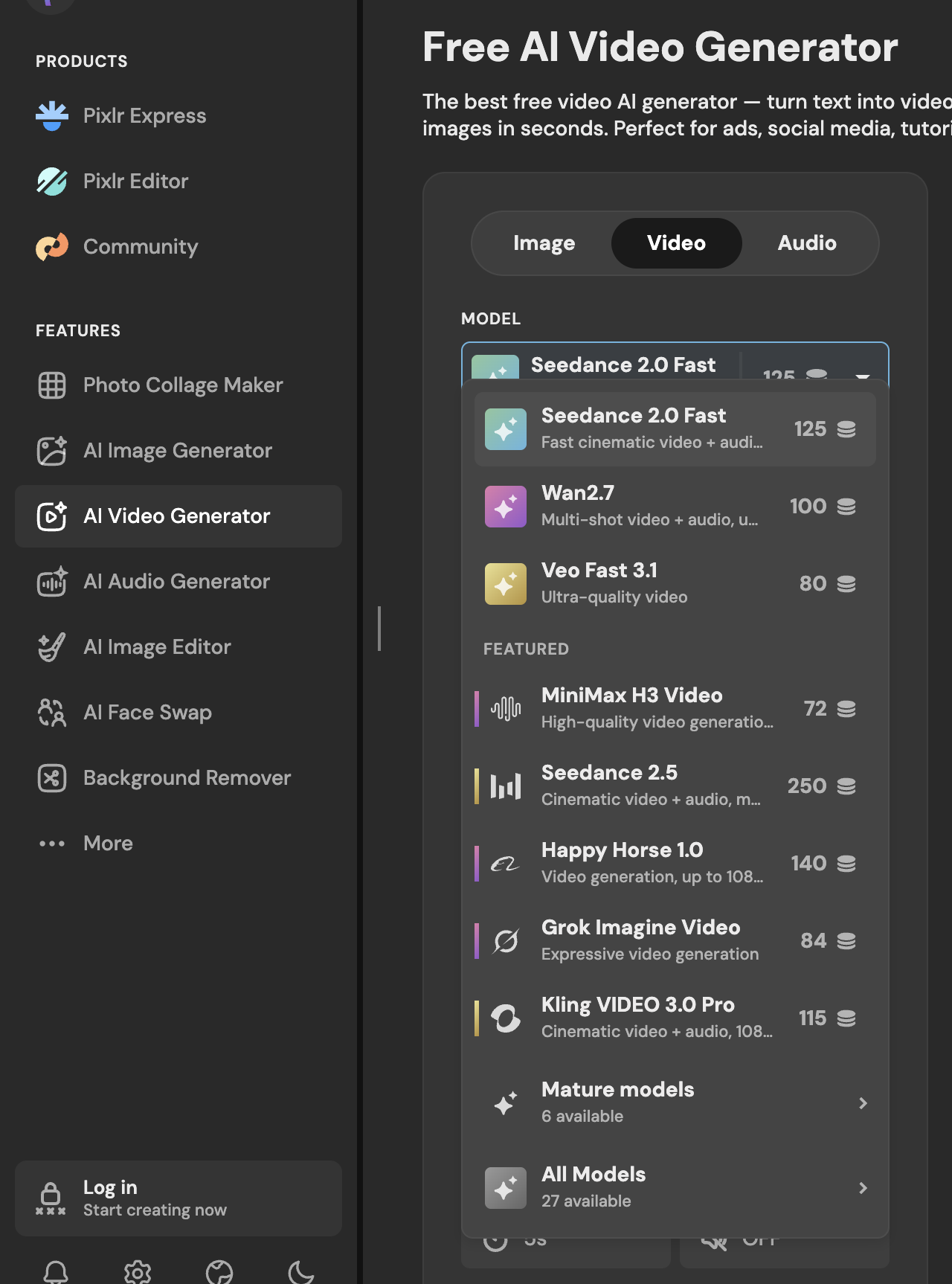 Pixlr's video model picker, read 26 August 2026: 27 models, with Seedance 2.5 at 250 credits for a 5-second 720p clip.
What to look for in a Pixlr alternative
Pixlr packs two separate tools into one interface. Its navigation lists classic editors like Pixlr Express and Pixlr Editor alongside AI tools for images, video, audio, face swaps, and background removal.
Before you pick a replacement, check these five points:
- Which half of Pixlr you actually use: If you only crop, mask, and retouch, pick a dedicated photo editor. If you only generate new media, pick an AI generator so you don't pay for editing toolbars.
- Whether unused credits survive the month: On Pixlr, plan credits reset to zero every month, while packs you buy separately don't expire. Look for platforms that roll credits over or offer annual pools.
- Whether the model list names the lab behind each model: Good hubs state the exact model you're running rather than hiding behind generic labels.
- What happens when the video fails: Check whether the platform refunds your balance or holds your credits until the job succeeds.
- Whether exports are watermarked: Free tiers often stamp logos across your exported images or limit your download quality.
If you only use Pixlr to create clips, test the Seedance 2.5 AI Video Generator to see how a dedicated tool works.
Photopea — best free browser editor
Photopea is a free photo editor that runs right inside your web browser. You don't have to install anything on your machine.
Everything processes locally on your computer. Its own page says: "There are no uploads. Photopea runs on your device, using your CPU and your GPU. All files open instantly, and never leave your device."
Photopea opens and saves Photoshop PSD files, and handles dozens of common formats:
- PSD, AI, Figma, and PDF
- PNG, JPG, GIF, BMP, and WEBP
- SVG, AVIF, HEIC, and TIFF, plus about 40 others
It gives you a full layer editor (you stack parts of an image and edit each one separately), layer masks, and blending options.
The limit is simple: Photopea edits files, but it doesn't generate video, and there's no AI model picker.
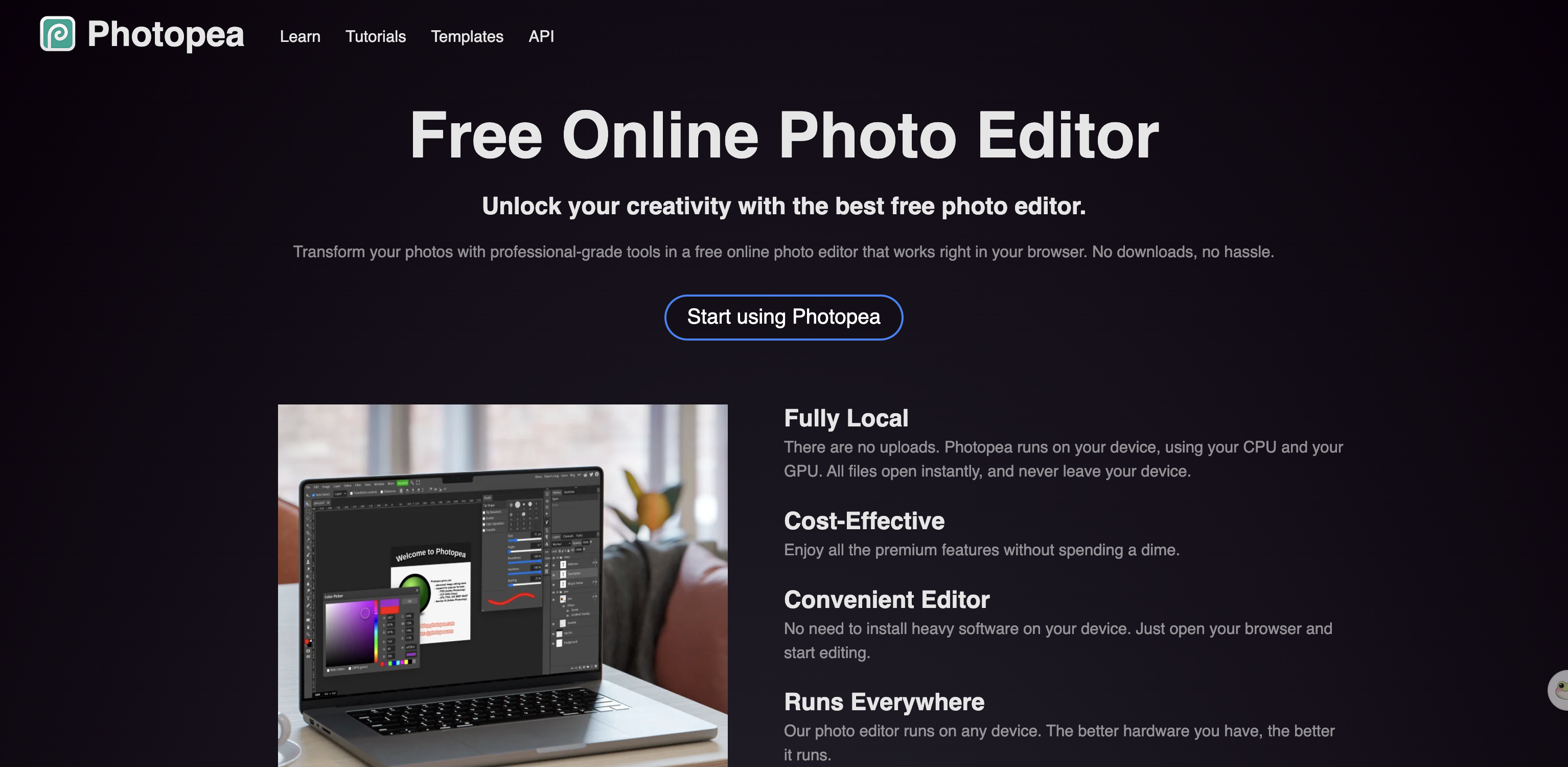 Photopea's own page, 26 August 2026: files stay on your device and never upload.
GIMP — best free desktop editor
GIMP is a free, open-source image editor you install on your desktop computer. It gives you deep photo editing tools on your own machine without a subscription.
The catch is that you've got to download and install it yourself. It's got no built-in AI video or image generation tools.
 GIMP, 26 August 2026: free and open source, installed on your own machine.
Canva — best for templates and social posts
Canva focuses on quick design layouts, social posts, and templates. It replaces Pixlr's collage maker and graphic tools with a massive media library.
The free plan includes:
- The drag-and-drop editor
- 1.6M+ templates
- 4.7M+ photos, videos, graphics, and audio tracks
- 5GB of storage
- An AI allowance of up to 200 Standard AI uses or 20 Premium AI uses
Canva Pro is US$180 per year for one person. It gets you premium tools, 3.6M+ templates, 100GB of storage, and 10x more AI than the free plan.
Where it falls short: Canva's AI is a fixed allowance inside a design tool. It isn't a model hub, so you don't get to choose which video model creates your clip.
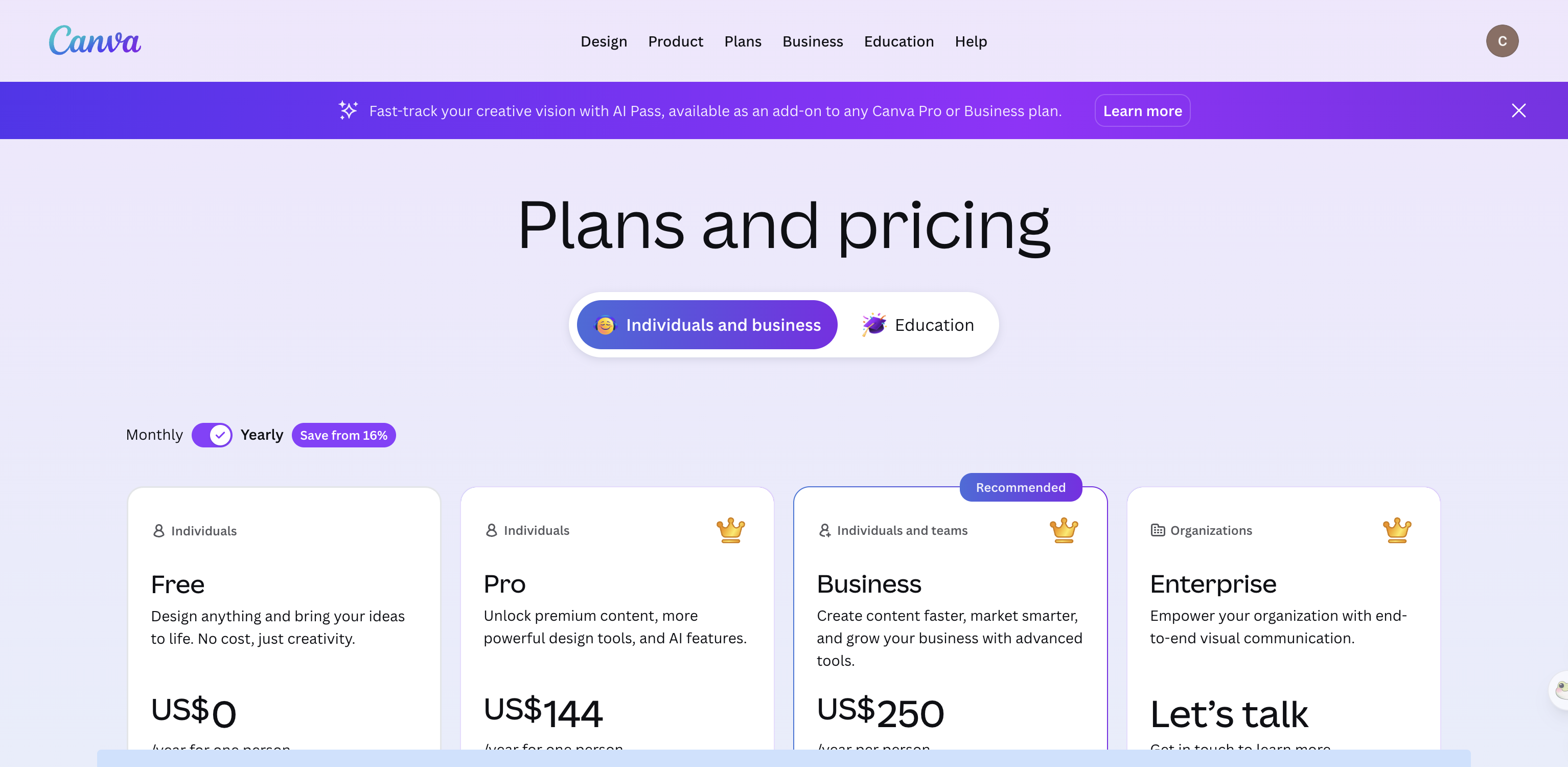 Canva's pricing page, 26 August 2026: the free plan's AI is capped at 200 standard uses.
Picsart — best big model roster for the price
Picsart offers a wide selection of third-party AI models inside an online design platform. It's the closest match if you picked Pixlr for its large model list.
The Pro plan costs $15 a month, or $10.50 a month when billed yearly. The Ultra plan costs $75 a month, or $60 a month billed yearly, per seat.
Their pricing page lists 140+ AI video, image, and audio models. It names Seedance 2.5, Kling 3.0, Nano Banana, and Veo 3.
Picsart estimates that Pro covers about 83 Seedance 2.5 videos a month. Both paid tiers also come with unlimited image generations using Flex.2 Klein.
The downside: Ultra is priced per seat, and your monthly credit allowance stays fixed.
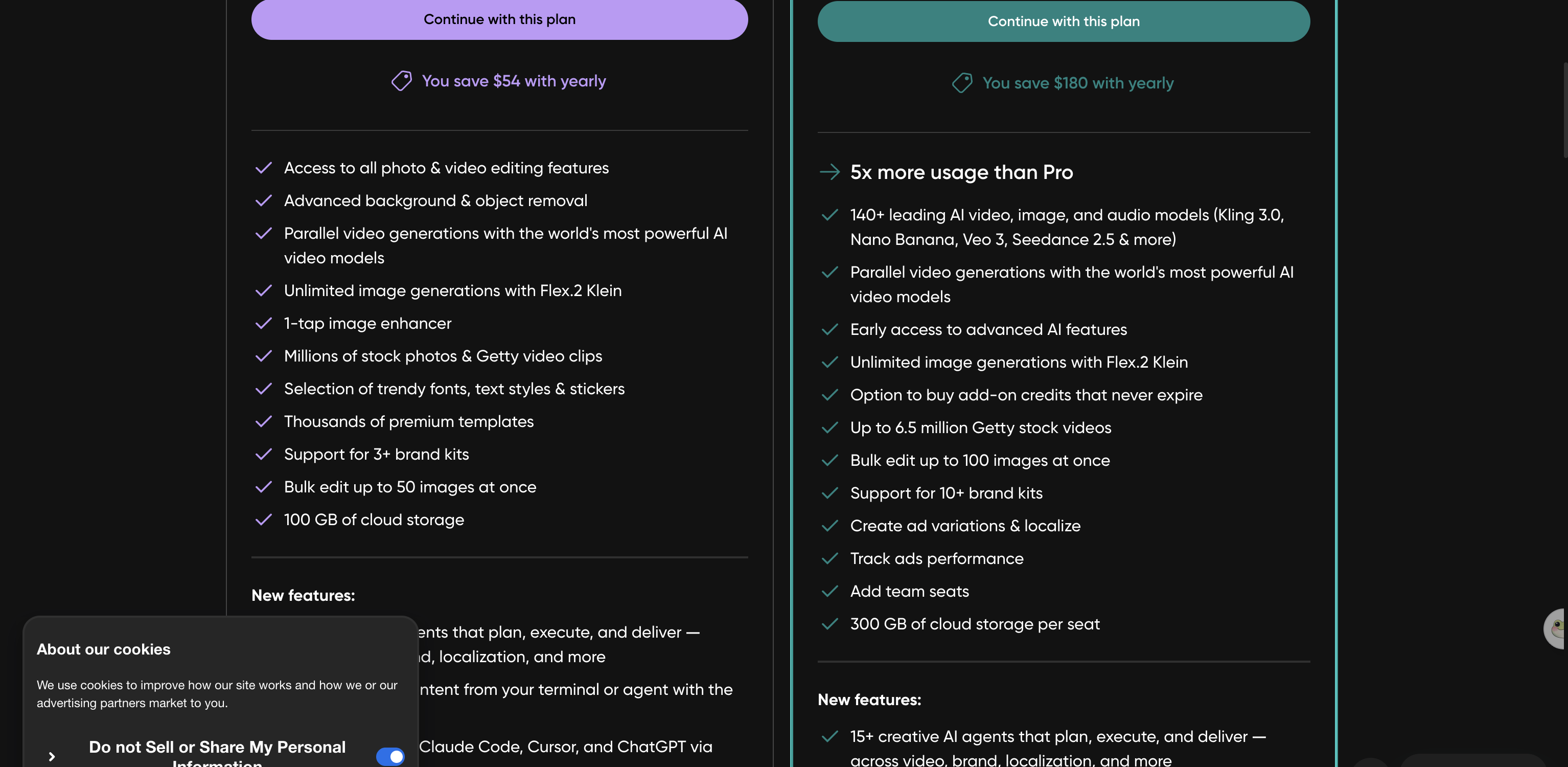 Picsart's pricing page, 26 August 2026: Pro is estimated at about 83 Seedance 2.5 videos a month.
Fotor — best cheap yearly subscription
Fotor brings photo retouching, basic design templates, and AI generation into a single web tool.
Fotor Basic is free forever. It comes with limited credits, runs one generation at a time, and puts a watermark on every JPG, PNG, and PDF you export.
The paid tiers are billed yearly:
- Pro: US$47.99 a year with 1,200 credits a year
- Pro+: US$69.99 a year with 3,600 credits a year
- Max: US$167.92 a year with 12,000 credits a year
Where it falls short: the free plan watermarks your exports. Also, the paid plans give you an annual credit pool, so a few heavy weeks of work can make you run dry early.
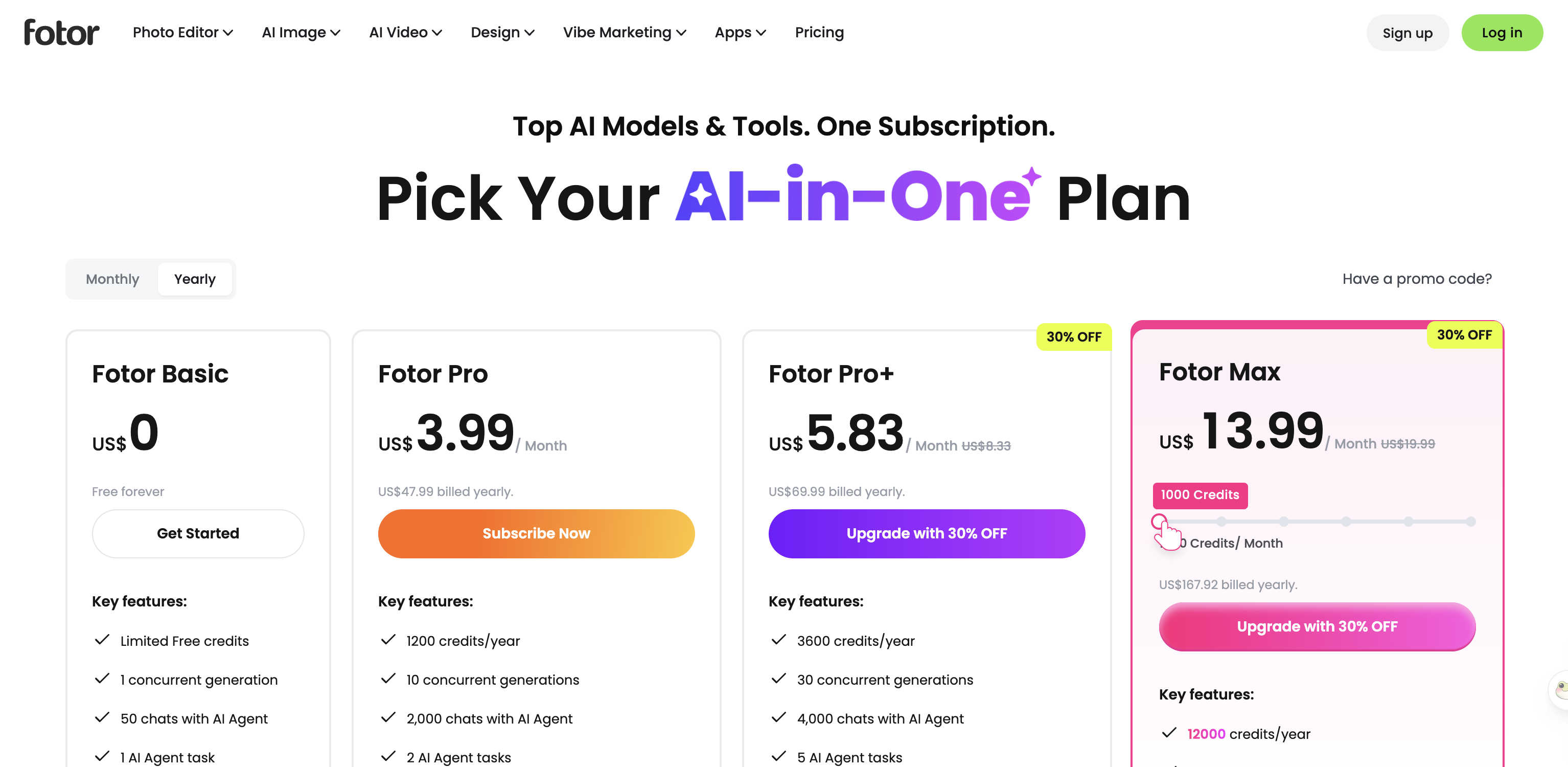 Fotor's pricing page, 26 August 2026: the free tier watermarks every export.
Adobe Express — best for commercially safe generation
Adobe Express combines lightweight online editing tools with Adobe's Firefly models. It's built for creators who want fast templates and safe commercial terms.
The free plan gives you basic photo, video, and document editing, 100,000+ templates, 1M+ Adobe Stock files, and 5GB of storage without asking for a credit card.
The Premium plan costs US$9.99 a month and includes 250 AI credits a month designed to be commercially safe. Adobe Firefly Pro costs US$19.99 a month for 4,000 monthly generative credits, plus unlimited access to standard image tools like Generative Fill in Photoshop. Its video tool is described as generating up to 40 five-second videos with Firefly creative AI.
Where it falls short: Express focuses on Adobe's own Firefly lineup first. You can't pick between two dozen third-party models.
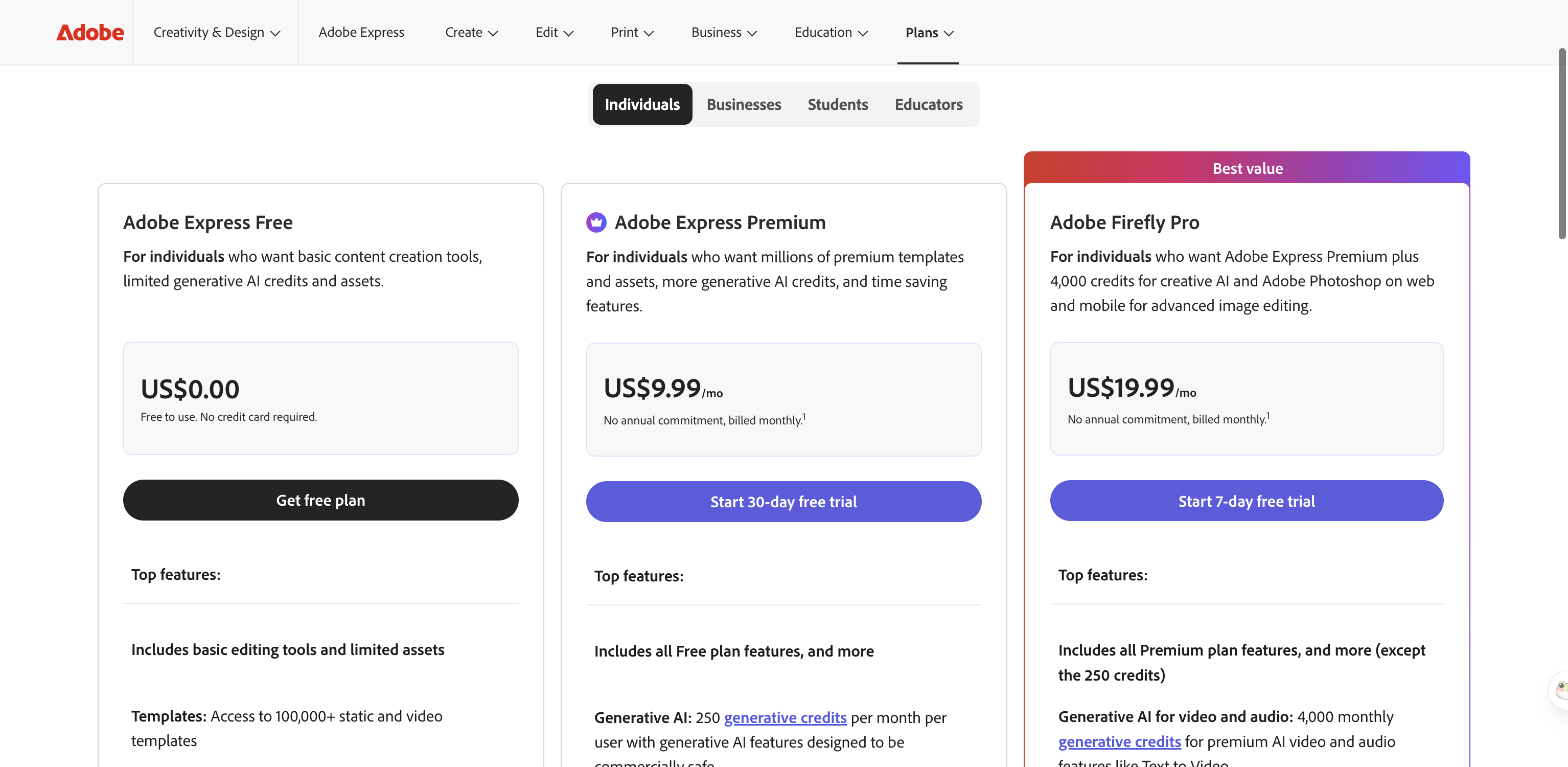 Adobe Express pricing, 26 August 2026: Premium includes 250 generative credits a month.
Magnific — best for unlimited image models
Magnific (formerly Freepik) combines an AI generation suite with a large stock library.
The Premium plan costs $20 a month, or $14.50 a month if you pay annually. It includes 240,000 credits a year, with credits valid for one year and no monthly resets.
The Premium+ plan costs $45 a month, or $33.75 a month billed annually. It comes with 600,000 credits a year and unlimited models, which includes Nano Banana 2 at 1K.
The trade-off: you're paying for both a stock content catalogue and an AI suite. If you don't need stock files, that bundle adds extra cost.
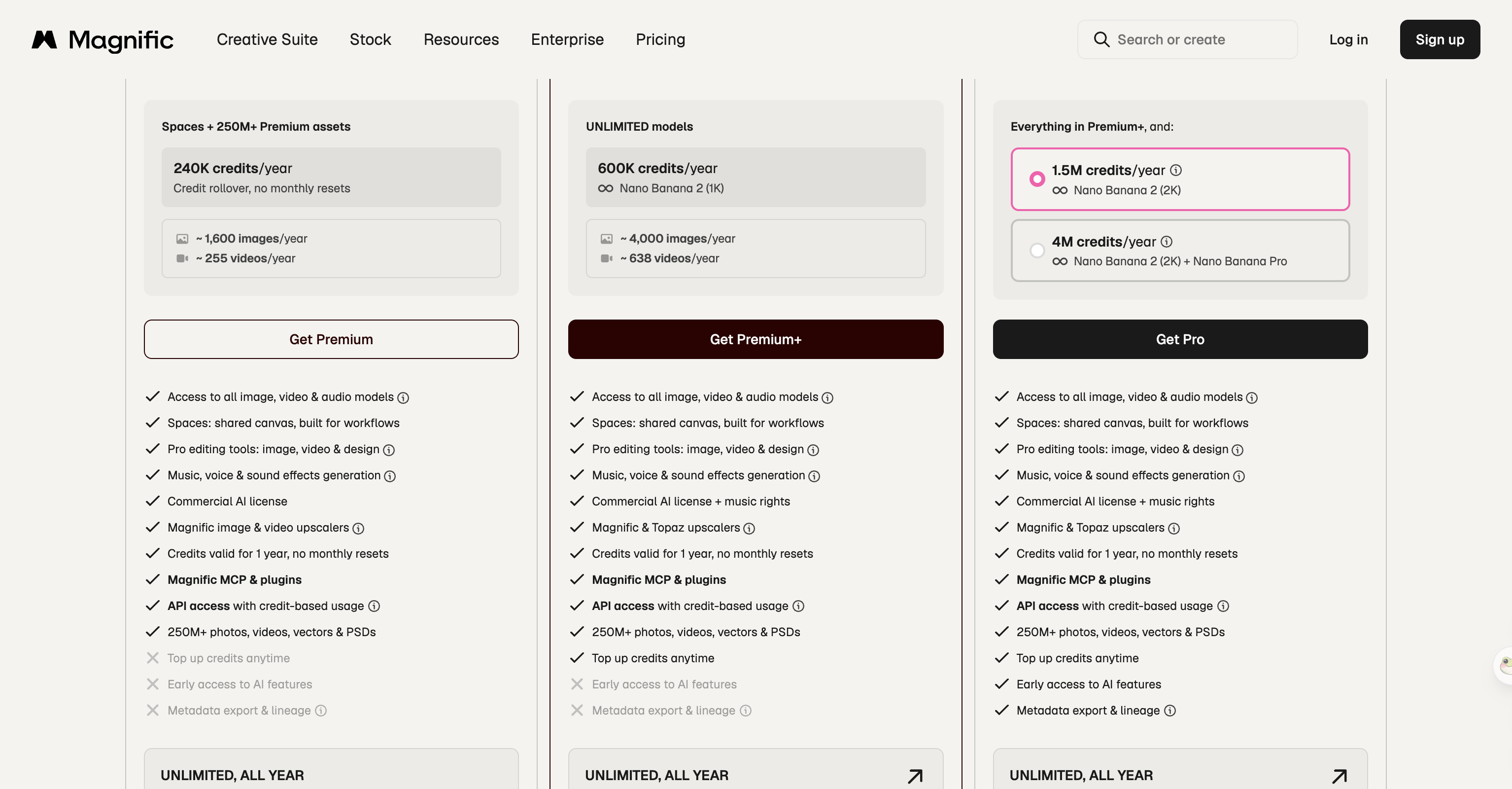 Magnific, formerly Freepik, 26 August 2026: credits last a year instead of resetting monthly.
Seadanse — best for generating video instead of editing it
If you used Pixlr primarily for its AI video tab rather than its photo canvas, Seadanse gives you a focused generation workspace.
Seadanse runs Seedance 2.5 alongside Seedance 2.0, Veo 3.1, Wan 3.0, Hailuo 3, Grok Imagine 1.5, Nano Banana 2, and GPT Image 2, with Kling 3.0 marked as coming soon. You can see full plan details on our Seedance 2.5 pricing page.
Seedance 2.5 on Seadanse gives you deep control over every prompt:
- Resolutions: 480p, 720p, or 1080p
- Clip lengths: 5, 10, 15, 20, 25, or 30 seconds
- Six aspect ratios: 16:9, 9:16, 1:1, 4:3, 3:4, and 21:9
- Audio generated by default
- A 10,000-character prompt box
When you press Generate, Seadanse freezes the estimated credits and only settles them when the clip succeeds. Our pricing page notes: "Failures, timeouts, and platform errors release the hold automatically."
Signing up gets you free starter credits without a card. Every paid plan includes unwatermarked exports, private renders, and a commercial licence.
The Pro plan adds unlimited image generation for Nano Banana 2 at 1K and all of GPT Image 2, including reference images, in its own queue under fair use. There's also a $9.9 credit pack that needs no subscription.
Our limits, plainly: we don't have a photo editor, a collage maker, or a background remover. If your main habit is photo retouching, we aren't the right fit.
Our plan credits expire at the end of each 30-day cycle and don't roll over, which matches Pixlr's policy. Extra credit packs stay valid for 12 months. Also, Seedance 2.5 tops out at 1080p; 4K output belongs to the Seedance 2.0 preset.
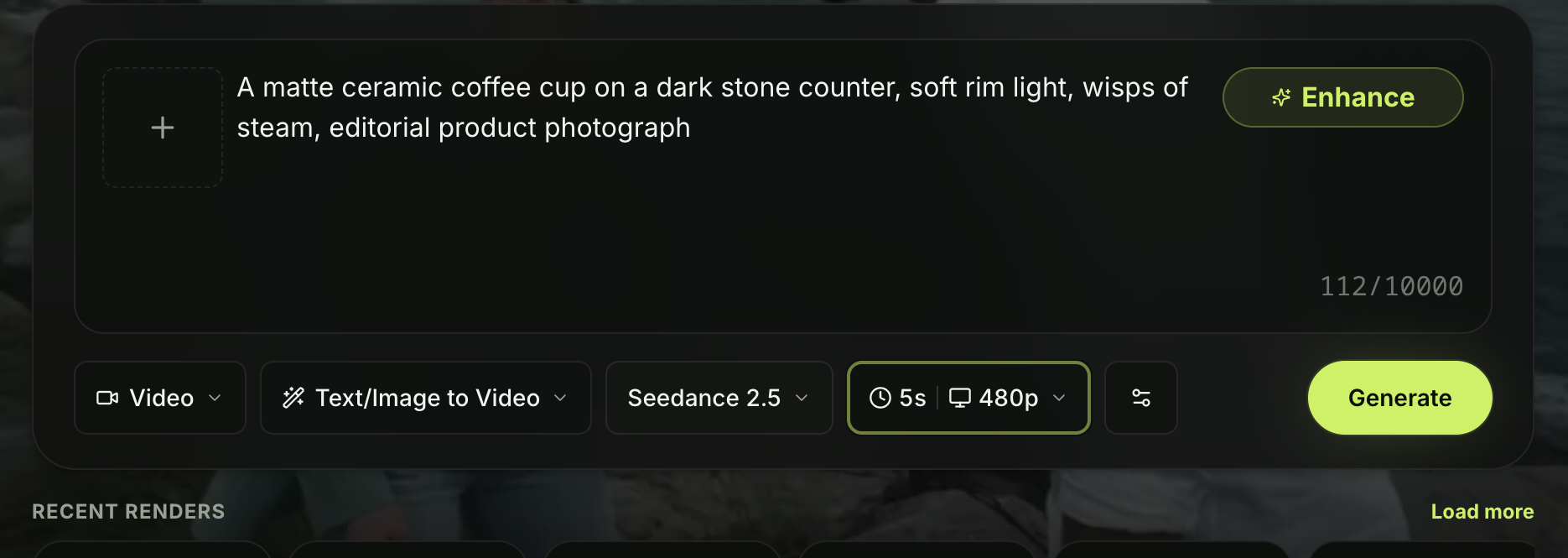 The composer on Seadanse with Seedance 2.5 selected, 26 August 2026.
How we picked these
We read every vendor's own pricing page and product documentation on 26 August 2026. We didn't run a paid generation on any of them during this review. Prices, plans, and model rosters change over time, so check each vendor's site before you subscribe.
Which one should you pick?
If you need a free layer editor to retouch photos in your browser, pick Photopea.
If you want social media templates alongside a large AI model list, Picsart or Canva will fit your routine best.
If you used Pixlr to make AI video clips and want to generate the shot instead, Seadanse gives you direct model access with credit protection and no editing clutter.
We checked the pricing tiers, credit rules, and model lists on all eight platforms on 26 August 2026.
Related Articles
- What Is the Pixlr AI Video Generator? Models, Credits and Limits — every model in their video picker and what a clip costs.
- Is Pixlr Free? What You Get Without Paying — where the free tier stops and what it asks for first.
- Pixlr vs Seadanse for Seedance 2.5: Which One Fits Your Work? — the same model on two platforms, side by side.
- Pixlr Not Working? 7 Fixes to Try First — the sign-in wall, the content filter, and the credits that reset under you.


