
Best New Year AI Video Generators for 2027: 10 Ways to Make the Goodbye 2026, Welcome 2027 Video
The best New Year AI video generators for 2027: the Goodbye 2026 Welcome 2027 climb from one photo, 10 compared on price and what you get.
 The Seadanse Team16 min read
The team behind Seadanse. We run the models we write about, and we publish the specs, prices and limits the marketing leaves out.

TL;DR — Seadanse's Goodbye 2026 Welcome 2027 page is the best of the 10 New Year AI video generators we compared on November 1, 2026. It makes the 2027 summit climb or the 2027 you saying goodbye to the 2026 you from one photo, 10 seconds with sound, for $9.90 at 720p with no account. New Year AI Video, MakeViral, VivaMaker, Oeneo and Vidlark also make the climb, each with a different price or extra.
Kavel makes a midnight toast instead, YouCam and homiwork make a greeting from your own idea, and a typed prompt lets you write the scene yourself.
The New Year video of 2027 is the mountain summit climb. Millions are watching it across social feeds. A TikTok post of it from Pakistan passed 1.1 million views.
We tracked where the Goodbye 2026, Welcome 2027 trend came from when the first clips started taking over feeds.
Between October 29 and November 1, 2026, at least five AI sites put up a dedicated page for the climb. They don't all make the same thing or charge the same price.
We've read every page on November 1, 2026, to compare what each tool makes and what you pay. Here's what we found across the web for your 2027 New Year AI video.
New Year AI Video Generators Compared at a Glance
The 10 New Year AI video generators differ on which New Year scene they make, what you add, what you hear and what one video costs.
| Tool | What you add | What you get | Sound | Price on the page | Best for |
|---|---|---|---|---|---|
| Seadanse Goodbye 2026 Welcome 2027 | 1 photo | The summit climb or the 2027 you saying goodbye, 10 s, 9:16 | Made with the video: wind, a laugh, an uplifting tune; or rain and piano | $9.90 for one 720p video, no account | The climb or the goodbye, one price |
| New Year AI Video | 1 photo | Five New Year scenes, 10 s, 9:16 | With sound | $2.99 for 1, $14.99 for 10 | Five scenes to pick from |
| MakeViral | 1 photo | The summit climb, 8 s, 9:16 | Wind and a music swell | 46 credits; packs from $9.99 | Reading the prompts it uses |
| VivaMaker | 1 adult photo | The summit climb, in two steps | Not stated | 60 credits; $9.90 for 100 | A head-and-shoulders photo |
| Oeneo | 1 photo | Hello 2027 climb or push-the-6 goodbye | Generated sound | 96 credits | The push-the-6 goodbye |
| Vidlark | 1 adult photo | You on the 0 of 2027, 8 s, vertical | The clip's sound | 750 credits, about $10 | A full-body photo |
| Kavel | 1 photo | A midnight toast with fireworks, 10 s, vertical | Fireworks, toast and party sound | From 360 credits | A midnight toast |
| YouCam | Your idea | A New Year video greeting | Not stated | Not stated | A greeting from your idea |
| homiwork | A written scenario, up to 7 photos | A short New Year greeting clip | Optional soundtrack | From 22 credits | Scripting a greeting |
| A typed prompt | Your photo and a prompt | Whatever you write | Whatever you write | Your video app's price | Writing every beat |
Prices as each page stated them on November 1, 2026.
What to Look for in a New Year AI Video Generator
A good New Year AI video generator turns one photo into the scene you want, with sound and a price you can see.
- The scene: Pick whether you want the summit climb, the 2027 you saying goodbye, a midnight toast, or a scene you describe yourself.
- What you add: Check if the page needs one photo of an adult, several reference pictures, or a written description of your idea.
- The sound: check whether music and sound come with the video. You want them inside the file you download.
- The price on the page: see what one video costs before you begin. Then check whether the site asks you to sign up first.
To make your clip today, add one photo to our Goodbye 2026 Welcome 2027 video maker, pick a scene and press Create.
1. Seadanse Goodbye 2026 Welcome 2027: Best New Year AI Video Generator for the Summit Climb and the 2027 You Saying Goodbye
Seadanse is the best New Year AI video generator for the 2027 climb. It makes the full 10-second mountain climb or the highway farewell from one photo.
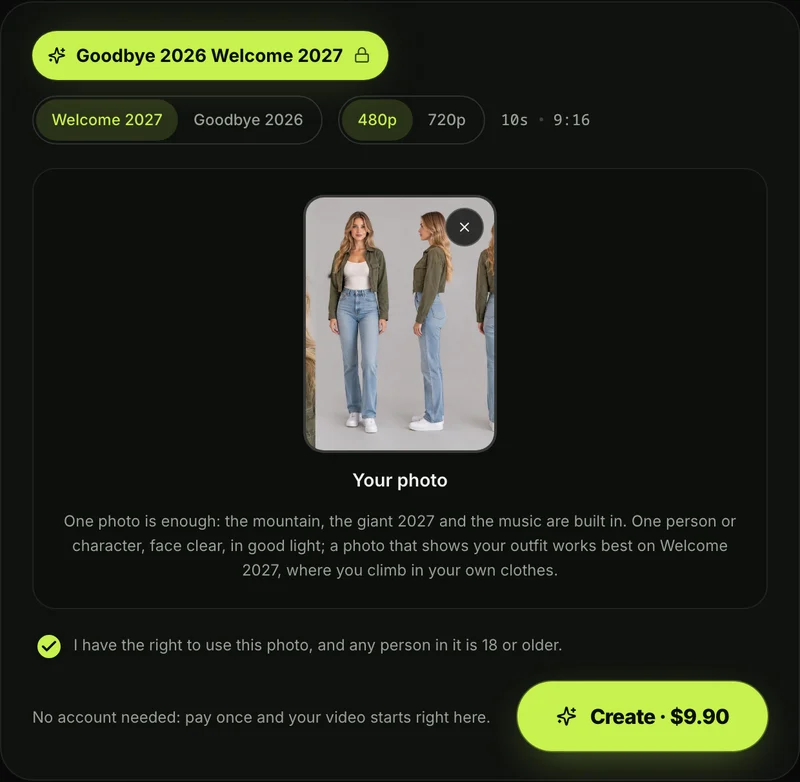
- What you add: You add 1 photo from your camera roll or computer. It works best with one adult 18 or older, or a character, facing forward in good light with eyes showing.
- Two scenes, one price: You choose between the Welcome 2027 summit climb and the Goodbye 2026 rainy farewell. Both options cost the exact same price.
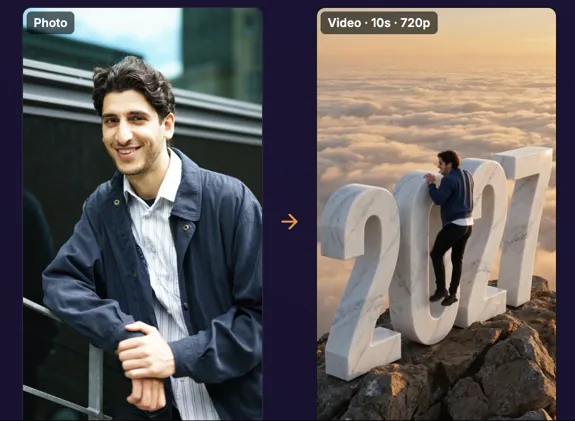
- What you get: You get 1 new 10-second vertical video in 480p or 720p with real body motion. It's one continuous shot, and it exports as an MP4 with no watermark on exported video.
- The Welcome 2027 scene: You climb onto a giant stone 0 on a mountain peak at sunrise, stand up, and laugh with arms wide. The camera flies back like a drone to reveal the giant stone numerals 2027 among jagged peaks and clouds.
- The Goodbye 2026 scene: The 2027 you and the 2026 you hug on a rainy highway under cold blue 2026 and warm orange 2027 signs. The 2027 you puts a silver suitcase into a car and drives off, while the 2026 you waves with a brave smile.
- The sound: Sound comes built right into your video. You'll hear wind, your hands on the stone, a laugh, and an uplifting piano-and-strings tune on the summit, or rain, thunder, suitcase wheels, and slow piano on the road.
- How you pay: you pay once, with no account and no subscription. One 720p video costs $9.90 with a 500-credit pack, as Seadanse pricing shows. That pack also covers a 480p video at 375 credits, and pack credits stay valid for 12 months.
- More one-photo effects: the AI Giant Video Maker turns a photo into a giant-you clip. For Christmas, there's Elf Dance AI for TikTok and Reels.
2. New Year AI Video: Best for Picking From Five New Year Scenes
New Year AI Video is the New Year AI video maker for variety. You get several holiday scenes from one upload.
- What you add: You upload one photo into the site's generator box.
- What you get: You get a 10-second vertical video with audio included. You can pick between New Year AI Video's five scenes, including the giant 2027 climb, pushing the 6 away, rooftop fireworks, golden confetti, and a snowy town square.
- The price on the page: The site charges $2.99 for 1 video, $6.99 for 3 videos, or $14.99 for 10 videos.
- Failed generations: If a video fails, you'll get the credit back.
3. MakeViral 2027 New Year AI Trend: Best for Reading the Prompts Behind the Climb
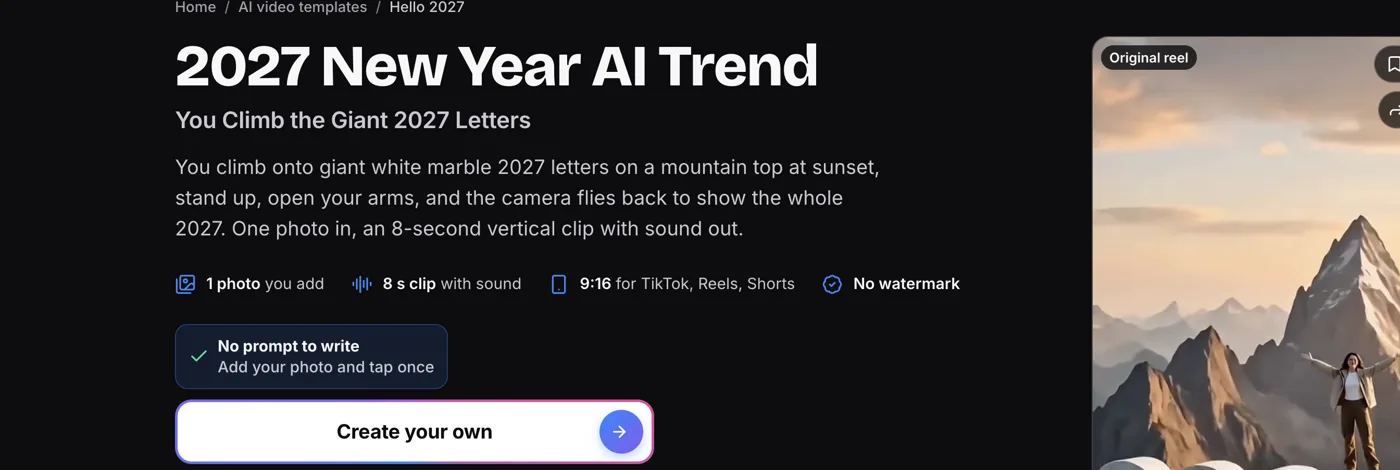
MakeViral is a good Goodbye 2026 Welcome 2027 AI video generator if you like reading prompts. It shows the text used to build the scene.
- What you add: You add 1 photo and tap once on the interface.
- What you get: an 8-second vertical clip. You climb giant white marble 2027 letters on a mountain peak at sunset, stand up, and throw your arms wide.
- The sound: The clip includes background sound featuring mountain wind and a music swell.
- The price on the page: Creating the climb takes 46 credits, and MakeViral's credit packs for the climb start at $9.99 for 100 credits.
- Prompt visibility: The page prints the full prompts behind each version so you can read how the scene was put together.
4. VivaMaker 2027 New Year AI Trend: Best for a Head-and-Shoulders Photo
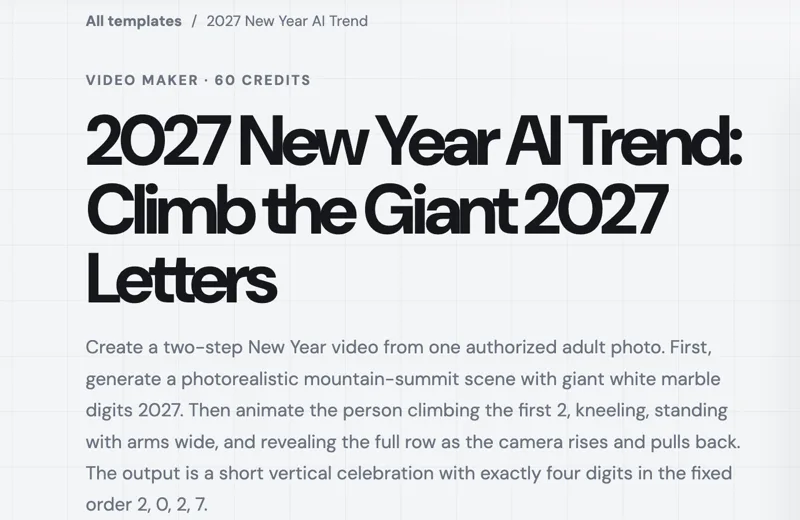
VivaMaker gives creators a way to make a 2027 New Year AI video when using a cropped portrait or half-body picture.
- What you add: You add one adult photo showing your head or half your body.
- What you get: it works in two steps. First it makes a mountain-summit picture with giant white marble 2027 digits. Then it makes the climb, where you spread your arms wide as the camera pulls back.
- The sound: The VivaMaker page doesn't say whether sound comes with the final video.
- The price on the page: Making the clip costs 60 credits on VivaMaker's summit climb page, with packs priced at $9.90 for 100 credits.
5. Oeneo Welcome 2027 AI: Best for the Push-the-6 Goodbye Next to the Climb
Oeneo is a solid New Year AI video maker if you want to push the old year off a cliff alongside the classic summit climb.
- What you add: You add one photo to the generator.
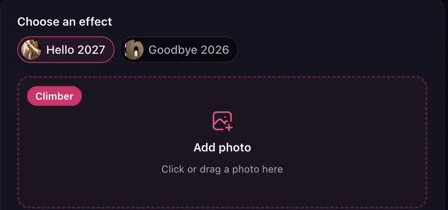
- What you get: You can choose between Hello 2027, where you climb a marble 2027 on a sunset peak, and Goodbye 2026, where you push the 6 off.
- The sound: The tool includes generated sound effects with the finished video.
- The price on the page: Creating Oeneo's default Welcome 2027 video costs 96 credits.
6. Vidlark 2027 New Year Video AI: Best for Standing on the 0 From a Full-Body Photo
Vidlark is built for creators who want to stand tall on top of the giant zero using a full-length picture.
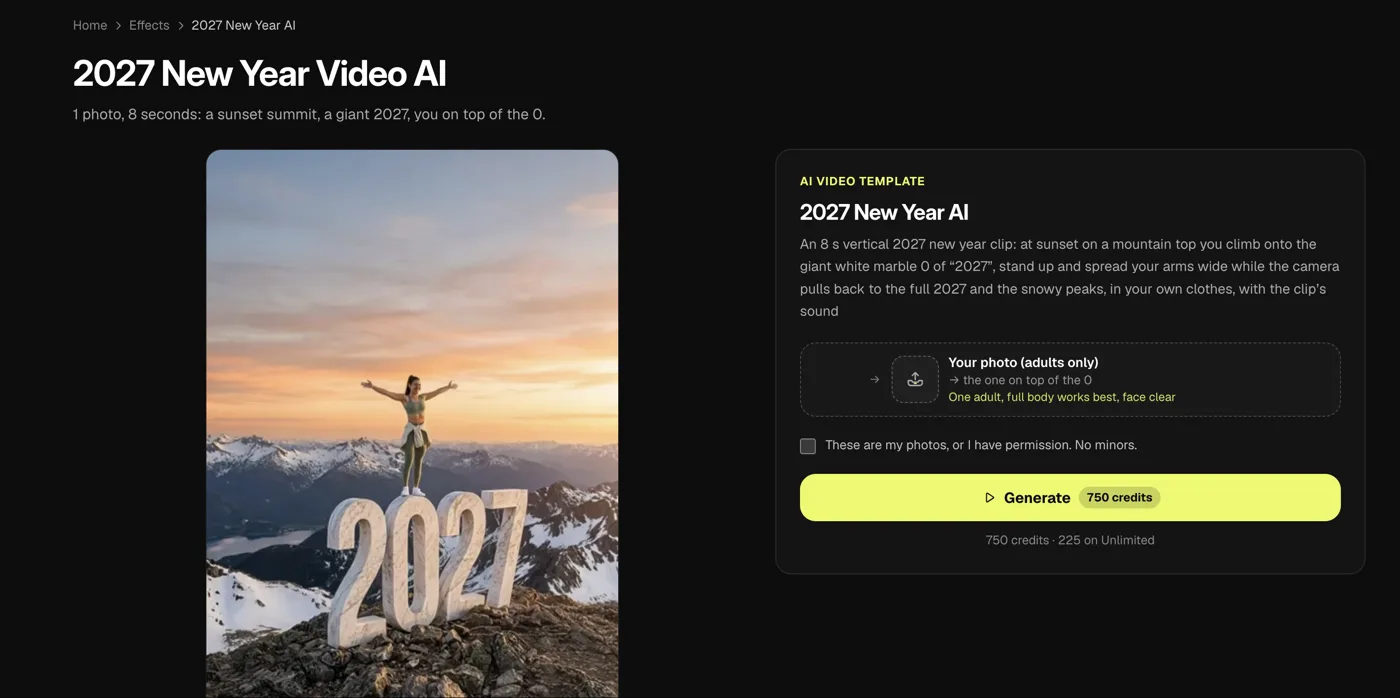
- What you add: You add one adult photo with a clear face, and a full-body picture works best.
- What you get: an 8-second vertical clip. You climb onto the giant white marble 0 at sunset, stand up and open your arms, in your own clothes.
- The sound: The video exports with the clip's built-in sound.
- The price on the page: Generating the effect takes 750 credits, which Vidlark's 2027 New Year video tool lists as about $10 with a credit pack.
7. Kavel AI New Year Video: Best for a Midnight Toast With Fireworks
Kavel is an entertaining New Year AI video generator if you want an indoor celebration or beach countdown instead of climbing rocks.
- What you add: You upload one photo of yourself to the page.
- What you get: a 10-second vertical video. There's a countdown, fireworks burst behind you, and you raise a glass to the camera. You can pick templates like a kitchen toast or midnight on the beach.
- The sound: The clip includes party sounds, clinking toast glasses, and fireworks.
- The price on the page: Creating a 10-second video on Kavel's midnight fireworks generator starts from 360 credits.

8. YouCam New Year Video Generator: Best for a Greeting From Your Own Idea
YouCam works well as a New Year AI video generator when you want to turn a unique message or greeting idea into a customized scene.
- What you add: You add your own written idea or concept into the generator.
- What you get: The tool creates a custom video greeting based on your idea, from heartwarming messages to funny New Year videos.
- The sound: The YouCam page doesn't say what audio comes with the video.
- The price on the page: Pricing isn't shown on YouCam's custom greeting tool, where you describe your scene and press Generate.

9. homiwork New Year 2027 Greeting Video: Best for Scripting a Greeting With Several Photos
homiwork is a flexible New Year AI video maker if you want to script an exact storyline using multiple images.
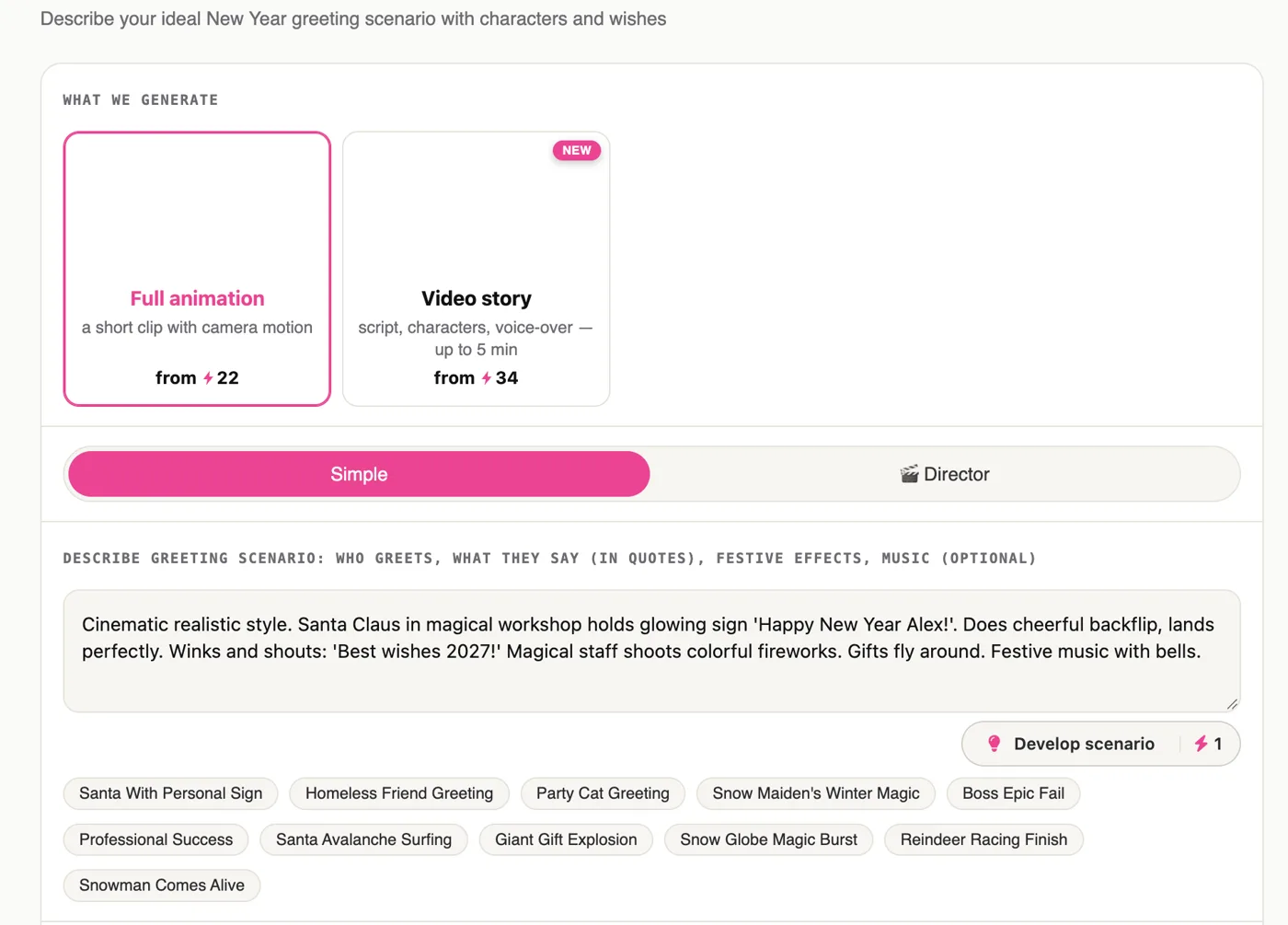
- What you add: you write a scenario with characters and wishes. You can add up to 7 reference photos and an optional reference video.
- What you get: You get a short New Year greeting clip featuring camera motion. You can also pick pre-made scenarios like Santa With Personal Sign or Snowman Comes Alive.
- The sound: You can add an optional soundtrack to the video.
- The price on the page: Making homiwork's scripted New Year greeting starts from 22 credits.
10. A Typed Prompt in a Video App: Best for Writing Every Beat Yourself
A typed prompt in a video app is the best option if you'd like to direct every movement, camera angle, and timing beat yourself.
- What you add: You upload your photo and write a custom prompt describing the scene in detail.
- What you get: You get whatever visual actions, lighting conditions, and audio elements you describe in your text.
- The sound: Audio depends on what you write in your instructions and what your video app supports.
- The price: It's priced by whichever video app you use.
- Copy-ready prompts: If you want full instructions without writing them from scratch, you can copy the copy-ready Goodbye 2026 Welcome 2027 AI prompt directly.
How We Picked Each New Year AI Video Generator
We picked these New Year AI video generators from the tools that come up for "new year ai video generator", "goodbye 2026 welcome 2027 ai video generator" and "2027 ai video generator", plus every 2027 climb page we found, all read on November 1, 2026.
We opened every page on November 1, 2026. We read what each one makes and what it costs, and took a screenshot of each.
The six summit-climb pages went live between October 29 and November 1, 2026. Kavel, YouCam and homiwork focus on other New Year styles.
Most people who post the trend on TikTok use a CapCut template. In 75 of the 75 trend videos we looked at, the creator used one. A CapCut template is an edit someone already built in the CapCut app, with a slot for your photo.
We don't rank templates here, but you can see which Goodbye 2026 Welcome 2027 CapCut template is which in our breakdown.
Among the pages we read, only Seadanse makes the 2027 you saying goodbye to the 2026 you from one photo.
New Year AI Video Generator FAQ
Which New Year AI video generator makes the 2027 climb?
Seadanse, New Year AI Video, MakeViral, VivaMaker, Oeneo and Vidlark all make the summit climb from one photo. Seadanse also includes the Goodbye 2026 scene at the exact same price. New Year AI Video and Oeneo also offer alternative scenes like pushing the old 6 away.
Which one makes the 2027 me say goodbye to the 2026 me?
Seadanse's Goodbye 2026 scene lets you make the 2027 you say goodbye to the 2026 you. The two versions of you hug on a rainy highway under 2026 and 2027 signs before the 2027 you drives away into the city. Among the pages we read, it's the only one that makes this scene from one photo.
Do I need an app to make a New Year AI video?
No, you don't: every generator on this list is a website you open in your phone's browser. On Seadanse there's no app to install and no account to sign up for: you just add a photo, pick a scene and press Create.
We also wrote a guide on how to make a Goodbye 2026 Welcome 2027 AI video in 4 steps.
How much does a New Year AI video cost?
On Seadanse, one 720p video costs $9.90, the same pack covers a 480p video, and both scenes cost the exact same amount. New Year AI Video charges $2.99 for 1 video. MakeViral's climb takes 46 credits, with packs from $9.99 for 100 credits, and VivaMaker's takes 60 credits, with $9.90 for 100. Vidlark's takes 750 credits, which is about $10 with a credit pack.
You can check how pay-once credits work to see why paying once keeps things simple.
Which New Year AI Video Generator Should You Use?
Choosing a New Year AI video generator depends on the scene you want to share and how much control you want over the final clip.
- The climb or the 2027 you saying goodbye, from one photo, one price: Seadanse gives you both full 10-second scenes with sound made with the video and no account.
- Five New Year scenes: New Year AI Video lets you pick between the climb, pushing the 6, fireworks, confetti, and snow.
- The prompts printed on the page: MakeViral displays the exact prompt text right on the template page.
- A head-and-shoulders photo: VivaMaker makes a two-step climb using a half-body picture or portrait.
- The push-the-6 goodbye: Oeneo lets you push the old year off a cliff next to the summit climb.
- A full-body photo on the 0: Vidlark uses a full-length shot to position you on top of the giant zero.
- A midnight toast: Kavel creates an energetic midnight toast with fireworks and party noise.
- A greeting from your own idea: YouCam or homiwork let you write your own greeting story or scenario.
If you want to create the summit climb or the rainy farewell before midnight on December 31, Seadanse lets you climb the giant 2027 from one photo. You'll get a full 10-second vertical video with sound for $9.90 at 720p without needing an account.
Written by The Seadanse Team, the team that built the Goodbye 2026 Welcome 2027 page.
Related Articles
- How to Make a Goodbye 2026 Welcome 2027 AI Video From One Photo (4 Steps) — one photo, pick a scene, press Create.
- Goodbye 2026 Welcome 2027 Trend: The AI Summit Climb and the 2027 You Saying Goodbye, Explained — what the trend is, where it came from and why it spread.
- Goodbye 2026 Welcome 2027 CapCut Template: Which One Is Which, and Why It Won't Work — the four templates by name, and five fixes.
- Goodbye 2026 Welcome 2027 AI Prompt: Copy the Summit Climb and the Rainy Goodbye, Beat by Beat — full prompts to use in a video app yourself.


