
How to Make a Tiger Fight AI Video From One Photo (3 Steps)
How to make a Tiger Fight AI video with one photo and three steps on Seadanse. Get a 10-second 16:9 video with the trend's phonk sound, $9.90 in 720p.
 The Seadanse Team8 min read
The team behind Seadanse. We run the models we write about, and we publish the specs, prices and limits the marketing leaves out.

TL;DR — To make a Tiger Fight AI video, you add 1 photo on Seadanse's Tiger Fight AI page, pick 720p or 1080p, leave the box ticked and press Create. That's 3 steps. You get a 10-second 16:9 video for TikTok and Reels, with the trend's phonk sound. A black-and-white security camera watches you walk up a forest path and grab a stick as a tiger leaps. You end up sitting on the pinned tiger. $9.90 makes one 720p video, paid once, with no account.
The CCTV tiger fight is all over TikTok, and the top post had 1,987,496 views on November 17, 2026. When people ask how to make one, the comment's always "bro ai but how do u even make this".
You don't need a template, an app or a prompt to join the trend. You just need one photo and three presses on one page. So here's how to make a Tiger Fight AI video without leaving your browser.
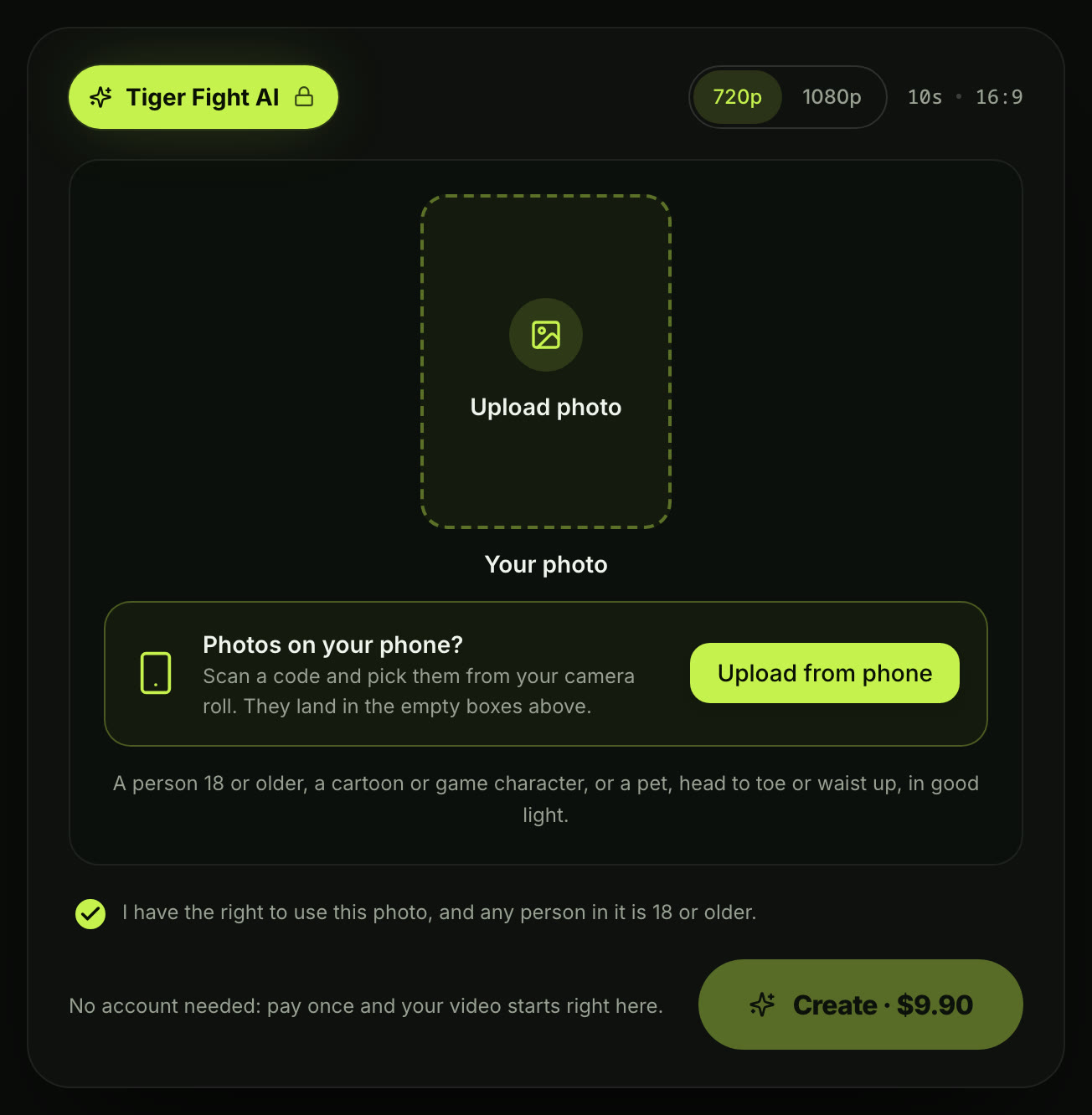
Here's the whole Tiger Fight AI generator on one screen.
What You Need to Make a Tiger Fight AI Video
You need one photo and a web browser to use Tiger Fight AI for TikTok and Reels.
- One photo: One subject — you, a friend with their yes, your pet, or a cartoon or game character — head to toe or waist up, in good light.
- A browser: You can use a phone, tablet or computer; there's no app to get, no CapCut template to find, and no prompt to write.
- Nothing else: The security camera, the CAM 05 label, the forest path, the tiger and the trend's phonk sound are built into the page.
Step 1: Add Your Photo to the Tiger Fight AI Page
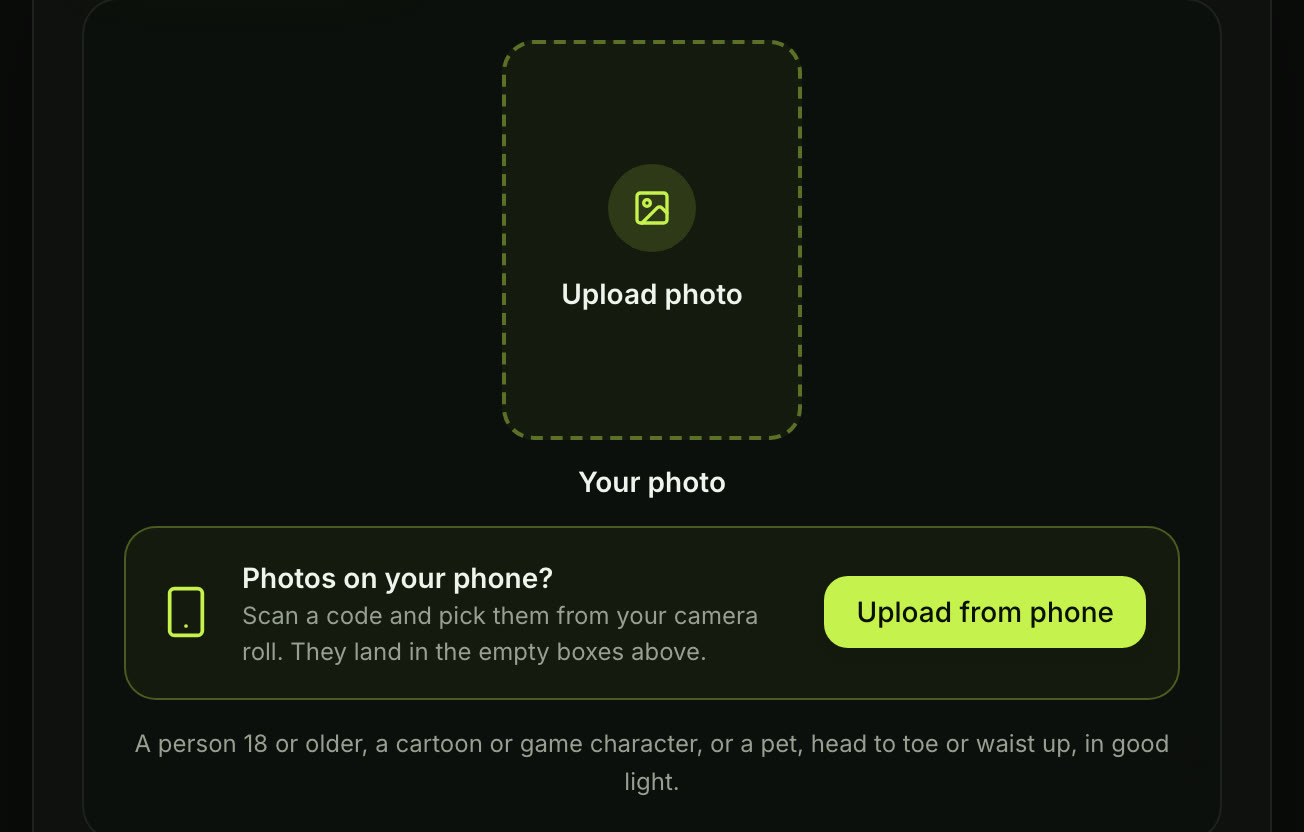
You'll add your photo in the one box, "Your photo". You can also scan a code and pick the photo from your phone's camera roll.
The line under the box asks for a person 18 or older, a cartoon or game character, or a pet, head to toe or waist up, in good light.
Step 2: Pick 720p or 1080p
Pick 720p or 1080p for your video. 720p is picked when the page opens, so you're already set to go. The price shows on the Create button before you've paid anything.

Step 3: Leave the Box Ticked and Press Create
Leave the box under the photo ticked, as it's already ticked when the page opens. Press Create, and signed out, the button reads "Create · $9.90" at 720p.

After You Press Create: Pay Once, Sign In, Get Your Tiger Fight AI Video
You pay once at checkout, with no account and no subscription. $9.90 makes one 720p video. A 1080p video takes 1,480 credits, and pack credits stay valid for 12 months.
If a video fails, its credits come back automatically. You can see Seadanse pricing or how pay-once credits work for more.
No account is needed to start your video. The email from checkout brings a link that signs you in, so you can open your video again on another device.
Your video starts right on the page once you've paid. You download the 10-second 16:9 MP4 with the trend's phonk sound.
What Your Tiger Fight AI Video Looks Like, Shot by Shot
Your video's 10 seconds long, black and white, in two camera shots, 16:9 like a security-camera feed. The clip below is the trend's one-photo CapCut template as it was posted, the clip your video follows shot by shot.
Seadanse builds this trend's 10 seconds into our Tiger Fight AI, from the walk to the pin, in the same two camera shots.
Original clip: the CapCut template "AI trend" by GG-Bond (open the template on CapCut)
- 0-1.5 seconds · The walk: A grainy black-and-white security camera looks down a forest path, CAM 05 in the corner. You walk up the path with a round wine gourd in your hand while a tiger's head shows in the bushes.
- 1.5-3.5 seconds · The stare-down: You stop, see the tiger and throw the gourd to the ground; the tiger steps out onto the path.
- 3.5-4.5 seconds · The stick: You crouch and grab a stick from the path while the tiger crouches to spring.
- 4.5-6 seconds · The leap: The tiger leaps at you in a cloud of dust and you meet it swinging the stick.
- 6-10 seconds · The pin: A closer camera; you sit astride the tiger on the path, pin it flat and raise a fist in the air.
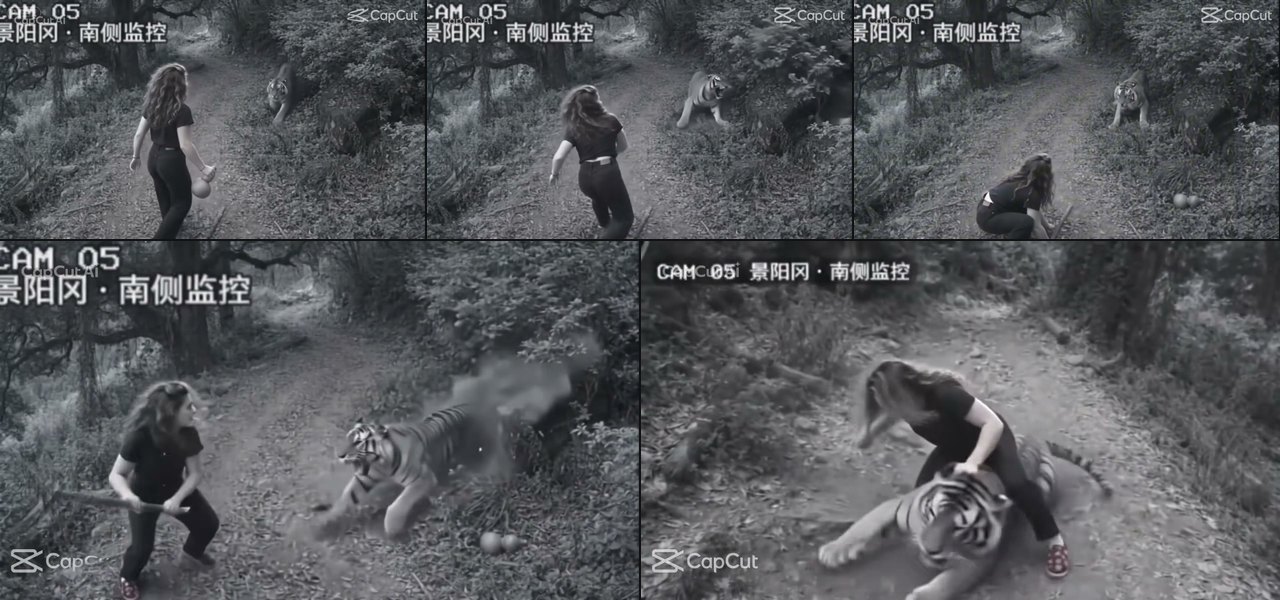
Stills from the original clip: the CapCut template "AI trend" by GG-Bond
Only you change, while the security camera, path, and tiger stay as they are. Your face, hair and clothes from the photo show in the camera's greys.
The tiger's only pinned and nobody's hurt, with the trend's phonk sound laid under. The label CAM 05 stands for camera 05 at Jingyang Ridge, south side, which is a nod to the tiger fight in the Chinese classic Water Margin.
Tips for a Tiger Fight AI Video That Looks Like You
The photo you pick is the one thing that shapes how you look on the path.
- One subject: Pick one person, one pet or one character.
- Head to toe or waist up: The camera watches the whole path, so your hair, build and outfit show in every second.
- Face to the camera: Your face should be sharp and in good light.
- Clothes for black and white: A plain light or dark top reads best on the grey camera picture.
- Pets: Use one animal with its whole body in view and its eyes open, in daylight.
- Whose photo: You can use your own photo, a friend who said yes, or your own pet; every person in the photo is 18 or older.
Put Your Friend, Your Dog or a Cartoon on the Forest Path
The Tiger Fight AI video works with a friend, a pet or a character on the path, and it's the same 10 seconds.
- A friend: Pick a friend who is 18 or older and gave their yes.
- A dog or cat: The animal stays on the path for the whole 10 seconds, from the walk to the pin.
- A cartoon or game character: The character appears on the CAM 05 camera to grab the stick.
If you want to make a tiger fight video with your dog, the tool handles it easily.
The Other Way People Make the Tiger Fight AI Trend: A CapCut Template
Many tiger fight videos in your feed come from one CapCut template, "AI trend". It was published on November 8, 2026, and had 71,127 uses on November 18, 2026. So most tiger fight clips you've seen came from that one template.
- Open it: Tap the template tag on a TikTok post of the trend.
- Add one photo: Upload your photo inside the CapCut app.
- Export: Save the video to your device.
On Seadanse's Tiger Fight AI page, you just put one photo in your browser, and the trend's phonk sound is laid under. You can see the ways to make a tiger fight video, side by side.
Tiger Fight AI FAQ
Is the CCTV tiger fight video real?
No. It's an AI video made to look like old black-and-white security-camera footage, and it retells the tiger fight story on Jingyang Ridge from the Water Margin. We've answered is the tiger fight CCTV video real in full here.
How many photos do I need for a Tiger Fight AI video?
You'll need only one.
How long is the Tiger Fight AI video?
It's 10 seconds, 16:9, for TikTok and Reels, and you'll get it in 720p or 1080p.
Can I make other one-photo security-camera videos?
Yes. Santa Caught on Camera AI turns a photo of your living room or front door into a 10-second security-camera clip as Santa leaves presents under your tree. AI Car Shootout Video puts you at the wheel of a 10-second in-car action clip, filmed from the dashboard.
Your Tiger Fight AI Video in Three Presses
You can get your own security-camera video today. Add your photo, pick 720p or 1080p, leave the box ticked and press Create to make your Tiger Fight AI video.
Written by The Seadanse Team; we read the page on November 18, 2026.
Related Articles
- Is the Tiger Fight CCTV Video Real? — where the security-camera clip comes from, Wu Song and Jingyang Ridge, and how you can tell it's AI.
- The Best Tiger Fight AI Video Generators — the ways to make the tiger fight video, side by side.


