
Pollo AI Not Working? 6 Fixes and 3 Billing Rules
Most Pollo AI problems are billing rules, not bugs: credits that reset, a discount tied to your plan, and features that need an active subscription. Six fixes, in order.
 The Seadanse Team6 min read
The team behind Seadanse. We run the models we write about, and we publish the specs, prices and limits the marketing leaves out.

TL;DR — Most Pollo AI issues come down to three billing rules rather than a software bug. Subscription credits reset every cycle, headline discounts need an active paid plan, and privacy tools need a live subscription.
The six checks below walk through your account in order, starting with the cheapest fixes. If Pollo keeps stalling your work, the last section shows where else the same models run.
You clicked Create and nothing happened, your finished clip carries a watermark, or the balance you had yesterday is gone. Almost every one of these problems links straight back to a specific rule on Pollo's own pages. Here's how to tell which rule caught your job and what you can do next.
Check which of your three credit types is empty
Pollo splits your balance into three kinds of credits:
- Subscription credits: come with your monthly plan, and unused credits don't roll over to the next billing cycle.
- Bonus credits: earned through sign-up bonuses, daily check-ins, or referrals, and they never expire.
- Add-on credits: bought through credit packs, and they never expire.
When you run a prompt, Pollo spends your shortest-lived credits first: subscription credits, then bonus credits, then add-on credits.
The free tier gives you 20 credits and one parallel task. To check your current credit balance and your history of credit usage, go to Billing -> Usage in your account.
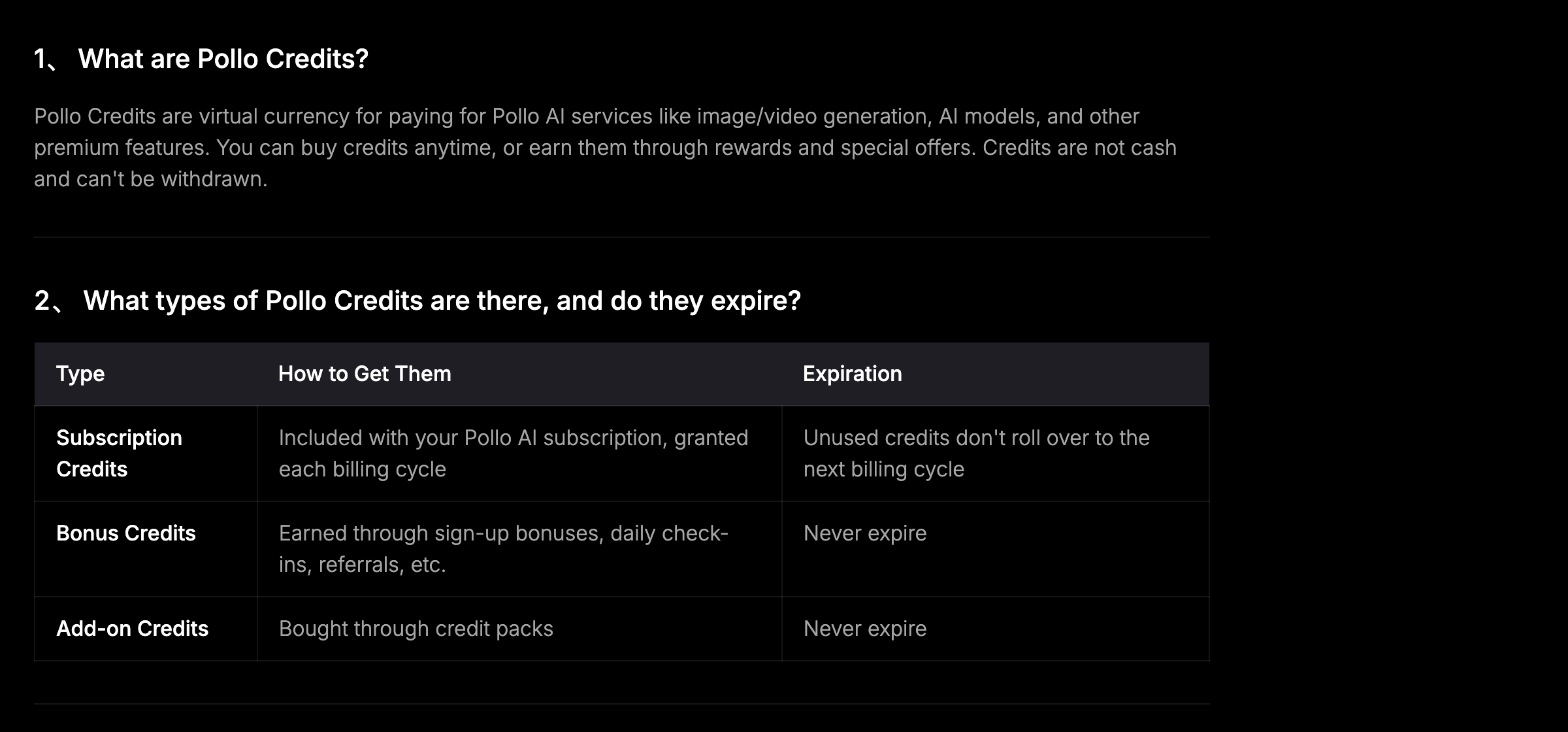 Pollo AI's own credits FAQ, 2026-08-24 — only one of the three credit types expires, and it's the one your plan grants.
Expect the price to double if your paid plan lapses
If a clip suddenly costs more credits than you budgeted, check whether your membership is still active. Pollo runs a banner that says "Save 50% on Seedance 2.5 and 60% on Selected Models … Exclusive to paid plans!"
On Pollo's Seedance 2.5 page, a 5-second clip at 480p lists at a discounted rate of 37 credits, with 75 credits struck through. If your paid plan ends, you lose that discount, so every job charges the standard 75 credits instead of 37.
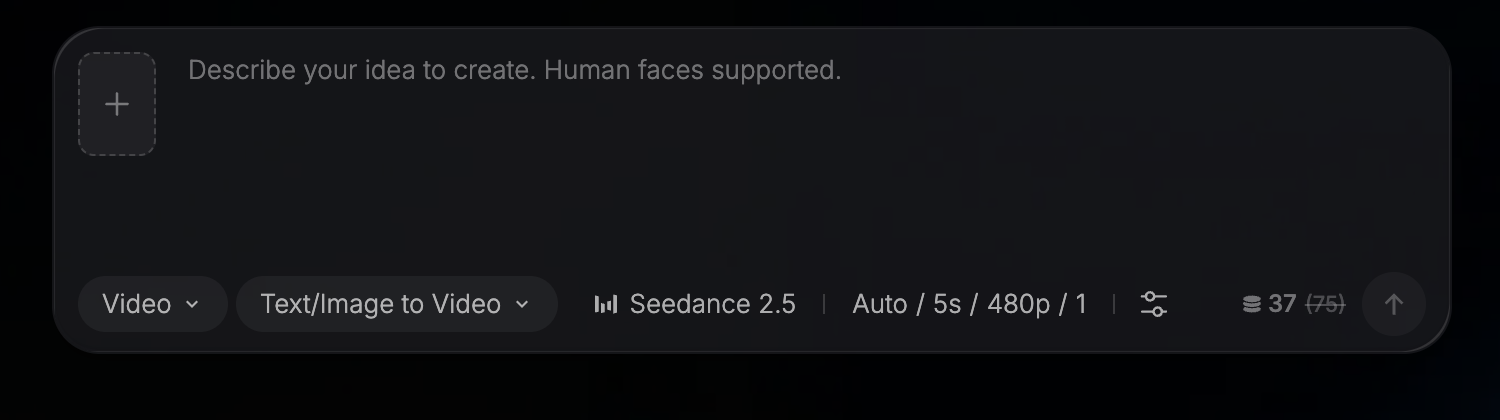 Pollo AI's generator, 2026-08-24 — 37 credits is the discounted price, and 75 is what the same clip costs without a paid plan.
Wait out the queue when your plan's parallel tasks are full
When your generation sits in a queue and won't start, you've likely filled your limit on parallel tasks (how many jobs Pollo runs for you at once). Each tier sets a strict cap on simultaneous jobs:
- Free: 1 parallel task
- Lite: 2 parallel tasks
- Pro: 4 parallel tasks
- Ultra: 6 parallel tasks (up to 10 on the largest Ultra plan)
Extra requests wait in line until an active job finishes, and Pollo's pricing page notes that "Unlimited usage may be subject to dynamic speed adjustments during high-traffic periods."
Keep a live subscription to remove the watermark and the community post
If your video finished but displays a watermark, or if it posted publicly to the community feed, a plan rule is responsible. Pollo's credits FAQ states that "Some features require an active subscription, for example, watermark-free downloads, opting out of community sharing, or enabling privacy protection for shared content."
Because those settings need an active subscription, having non-expiring add-on credits in your balance won't unlock them after your membership ends.
You've got to keep a live paid plan to turn on privacy protection and download clean files.
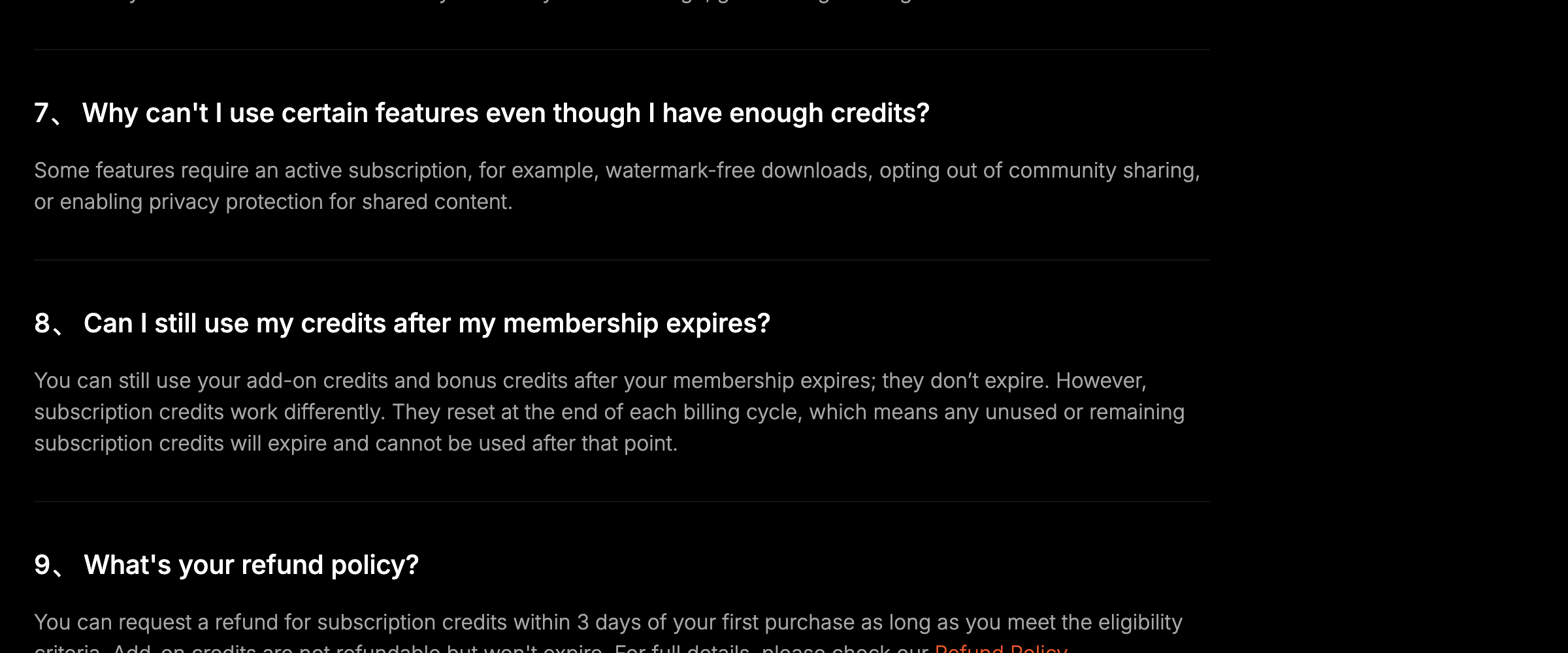 Pollo AI's credits FAQ, 2026-08-24 — watermark-free downloads and opting out of community sharing both need a live subscription.
Ask for the credits back when a generation fails
If a job errors out on the server side, Pollo's stated position is that credits are normally refunded in full when a generation fails because of a system error. Pollo directs you to write to support@pollo.ai with your account and order details so they can check the credit record.
This is Pollo's stated recovery route rather than something we verified ourselves.
Count the days before you ask for a refund
If you want your money back after signing up, Pollo has a strict rule.
"You can request a refund for subscription credits within 3 days of your first purchase as long as you meet the eligibility criteria. Add-on credits are not refundable but won't expire."
If you pass that 3-day window from your first payment, you won't get a refund on your subscription.
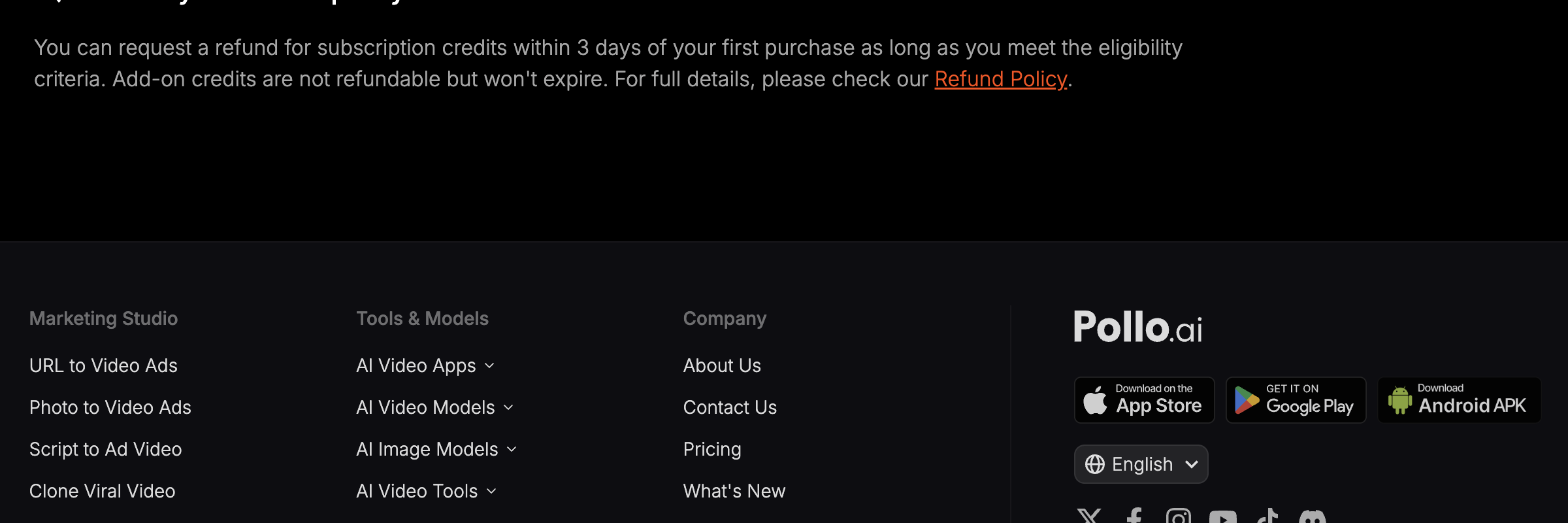 Pollo AI's refund answer, 2026-08-24 — three days from your first payment, and add-on credits sit outside it.
Run the same model somewhere else if it keeps happening
If credit expirations, watermarks, or manual refund emails keep slowing you down, you can use Seedance 2.5 AI Video Maker on Seadanse instead.
Here's what Seadanse does differently:
- 12-month validity: your credits stay valid for a full year.
- Automatic refunds: failed or interrupted jobs are refunded automatically without sending an email.
- Clean downloads: exported videos never carry a watermark.
- No subscription lock-in: get free starter credits on sign-up with no card, or buy a single $9.9 credit pack.
Seedance 2.5 here runs at 480p, 720p, or 1080p across six duration presets (5, 10, 15, 20, 25, and 30 seconds) with audio on by default. Limits: there's no 4K on Seedance 2.5 (use Seedance 2.0 for 4K), and you won't find Pollo's avatar or ad tooling (face swap is a single video effect here: face swap photo to video).
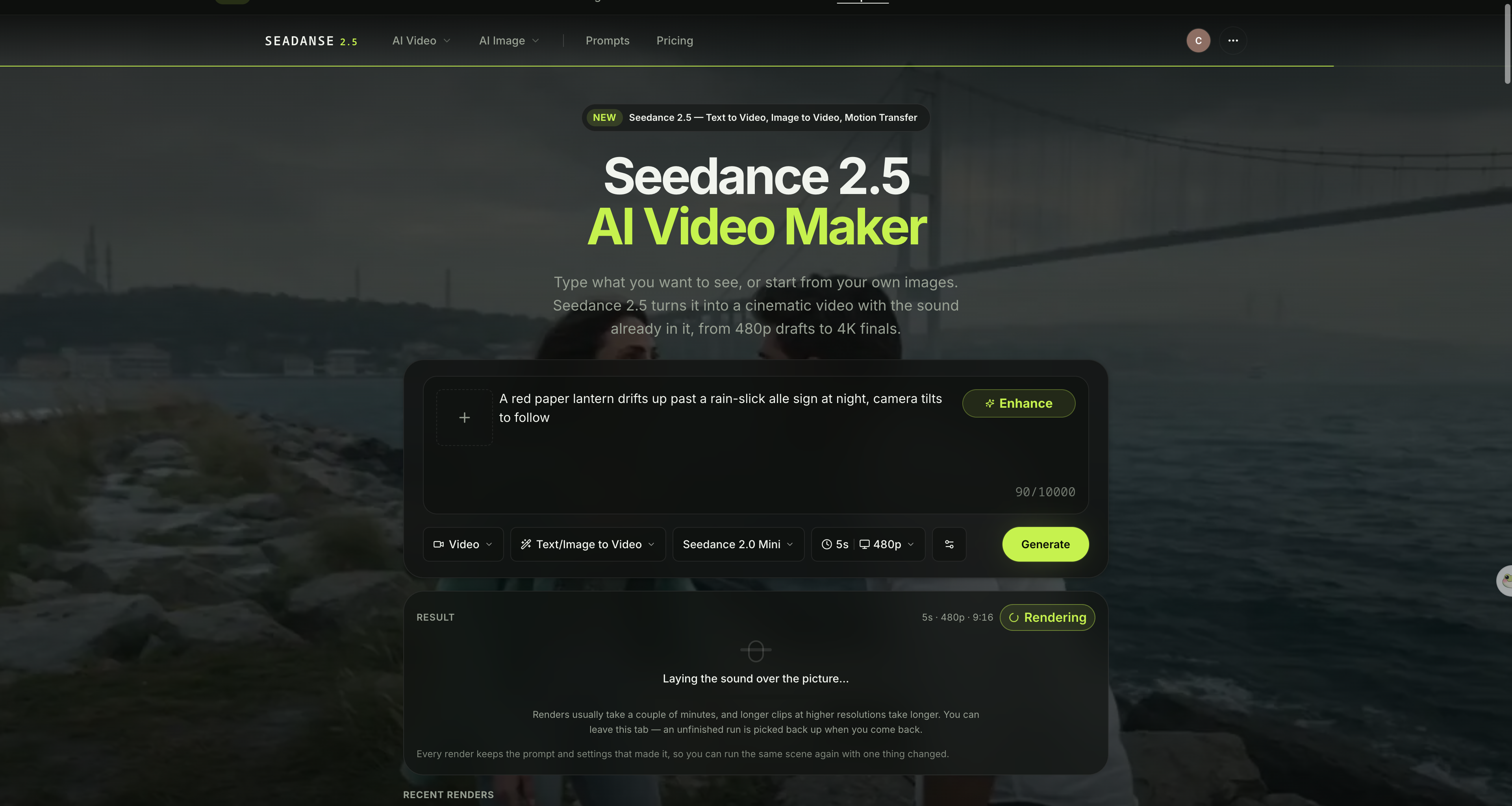 The generator on Seadanse — credits last 12 months, and a failed job is paid back without an email. Captured 2026-08-24.
You can see what credits cost or run Seedance 2.5 in the browser right away. Open the generator, type your scene, pick Seedance 2.5, set the duration, and click Generate.
Related Articles
- How to Use Pollo AI: 7 Steps and What Each One Costs — the whole panel explained, including the Unlimited switch.
- 7 Best Pollo AI Alternatives in 2026 (Prices Checked) — seven platforms that run the same models, with what each one gets wrong.
- Seedance 2.5 Unlimited on Higgsfield: 33 Days of Fine Print — what an unlimited plan gives you once you read the terms.


