
How to Do the AI Arrest Trend From One Photo
Seadanse: how to do the AI arrest trend from 1 photo: a 10-second video, officers walk you out in cuffs and you grin. 720p for $9.90, no CapCut or sign-up.
 The Seadanse Team13 min read
The team behind Seadanse. We run the models we write about, and we publish the specs, prices and limits the marketing leaves out.

TL;DR — To do the viral AI arrest trend, you upload 1 photo to Seadanse's AI Arrest Video Generator and get a 10-second "getting arrested again" video with sound. Two officers walk you out of a house at night in handcuffs, red and blue lights flash, and you grin at the camera. You press "Create · $9.90" and pay once for one 720p video, with no CapCut template, no prompt and no account.
Most tutorials for the trend send you to a CapCut template, and their comment sections fill up with people who got stuck. Under one Urdu-language tutorial with 24,050 views, 18 of the 83 comments were about CapCut Pro. Others asked why it wants credits, or said the "Make it" option never showed up.
On Seadanse, the whole arrest scene is built into one page: one photo goes in, a 10-second video with sound comes out, and you pay once at the button.
Here's the sample from our AI Arrest Video page, made from one photo:
The woman and both officers in it are AI-generated, not real people.
You'll see the two steps, the photo that works best, the captions and songs people post with, and the pet version.
What is the AI arrest trend?
The AI arrest trend turns one photo into a short video where police officers escort you outside in handcuffs.
At night, two officers walk you out of your front door in handcuffs, and red-and-blue lights sweep across the house. They walk you down the front path toward the police car.
You turn to the camera, raise an eyebrow and grin. Most clips run 8 to 10 seconds, vertical, with sound.
People also call it the AI police arrest trend, the taken away by police AI trend, or "Not bro, getting arrested again". The solo clip took off on TikTok in mid-September 2026.
The CapCut template the tutorials link to was created on September 22, 2026. It showed 26,570,873 uses on October 7, 2026, and 27,512,677 uses on October 8, 2026, gaining about 940,000 uses in under a day.
The first version, in June 2025, used a group photo and took one random person away under the caption "who will be taken by police among us". On Seadanse, the generator is one of our AI video effects powered by Seedance 2.5, ByteDance's most advanced video model released on July 31, 2026.
What you need to do the AI arrest trend
You'll only need four basic items to make your own AI arrest video on Seadanse.
- One photo: You'll upload one clear photo of an adult facing the camera in good light.
- A browser: The page runs in any web browser on your phone, tablet, or computer, so there's nothing to install.
- $9.90: It's a single payment that covers a 500-credit pack, which pays for one 720p video.
- No prompt or template: The complete arrest scene and camera movements are built into the page.
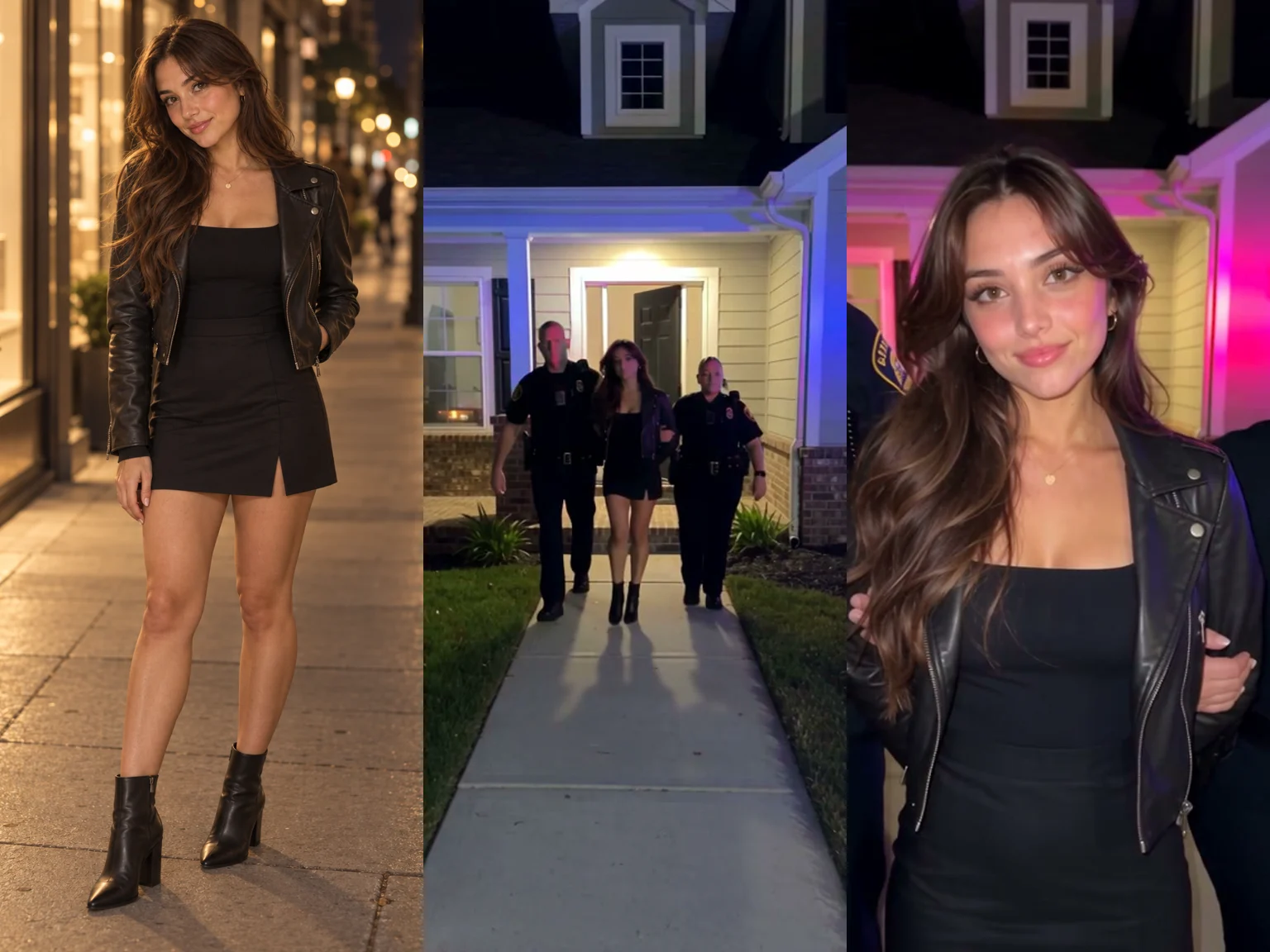
Left, the one photo that went in. Middle and right, two moments from the 10-second video it made.
Step 1: Open the AI Arrest Video Generator and upload one photo
Start by opening Seadanse's AI Arrest Video page in your web browser. The page opens with "Solo", "Portrait 9:16" and "720p" picked, and shows "10s", because that's the length of every video.
Under "Your photo", tap the box that says "Upload photo" and pick one JPG, PNG, or WebP image. The line under it reads: "One adult (18+), face clearly visible, in good light; knee-up or full body works best. For the group scene, 2 to 6 adults; for the pet scene, one dog or cat."
Right below that, the consent box reads: "I have the right to use these photos, and every person in them is 18 or older." It's ticked when the page opens.
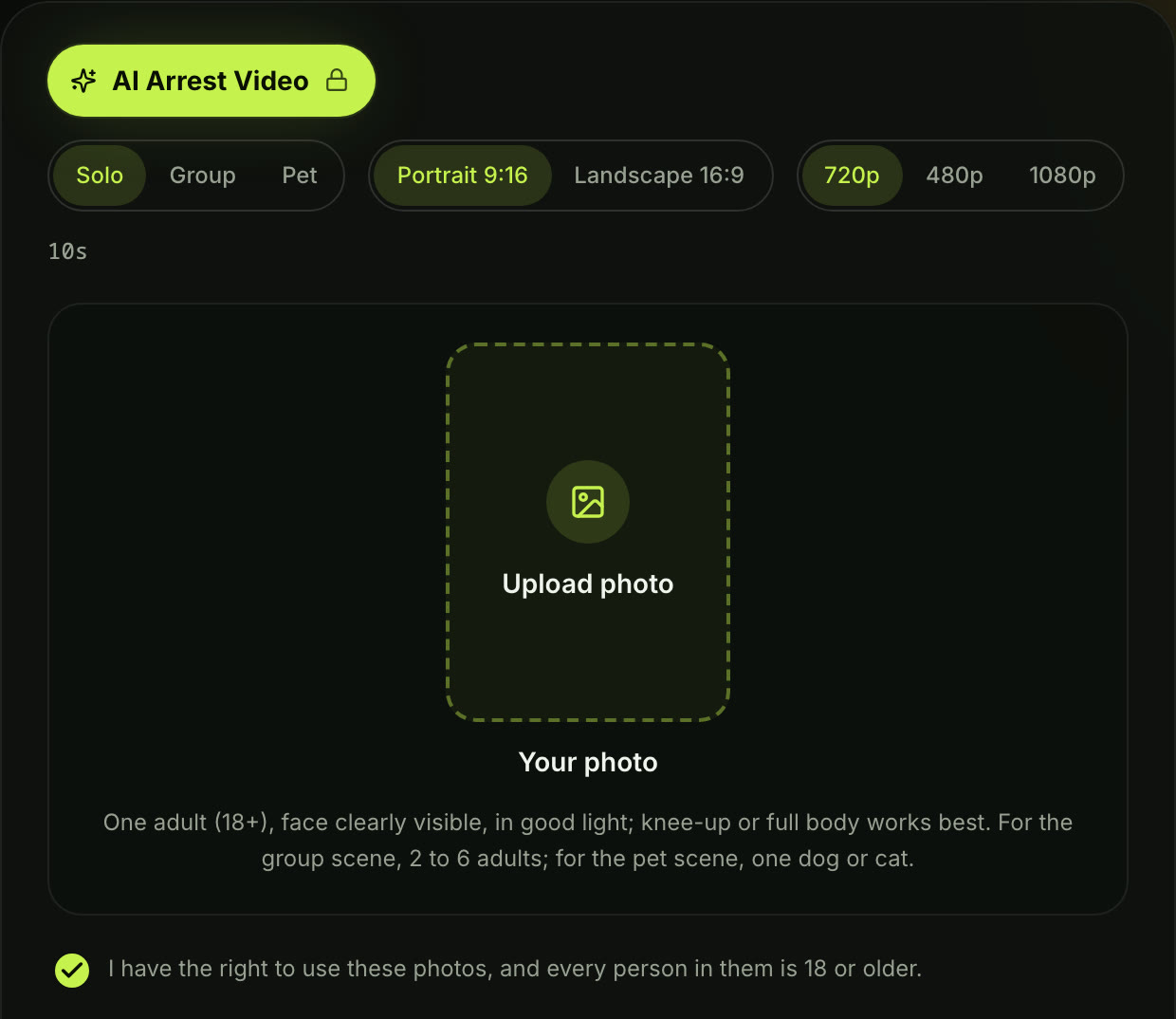
Step 1 on the live page, signed out, October 8, 2026: the Upload photo box and the photo line under it.
"Solo", "Portrait 9:16" and "720p" are already picked, so there's nothing to change. If you'd like a different place or outfit, tap "Add a note (optional)" and type it, e.g. "walking out of a glass office lobby in a suit". The arrest and the look into the camera stay the same.
Step 2: Press Create and your AI arrest video starts
Press "Create · $9.90". The line beside the button reads: "No account needed: pay once and your video starts right here." If a video fails, its credits come back automatically. The checkout email gives you a sign-in link, so you can open your video on any device.
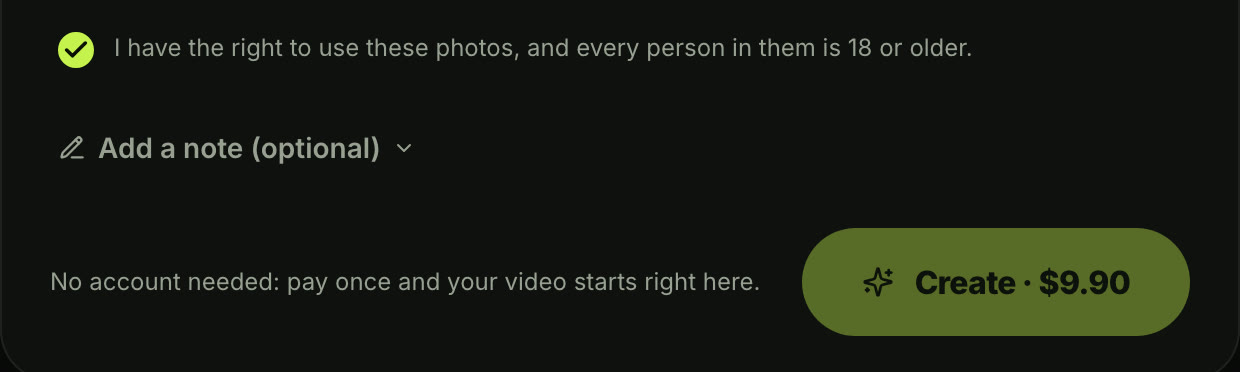
Step 2, signed out on October 8, 2026: the price is on the button, and there's no account to make.
What you get: a 10-second AI arrest video with sound, ready to post
When it's done, you'll download one 10-second MP4 with sound made together with the picture: sirens, police radio chatter and footsteps. There's no watermark on exported video, so it's ready to share immediately.
The Solo video unfolds across four distinct moments:
- "Front door": At night, two police officers lead you out of the front door in handcuffs.
- "Down the path": The officers escort you down the front walk while red and blue lights flash.
- "The grin": A step or two from the camera, you look straight into the lens, raise an eyebrow, and grin.
- "To the car": You continue walking along the path toward the parked police car.
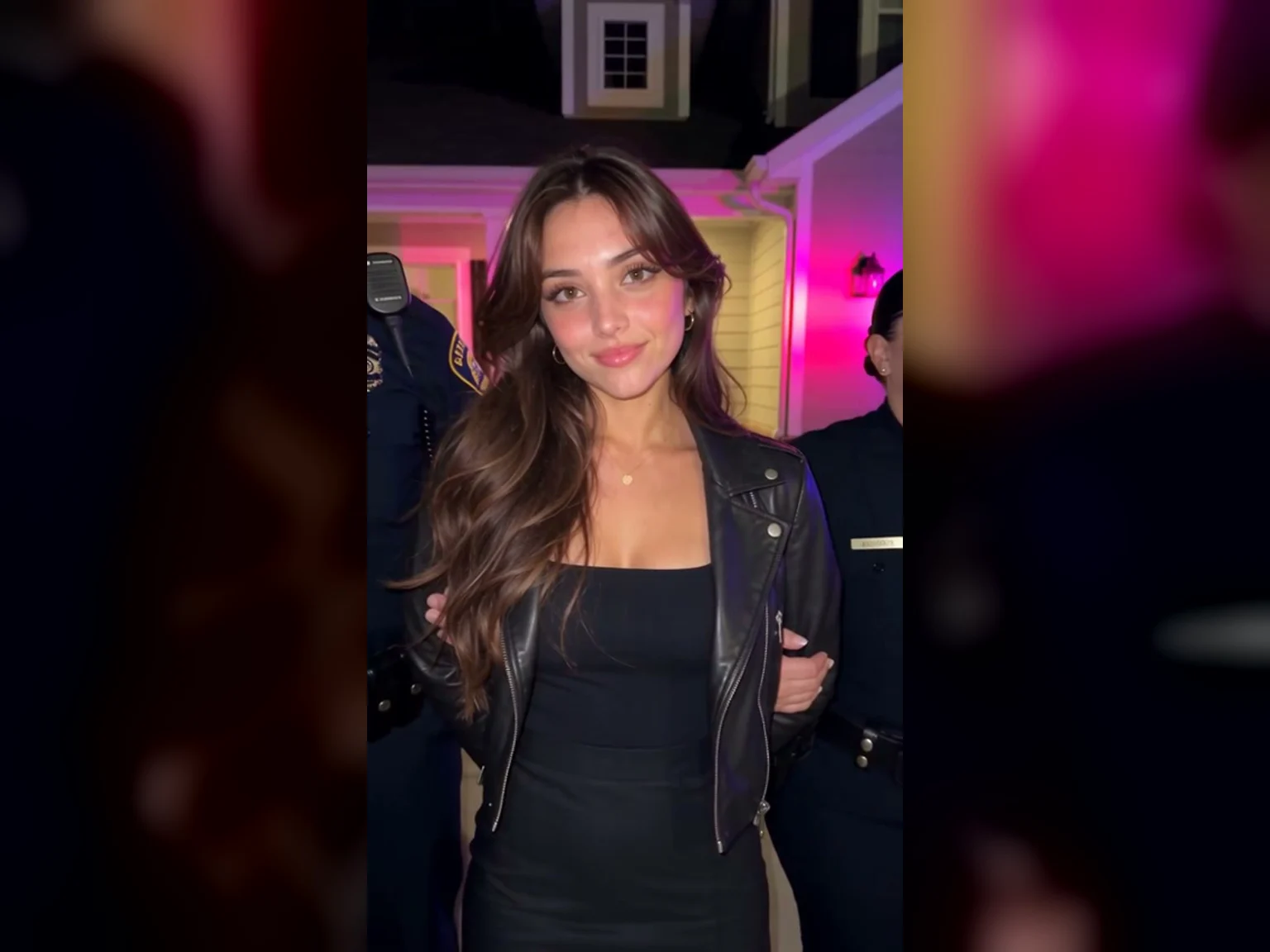
The grin, from the sample above: her face, hair, earrings and jacket all come from her one photo.
| What you get | AI arrest video on Seadanse | What it means for you |
|---|---|---|
| Length | 10 seconds | The whole walk, from the front door to the police car |
| Shape | 9:16 or 16:9 | Vertical for TikTok, Reels and Shorts, or wide |
| Quality | 480p, 720p or 1080p | 720p is picked when the page opens |
| Sound | Sirens, police radio chatter and footsteps | Add your own song when you post |
| Price | $9.90 for one 720p video; 375 credits at 480p; 1,480 credits at 1080p | You pay once, with no subscription |
| Account | Not needed | You press Create, pay once, and the video starts on the page |
| Watermark | No watermark on exported video | It's ready to post |
Read on Seadanse's AI Arrest Video page on October 8, 2026.
You're ready to post your finished clip directly to TikTok, Instagram Reels, or YouTube Shorts. Add a funny caption and a trending song right inside your favorite app before you publish.
CapCut asking for credits or Pro? Make the AI arrest video in your browser
The CapCut template the tutorials link to often frustrates viewers who just want a quick clip. Tutorials in Urdu, Hindi and Bangla from Pakistan, India and Bangladesh spread the template between September 30 and October 4, 2026.
Here's what viewers wrote under two of them:
- Credits: Under a Bangla tutorial, a viewer asked "ক্রেডিট চাই কেন" [why does it want credits?], and the creator replied "Onno gmail die try koren" [try another Gmail account].
- A card: Under an Urdu video, a viewer wrote "Lakin sir humy wo khty h ka card lgay" [but it tells us to add a card].
- The "Make it" option: Another person said "mery paas make it ka koi option ni aa Raha" [the "Make it" option doesn't show up for me].
- A computer: A viewer posted "meray pass Computer hay iss say nahi banti" [I have a computer, and it won't make it on that].
- Make it for me: Ten different comments asked the creator for help, saying "Bro mere Liye banawo na" [bro, make it for me].
On Seadanse's AI arrest video maker, the scene is built into the page. It runs in any browser on a phone, tablet or computer, so you don't run into mobile-only roadblocks. You'll press "Create · $9.90" and pay once, with no account.
Pick a photo that keeps your face in every frame
Picking the right photo makes sure your appearance stays sharp from start to finish.
- One adult: Use a photo of one person who is 18 or older.
- Clear face: Face the camera directly so your eyes and facial features show clearly.
- Good light: Choose a clear shot taken in good lighting without dark shadows.
- Knee-up or full body: A knee-up or full-body pose works best, keeping the handcuffs, walk, and outfit visible.
- File: The uploader accepts standard JPG, PNG, or WebP images.
Your face, hair and outfit come from your photo, and you'll stay the same person in every second of the video, from the front door to the grin. A photo of a real adult or an AI-made adult character both work.
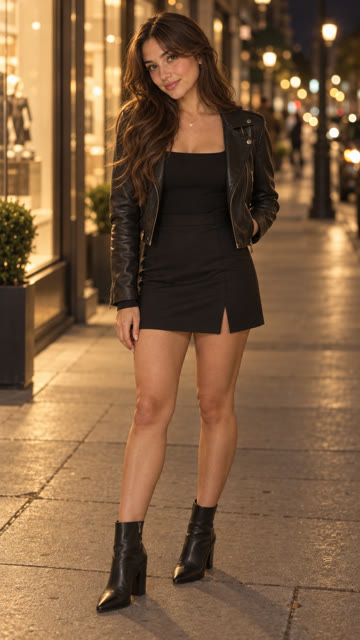
The photo behind our sample: one adult, full body, face clearly visible and well lit.
Captions and songs people post with the AI arrest trend
Captions and music give context to the AI arrest trend and make the humor land.
- "not bro gettin arrested again": This on-screen text appeared in the most-liked post we found, which reached 78,200 likes.
- "If I actually listened to my intrusive thoughts when I get mad": This caption drove a post to 398,200 plays and 6,851 shares, far exceeding its 4,422 likes.
- "What could be the reason for my arrest?": This caption invites viewers to invent playful charges in the comments.
- "if being cute was a crime": Our page highlights this caption for sweet, funny family clips.
Posts in the trend each carry a sound their maker picked. For instance, the 398,200-play post used Coolio & L.V.'s "Gangsta's Paradise", another post featured Britney Spears's "Criminal", and a dog clip used Rauf & Faik's "Detstvo".
Your video already has sirens, police radio chatter and footsteps, so you can easily add music when you post to TikTok, Reels, or Shorts.
Make an AI arrest video of your dog or cat
The Pet scene lets you cast your pet as the suspect. A full-body photo of your dog or cat is all you'll need. Two officers lead your pet out of the house on a leash, with no handcuffs, and your pet looks back at the camera as they walk down the path.
Viewers love these animal clips: a dog version of the trend passed 54,700 plays, and people frequently search for "ai cat getting arrested".
AI arrest trend FAQ
Do I need CapCut or an app to do the AI arrest trend?
You don't need CapCut or an app. It's all built into the page, and it runs in your browser on a phone, tablet or computer, with nothing to install.
How much does the AI arrest trend cost, and is it free?
One 10-second 720p video costs $9.90, which uses the entire 500-credit pack. A 480p video costs 375 credits, and a 1080p video costs 1,480 credits.
You buy a one-time pack with no subscription, and a failed video returns its credits automatically. You can read how pay-once credits work. Pack credits stay valid for 12 months, as listed under Seadanse pricing.
Is there an AI police arrest prompt?
You don't need a prompt on our page because the arrest scene is built into the tool. To write a custom arrest scene from scratch, image to video AI takes your photo and your own words to create videos up to 30 seconds long. You'll also find our pre-written police arrest AI prompts.
Can I make an AI arrest photo or mugshot?
Yes, you can make an arrest photo instead of a video. That's a picture rather than a video clip, and our AI mugshot generator guide shows how to create one from your photo.
Can I do the AI arrest trend with friends?
Yes, you can pick the Group scene on the page. Upload a photo of 2 to 6 adults. A police officer walks in, cuffs one person at random, and leads them away while everyone else stays where they are.
How long is the AI arrest video, and does it have sound?
Every video runs exactly 10 seconds. It includes sound made together with the picture: sirens, police radio chatter and footsteps. Nobody speaks in the video.
Is it okay to post an AI arrest video?
Yes, you can post it as the harmless joke it is. The scene is staged, and the grin tells viewers it's a joke.
Use photos you have the right to use, of adults 18 or older. Captions like "not bro gettin arrested again" make the humor clear, and as one TikTok viewer commented, "It’s a trend… obviously it’s AI, says it in the caption if you read".
Police AI video kaise banaye?
"Kaise banaye" means "how do I make it" in Hindi and Urdu. You'll follow the same two steps on Seadanse in any browser, and you won't need CapCut Pro. You upload one photo, press Create, and your 10-second video is ready to download.
Make your own AI arrest video tonight
You don't have to struggle with broken templates or monthly subscriptions to try this challenge. Uploading one photo lets you make your own AI arrest video with sound, where two officers escort you out in handcuffs while you grin. You'll pay $9.90 once for a crisp 720p clip, and you won't need a prompt or an account.
Written by The Seadanse Team. We read every button, setting and price in this guide on the live AI Arrest Video page, signed out, on October 8, 2026. The sample videos were made with Seedance 2.5 from photos of an AI-generated woman and an AI-generated golden retriever.
Related articles
- Police Arrest AI Prompt: 3 Video and 2 Photo Prompts to Copy — copy-ready prompts for writing the arrest scene yourself.
- AI Mugshot Generator: Make an AI Arrest Photo, Then a 10-Second Video — turn one photo into a booking-style arrest photo, then into a 10-second arrest video.
- How to Make an AI Zombie Video Without CapCut (From Two Photos) — another viral video effect you make from your own photos, without CapCut.


