
Tiny Desk AI CapCut Alternative: 5 Ways Without the Template
Tiny Desk AI CapCut alternative — 5 browser tools that make the Outstanding video when the CapCut template won't open, compared
 The Seadanse Team15 min read
The team behind Seadanse. We run the models we write about, and we publish the specs, prices and limits the marketing leaves out.

TL;DR — You can make the Tiny Desk AI video without CapCut; 5 browser tools turn your photos into the full band. On Tiny Desk AI for TikTok and Reels, 1 to 5 photos become the 19-second band video with the "Outstanding" sound in the file, $9.90 at 720p with no sign-up. That means you get your crew on stage without installing an app or hunting for template links.
You tapped the template link from a tutorial and hit a wall.
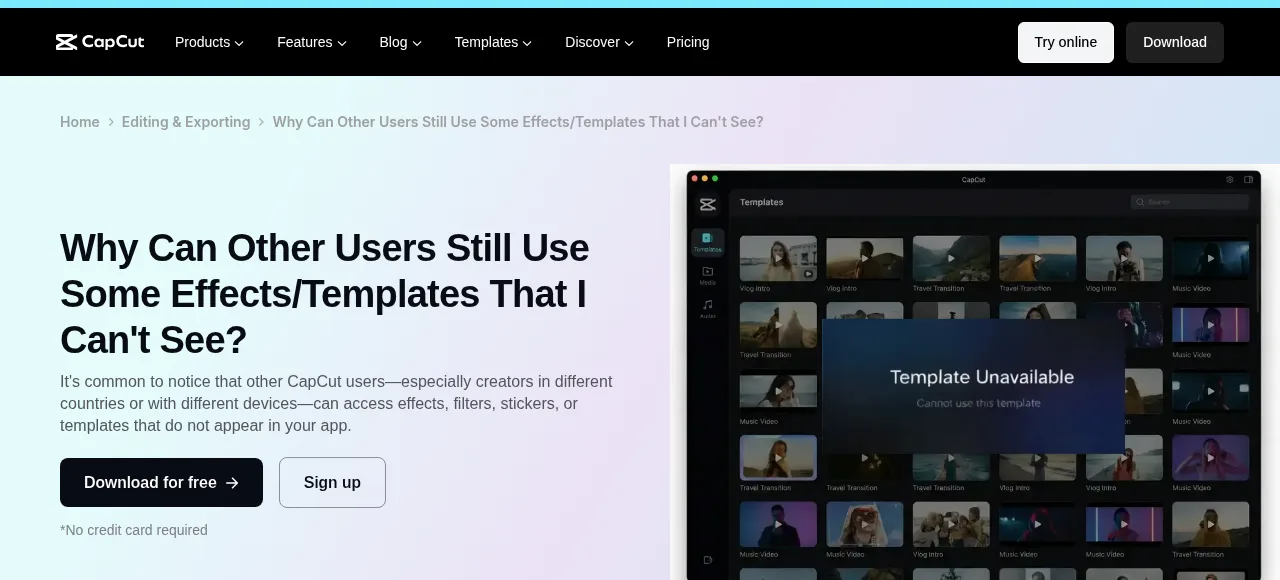
CapCut said the template isn't available in your region, or its website asked you to sign in. In other cases, the project had one photo slot when you wanted five people in the band.
Waiting on CapCut means missing the trend. A new version of the video lands every football weekend, so you'll want to share it while everyone's talking about the game.
You don't need CapCut to join in. We read each maker's own page on 27 October 2026 to find five browser tools that build the scene directly from your pictures.
Here's how each tool works and who goes on the sax. You'll see how to get your video without fighting regional errors.
Why the CapCut Tiny Desk AI template doesn't work for everyone
The CapCut template doesn't work for everyone because of location rules, device limits, and account checks built into the platform.
You can see what the CapCut template does with your photo before you try to fix it.
- Region: CapCut's help page says "some templates are limited by region, so they may not show in certain locations."
- App version: Older mobile app builds don't display new viral template files properly.
- Sign-in: CapCut needs an active sign-in before you can open or export specific shared templates.
- CapCut's website: CapCut's own help page says of its website: "Trending or viral templates from TikTok rarely appear here." It shows editor-approved or evergreen templates instead.
- One photo slot: The widely shared "hh" template has 1 slot, which clips your single picture to the audio rather than casting a multi-person crew.
Tiny Desk AI CapCut alternatives at a glance
The comparison table below shows how each browser tool handles photos, instruments, audio tracks, and accounts.
| CapCut template "hh" | Seadanse Tiny Desk AI | viralreel.app | tinydeskai.video | outstandingtinydeskai.com | outstandingtinydesk.com | What it means for you | |
|---|---|---|---|---|---|---|---|
| Where it runs | CapCut's phone app | Browser | Browser | Browser | Browser | Browser | A browser tool works on any phone or laptop, with nothing to install. |
| Photos | 1 slot | 1 to 5, same price | 3 slots | 1, plus a friend on sax | 1 to 5 | One group photo, or a photo each | More photos means more of your friends in the band. |
| Who's on the sax | — | Photo 2 | Slots aren't labelled sax | The friend you add | Your sax photo | Third from the left in a group photo | A set sax spot means you choose who gets the solo. |
| Length | — | 19 seconds, five shots | You pick | About 18 seconds | 19 seconds | — | The trend's original runs 19 seconds. |
| Sound in the file | Cut to the sound | The original "Outstanding" sound | Add it in TikTok or Reels | Song plus a silent copy | The original trend sound | The music of the original set | With the sound in the file, you post it as it is. |
| Account | Sign-in on CapCut's website | No sign-up | — | — | Sign up after you pay | — | No sign-up means you pay and start right away. |
A dash (—) means the maker's page didn't say. Read on each maker's own page on 27 October 2026: CapCut's template page and help pages, viralreel.app, tinydeskai.video, outstandingtinydeskai.com and outstandingtinydesk.com.
If you want your video right now, open the Tiny Desk AI generator on Seadanse.
You'll add your pictures, check your band lineup, and download the finished MP4 in a few minutes.
What to look for in a CapCut alternative for Tiny Desk AI
A good browser alternative lets you make the trend video quickly without dealing with mobile app stores.
Keep these points in mind when you pick a tool:
- Runs in a browser: A web generator works on any phone or computer without installing software or updating an app store profile.
- A spot for each photo: Multiple picture slots let you put your whole crew into the performance instead of repeating one face.
- The sound in the file: Having the song track mixed inside the downloaded MP4 saves you from finding and aligning the audio by hand.
- Vertical 9:16: The export needs a tall aspect ratio so it fills the screen on TikTok, Reels, and Shorts without black bars.
- Pay without an account: Guest checkout lets you buy a single generation without signing up for passwords or email lists.
1. Seadanse Tiny Desk AI: best for a five-person band with the sound in the file
On Seadanse, you turn 1 to 5 photos into a complete concert clip in your web browser with no app to install. Photo 1 takes the lead microphone and stars in the close-ups.
Photo 2 plays the saxophone solo, while photo 3 sits front and centre at the red keyboard. Photos 4 and 5 sing backup behind the desk.
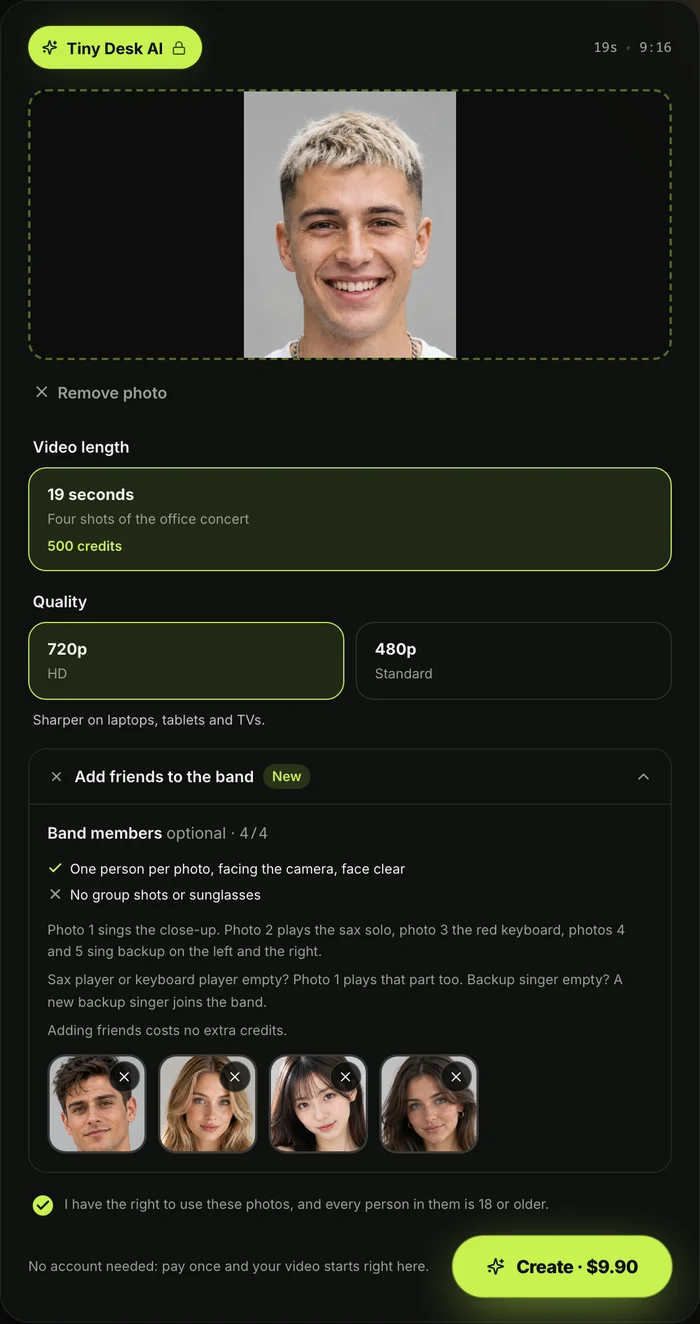
If you upload fewer pictures, photo 1 fills the empty instrument seats. New backup singers dressed to match the keyboard player step in so your group always has five members.
One photo or five photos cost the same.
Each person keeps their original face, hair, and clothing, meaning team jerseys stay on your crew while the old photo background drops away.
Even a pet works; a pet at the red keyboard sits up with paws on the keys.
Nobody in your pictures needs to sing or play an instrument. You can read our guide on whether any Tiny Desk AI route is free to see how web generators compare.
The generated Tiny Desk AI video runs for 19 seconds in vertical 9:16 format across five distinct shots and four cuts:
- 0 to 1.4 seconds: Photo 1 sings the opening notes in a profile close-up.
- 1.4 to 6.7 seconds: The camera widens to show the keyboard player singing into the desk mic with two backup singers behind.
- 6.7 to 13.0 seconds: The lead singer laughs with head tilted back, then sings straight into the camera lens.
- 13.0 to 16.4 seconds: Photo 2 takes the sax solo for about three and a half seconds alone on screen.
- 16.4 to 19.0 seconds: The full group returns as the backup singer on the right pumps a fist to close the track.
The set features a crowded office corner, a red stage keyboard resting on the desk, shelves packed with vinyl records and books, and warm daylight.
You pick 720p or 480p, and the exact price shows on the Create button before you pay.
A 720p video uses 500 credits and 480p uses 375 credits, and a single one-time credit pack covers either choice. That means one 19-second 720p video is $9.90.
You pay once with no subscription and no sign-up. Credits (the units a video is paid in) remain valid for 12 months, and a video that fails returns its credits automatically.
There's no watermark on the exported video. Before pressing Create, you simply tick a box confirming that you've got the right to use the images and that everyone shown is 18 or older.
2. viralreel.app: best for picking a preset set
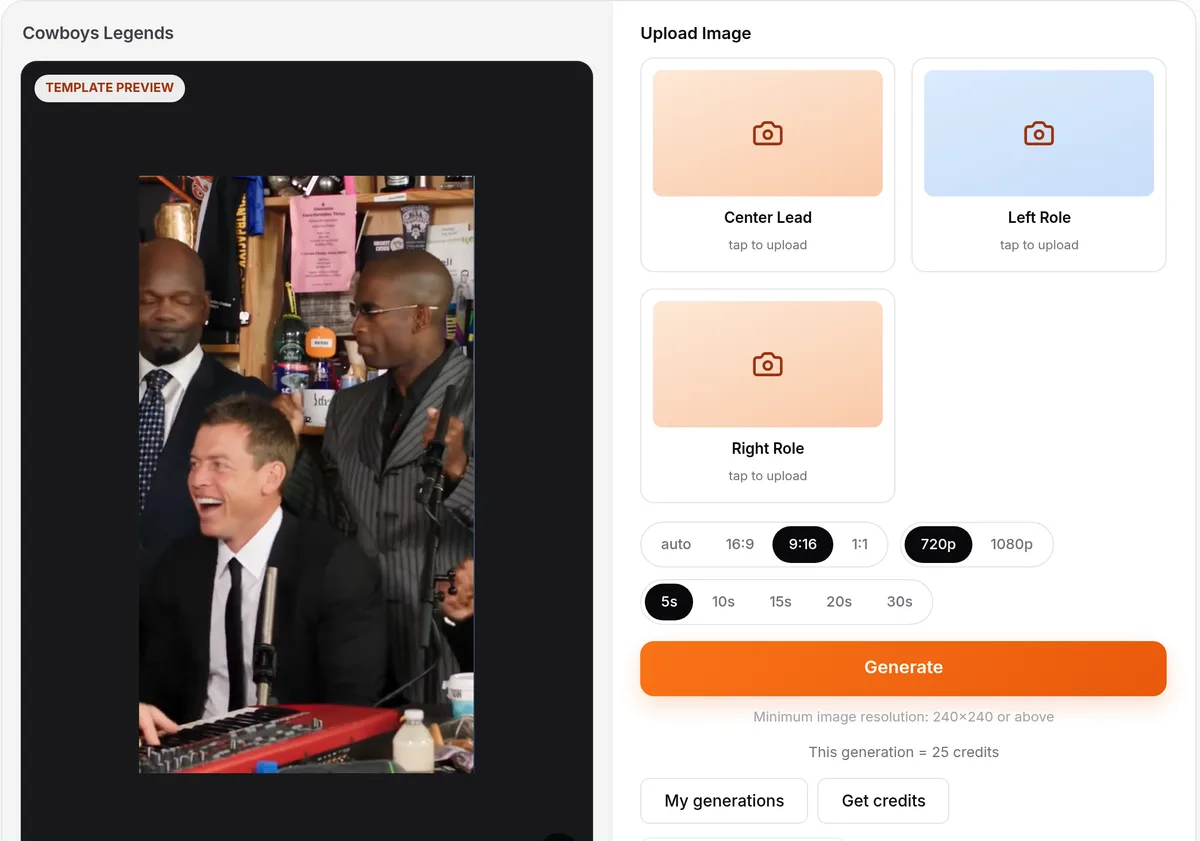
viralreel.app is a browser tool that builds video parodies directly on the web. As stated on its page, "You can make a Tiny Desk Outstanding fan parody without CapCut. ViralReel generates a new MP4 in the browser."
You start by picking one of six preset sets for your scene. The tool gives you three image slots named Center Lead, Left Role, and Right Role, and its page notes that "The buttons are not labeled sax".
The generator opens in vertical 9:16. You pick your resolution and running time, and the credit cost shows before you make it.
The song isn't in the downloaded file. Its page says to add the "Outstanding" trend sound from TikTok's, Reels' or Shorts' own library after you download.
3. tinydeskai.video: best if you want a silent copy too
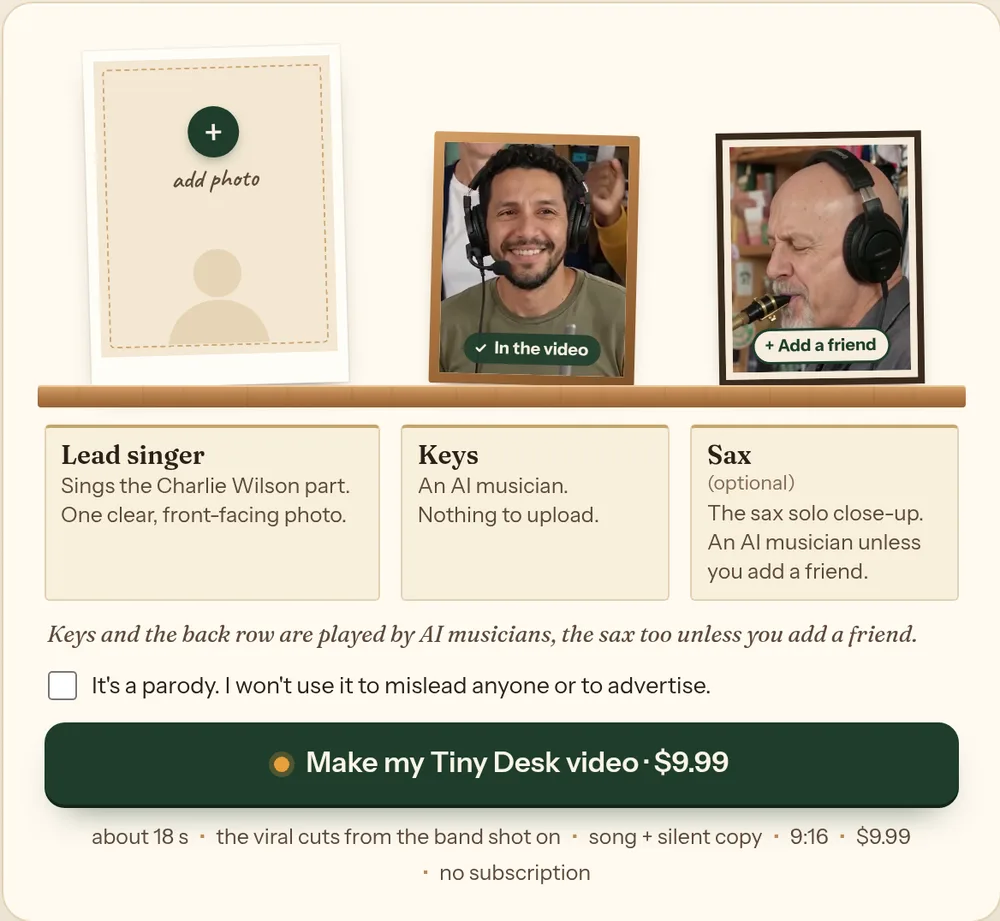
tinydeskai.video is a browser tool that makes your video online without installing an editor. As the site's FAQ explains, there's "No editing, no templates, no app."
You upload one photo for your lead performer and can include a friend on the sax at no added charge. Automated musicians fill in the keyboard position and the background choir.
The finished MP4 runs about 18 seconds from the opening band shot onward in vertical 9:16 format with no watermark.
Every export delivers two files: one containing the original audio track and a silent copy in case a social platform mutes the music. It sells one-time packs to pay for your generations.
4. outstandingtinydeskai.com: best for choosing your own settings
outstandingtinydeskai.com is a browser tool with custom settings for your concert clip. You can upload a lead singer photo and add images for your keyboard player, sax player, and both backing vocalists.
If you leave any spot empty, an automated performer fills that role. Under Advanced settings, you'll find an optional outfits box for notes like "matching red tracksuits", along with choices for AI model and resolution.
The setup shows the credit cost on screen as you adjust settings. The resulting export is a 19-second vertical 9:16 MP4 that comes with the original trend sound included.
You can stage your pictures and options before paying. The site sells one-time credit packs with no subscription, and you sign up or sign in with Google after you pay.
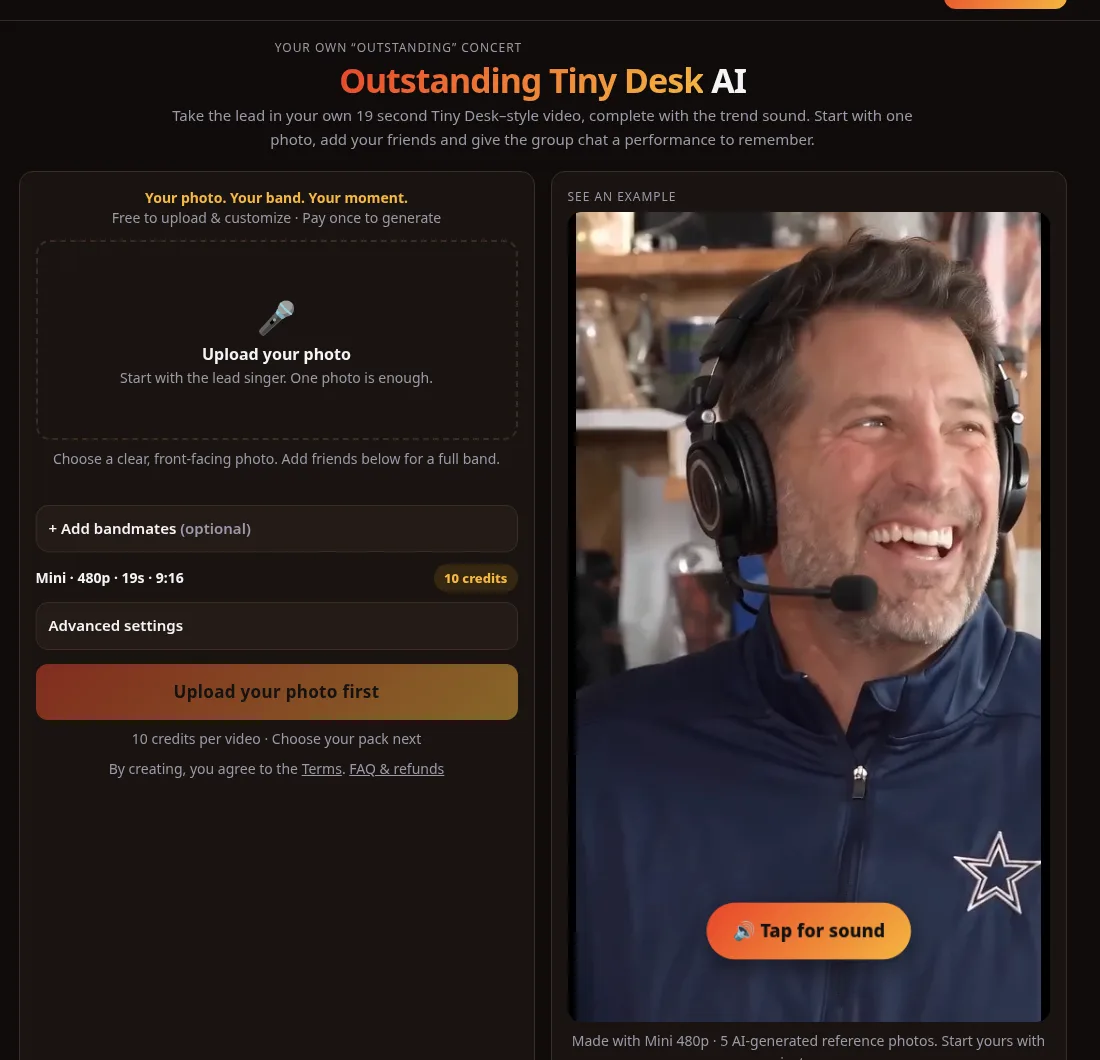
5. outstandingtinydesk.com: best for one group photo
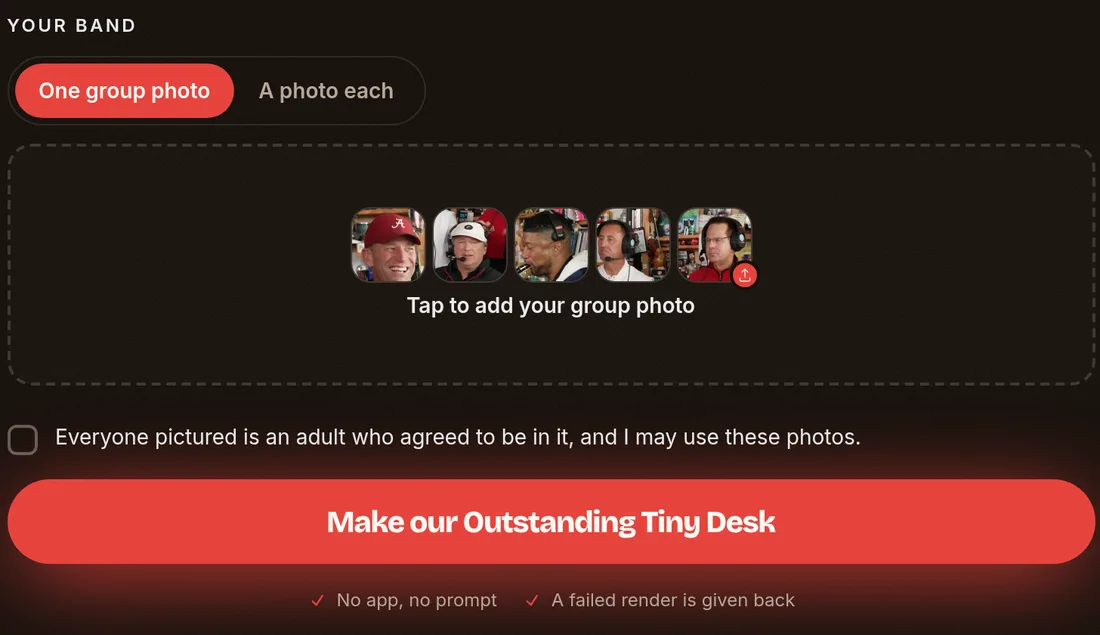
outstandingtinydesk.com turns one group photo into a full concert scene in the browser. Its creation screen lets you upload one group photo of up to five adults or switch the upload mode to "A photo each".
When you supply a group image, the system casts the band roles from left to right. The person on the far left gets the opening close-up and laughter scene.
Then come the lead vocalist, the sax soloist, and the two backup singers. If your image contains fewer than five people, extra musicians appear to fill the empty spots.
Its page states the process needs "No app, no prompt". The vertical video exports with the music of the original set included, and you pay once with no subscription.
Still want to use CapCut? 3 fixes to try first
If you prefer to keep trying the mobile template route, CapCut's help documentation recommends three standard troubleshooting steps:
- Update your CapCut mobile app to the newest version available in your device's app store.
- Open the template directly from the original TikTok clip on your phone by tapping the "Use template in CapCut" button.
- Sign in to an eligible CapCut account that satisfies the age and regional guidelines for that effect.
You can read our guide on how the Outstanding Tiny Desk AI template works to understand what happens inside the editor once the project loads.
How we picked these Tiny Desk AI CapCut alternatives
We looked at web platforms that build the trending concert clip directly from uploaded photographs. We read each maker's own page on 27 October 2026.
We kept the tools that run in a standard browser and make the "Outstanding" desk performance.
You can review the full list of eight ways to see every mobile and desktop option available for this trend.
Tiny Desk AI CapCut alternative FAQ
Can I make the Tiny Desk AI video without CapCut?
Yes, you can make the video entirely in your web browser using dedicated generator sites.
These platforms accept your photos, animate the band performance, and let you download the completed MP4 without installing video editing software.
Can I make it with several photos, or only one?
You can use either a single photo or several separate pictures.
Some web alternatives, including Seadanse, let you upload separate photos for each band role. Among the tools compared here, Seadanse has the most complete support with no sign-up: all 5 band roles (lead vocal, sax, keys and two backing vocals) get their own photo.
Other tools here leave out some roles. viralreel.app has 3 slots that aren't labelled sax, and tinydeskai.video takes a lead and a friend on sax, with no keyboard slot.
Tools like Seadanse automatically fill any empty band seats if you only have one picture.
Why does CapCut say the template isn't available in my region?
CapCut shows this notice when a creator or the platform limits a template to certain regions.
CapCut's help pages confirm that some effects stay hidden outside those locations.
Why is CapCut not letting me use the template?
CapCut may block access if your app is outdated, if the template needs a sign-in, or if your profile doesn't meet specific age rules.
Viral templates also roll out to small test groups first. In addition, CapCut Web doesn't host time-sensitive TikTok edits.
Does a VPN fix the CapCut template?
CapCut's help pages don't list a virtual private network as an approved fix for missing templates. In fact, CapCut's documentation states that violating terms of service isn't recommended.
CapCut suggests updating your app, checking your account settings, or tapping the template link directly inside TikTok instead.
Which CapCut alternative keeps the "Outstanding" sound?
Seadanse, tinydeskai.video, outstandingtinydeskai.com, and outstandingtinydesk.com all include the music in the exported MP4 file.
If you run into issues on social media, see our troubleshooting guide for if the sound drops out after you post.
Is there a free Tiny Desk AI CapCut alternative?
Web generators use one-time credit packs or paid processing tiers rather than free exports. That's because generating multi-shot band videos needs dedicated server hardware.
You can check our review of AI video effects without a subscription to see how browser-based pricing works across different tools.
Make your Tiny Desk AI video without CapCut
To bypass template errors, open the browser tool, upload 1 to 5 pictures of your crew, pick 720p, and press Create.
On Seadanse, your photos transform into a 19-second concert video with the "Outstanding" music baked into the file for $9.90 with guest checkout.
You can also explore other AI video effects like Uptown Funk AI to put your crew into more musical performances.
When you're ready to make your clip, head over and make your Tiny Desk AI video today.
Related Articles
- How to Make a Tiny Desk AI Video From One Photo (4 Steps) — the picks and presses, and who plays what in your band.
- What Is the Tiny Desk AI Trend? The Coaches Video, Explained — who made the first one, when, and how it spread past college football.
- Outstanding Tiny Desk AI Template: What the CapCut One Does — the template the TikTok tutorials link, and what it does with your photo.
- Best Tiny Desk AI Video Generators (2026): 8 Ways Compared — the sites, apps and templates that make this video, side by side.
- Tiny Desk AI Prompt (Copy-Ready): Every Shot, Every Role — the full prompt behind the video, to use in a video tool yourself.
- Tiny Desk AI Meme Ideas: Who Goes on the Sax (and How) — the casts people have made, and who to put in yours.
- Tiny Desk AI Song: "Outstanding" by The Gap Band, Explained — the song, the 2023 set it comes from, and the part the trend uses.
- Is Tiny Desk AI Free? 6 Options Compared (2026) — what each route gives you free and what it costs to get the full band.
- Tiny Desk AI Sound Not Working? 6 Fixes for TikTok and Reels — why a posted video goes silent and how to get the song back.
- Tiny Desk AI Coaches Video: Make Your Own Team's Version — six casting ideas for your own crew after a loss.


